iPhone App - Designed for the iPhone, compatible with the iPad
Posted September 17th, 2012 by Dale Culp Our Rating: :: EASY AND USEFUL
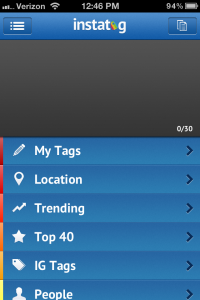
Instatag is a neat little app designed to streamline and take some of the guesswork out of adding tags to photos on Instagram, and it works pretty well.
There are plenty of reasons for someone to show another person some photos. The trick is to find a way to do it that isn’t incredibly boring. The folks at ImageAMMO, LLC are aware of this issue and have come up with their own app to combat the problem: the aptly named ImageAmmo.
ImageAMMO allows users to display and peruse their image library using a number of 3D interfaces. These shapes range from spirals to cubes, and they can manually sift through everything or start a slideshow as they see fit. The app automatically incorporates the iOS device’s library so there’s practically no setup involved. It also supports external displays, so users with a VGA adapter (or AppleTV and AirPlay) and monitor can create presentations that are much more interesting than the norm.
The developer has also adapted the software for music libraries. IA Jukebox gives users the option to shuffle through their music libraries in much the same fashion as the photo app. Album covers reconfigure themselves on the screen to create interesting shapes, and calling up a particular song is as simple as tapping the screen a couple of times. I’d think hooking it up to a TV would make selecting background music for a party much more entertaining.
Both ImageAMMO and IA Jukebox are available in the App Store right now for $3.99 and $2.99 respectively. Just think of the presentation possibilities.
Popular note-collecting app Evernote may now have a little competition from newly released Clipbox. Clipbox, currently on a new-release sale of $0.99, collects various clips of text and audio for users and saves those clips in iCloud.
Information synced to Clipbox is also available in a browser; so Clipbox clips are accessible anywhere the internet is available. Like Evernote, clips can be tagged for easy discovery later. Clipboard text and photos can be brought into the app with one easy tap. And boxes can be created to hold clips that use the user’s own search terms for organization. Users can even create a passcode to keep unwanted users out of their information.
The app has a clean and easy-to-use interface with retina display graphics for both the iPhone and iPad retina displays. haha Interactive, the developer, has made it clear that feedback from their customers will influence how they update their app in the future.
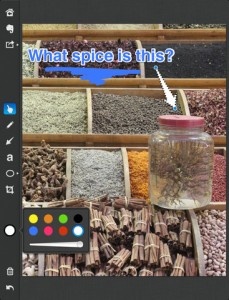
The wait is over. Skitch for iPad is finally here. Evernote purchased Skitch and launched the first app for Android in August and “iUsers” have been jealous ever since. As of Thursday, the popular Mac desktop app is now available for mobiles devices on the App Store. Sure, I could have used an annotated screenshot to tell the audience in fewer words, but then I’d be out of a job.
The goal of the app is to tell more with less. If a picture is worth a thousand words then Skitch is worth that and then a few more as it allows the user to use shapes, arrows, sketches and text annotation to get their point across quickly. They can mark up photos, screenshots, maps, and webpages then share them with anyone they’d like to. Web site developers might find this useful for when showing off their design to clients and instead of asking them what their changes are they could just ask to draw them.
iPhone App - Designed for the iPhone, compatible with the iPad
Posted July 29th, 2010 by Elizabeth Fish Our Rating: :: SUPER FUN
StopMotion Recorder had bought stop motion filming to the iPhone, and has done it almost perfectly. Easy to do and hours of fun, if only the camera quality was better.
After the media circus surrounding Gizmodo and its potentially lost/stolen iPhone 4G prototype last month, it seems there’s another iPhone 4G in the wild. Possibly not a prototype this time.
Mac Rumors has been provided with a link to a Vietnamese forum, Taoviet.vn, where more pictures of the new iPhone have been posted. According to a Mac Rumors’ source, the device was purchased in the USA along with an iPad. The device is shown from a number of new angles and a teardown of the product is also shown.
A video of the device has been posted to YouTube (see below).
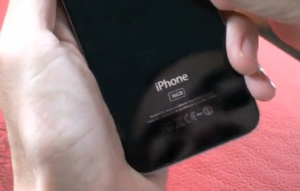
Little new information has been provided by these pictures, however the iPhone’s casing shows that it’s a 16GB model, whereas Gizmodo’s featured XXXGB on the back.
The casing appears more polished on this version with no screws found near the dock connector, suggesting that this is a near finished product. However, in the photos and video, the phone appears to be running some kind of diagnostic firmware and doesn’t look like it responds to presses on the home button. In the teardown images, what looks like a processor with Apple branding can also bee seen.
This new information is set against the sad backdrop of yet another suicide at Hon Hai Group in China where Apple’s iPhones are manufactured. This is the sixth death at Hon Hai this year and follows Hon Hai’s suspension of a member of its security team after a worker killed himself when an iPhone prototype was lost.
After Jason Chen, Gizmodo’s editor, had his home raided by police and his computers and other items taken as part of an ongoing investigation, this Vietnamese poster is playing a risky game. It also brings into question whether or not the “found it in a bar” story from Gizmodo (and its mystery iPhone seller) is likely to hold up now that two iPhone 4G models have surfaced.
Either people are being extremely careless with these valuable prototypes and two have been “lost” by Apple employees in the US or a more serious crime has been committed. This might also explain the shock and awe of the raid on Jason Chen’s house should the police have reason to believe that the Gizmodo iPhone was part of a wider theft.
Either way, our advice to the Vietnamese man in the video above – don’t include your face in footage of you holding a potentially stolen product, it never ends well.
iPhone App - Designed for the iPhone, compatible with the iPad
Posted April 30th, 2010 by Jason Fanguy Our Rating: :: PICTURE PERFECT
Camera Genius takes the iPhone's native camera and it's meager native functions and integrates them into one application that caters to all your photo needs. It provides users with a perfect set of features/options and performs remarkably, well worth its $1.99 asking price.
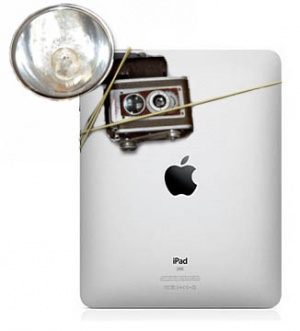
So the rumored “One More Thing…iSight in the iPad” turned out to be another case of wishful thinking by us fanboys…it happens. I can’t say I’m disappointed in my iPad, quite the opposite actually, I love the darn thing, but not having a camera is a little depressing. Fortunately though, the dev community has come to the rescue where Apple has fallen short by giving us apps that add camera functionality, assuming you have an iPhone, that is.
This amazing feat is done by streaming an iPhone’s camera feed directly to the iPad via wifi or Bluetooth and using the iPad as a remote to take and store photos. As of now the 2 apps I’ve found using this concept, Camera for iPad or Camera A, are limited to taking stills but it’s certainly better than nothing. While both apps ultimately perform the same function, there are some key differences between them, grab more details after the break. Continue reading Add a Camera to your iPad, No Duct-Tape Necessary »
I’ve personally never really believed it when someone would tell me that the iPhone’s camera isn’t bad for a phone. After all, I would take picture after picture and the majority would come out, usually with a string of words which I won’t repeat, blurry and unrecognizable. As I hustled around CES last week taking pictures and spilling coffee all over myself, it was actually Chris Hall who so graciously pointed out, in between laughs of course, that it was probably my pitifully shaky hands that was the problem and not the camera itself. As it turns out, he was right, for once, and for the past few days I’ve been using the Blur Tripod and have formed a new opinion regarding my camera phone.
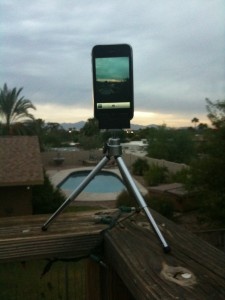
Priced at $14.95, the Blur Tripod is exactly what you think it is, a tripod for an iPhone. A mini tripod to be precise, which stands about 5.5 inches off the ground or up to 8 inches if you extend the legs all the way. The unit itself comes in two separate parts, the legs and the adapter mount. The legs are made of ultra light weight aluminum wich keeps them portable while still remaining fairly durable. The mount is a simple plastic clip which uses a standard 1/4″ 20 thread camera screw size which makes it usable on most any tripod on the market. An extremely nice feature of this tripod is it’s adjustably, it can truly be manipulated to be able to take photos from nearly any angle you would ever need, however it does become a little unstable when shifted too far to one side. A helpful tip I found though is that while unstable for taking photos shifting the mount all of the way to one side can help in another way by doubling as a steady hand grip for shooting video.
Remember the good old days when your dad would want to show off how cute you were. Whenever he could get the chance he’d whip out his wallet and that accordion style photo holder would flop out with a dozen embarrassing photos…well today’s kids have it even worse. Think about it, with an iPhone the parents of today can walk around with over a decade of snap shots in their pocket just waiting to embarrass their 25 year old son with…no, I’m not bitter!
To make matters worse, not only can they whip them out at a moments notice but now they can share a copy of them with anyone on the spot simply via MMS or e-mail. If you’re not familiar with this, it can be easily done from the Photos application. Clicking on the arrow in the lower left corner of the Album View will bring up 3 options. “Share,” “Copy,” and “Delete.” Next you’re able to select up to 5 photos and by tapping on the Share icon you’re can choose either “MMS” or “Email.” Quick, simple and to the point, right? But what if you have 12 or more photos you’d like to share, is your only answer going back and forth creating 3 separate e-mails? Nope, here’s your trick: Copy. By selecting the Copy option instead of the Share your iPhone will allow you to select as many as you like and paste them in a new blank e-mail all at once. This can be a handy little time saver but there are some restrictions. For starters it won’t work for MMS and also the number of photos you can send in a single e-mail is limited by how large of a message your provider will allow you to send. Oh and BTW, this trick does not work with videos either.
Now if you’re a parent, go forth and embarrass away with all of those priceless photos. If you’re the victim…I mean child in this disastrous scenario well then I’m sorry. But do take some comfort in the knowledge that someday you’ll probably be sharing your kid’s holograms via text.
Keeping up with the Jones' just became a hell of a lot easier with feX for Facebook. Instantly keep your contacts from Facebook in perfect harmony with your iPhone. Huzzah!
Impress is a painting app designed to let you turn your favorite pictures into paintings. Featuring zoom controls, brush, settings, and automatic color selection, with a little bit of patience and an eye for detail it allows you to make something not half bad.
iPhone App - Designed for the iPhone, compatible with the iPad
Posted June 16th, 2009 by Jason Philo Our Rating: :: RECOMMENDED
GPS Photorino is an alright picture app. It's main feature is labeling your location on a picture frame. If you're always taking pictures on the iPhone and want an easy on-the-spot way to customize them, go for it.
iPhone App - Designed for the iPhone, compatible with the iPad
Posted May 5th, 2009 by Donna Harrison Our Rating: :: Lovin' it
This handy little utility lets you transfer pictures and/or contacts to other iPod Touch or iPhones over a shared wifi network with a simple swipe of the screen. Free goodness!