Placesaver Review
iPhone App - Designed for the iPhone, compatible with the iPadPlacesaver makes marking locations significantly easier and more user-friendly.
Read The Full Review »
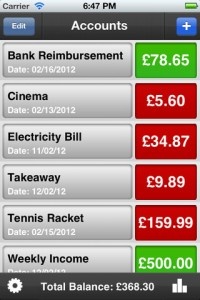
Posts Tagged James ShawPlacesaver ReviewiPhone App - Designed for the iPhone, compatible with the iPadPlacesaver makes marking locations significantly easier and more user-friendly. Read The Full Review » Accounts – Money Tracker ReviewiPhone App - Designed for the iPhone, compatible with the iPadAccounts is a pretty cut-and-dry finance tracking app that's big on ease of use. Read The Full Review »
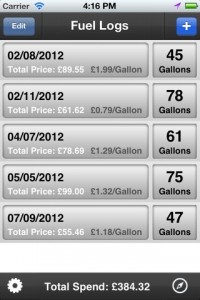
The latest app from JAS Appications allows users to track their mileage, their spending, etc… All manner of values can be adjusted to fit a user’s region, including gallons/liters, and a number of different currencies. Of course, it just wouldn’t be a JAS Applications app if it didn’t also include a super-useful GPS feature. Which it does. Yup, as expected Gas Logs can do all this in addition to finding nearby gas stations by using the iOS device’s built-in GPS. Again, someone like myself who doesn’t even own a car won’t have much use for it but there are billions of people out there who drive, and at least millions who own an iPhone. Chances are good that there’s a decent market for something like this.
Weather Router ReviewiPhone App - Designed for the iPhone, compatible with the iPadEver wanted an easier way to keep track of the weather while on a road trip? Well... Read The Full Review » SocialBox ReviewiPhone App - Designed for the iPhone, compatible with the iPadThe 16 year-old app developing wonder is back with another slick and useful offering. Read The Full Review » MusicStatus for Facebook ReviewiPhone App - Designed for the iPhone, compatible with the iPadMusicStatus for Facebook has been designed from the ground up to give users a smooth and easy way to keep their friends in the loop. Read The Full Review »
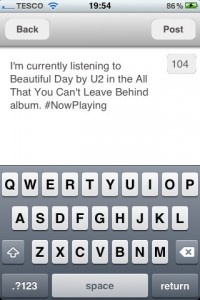
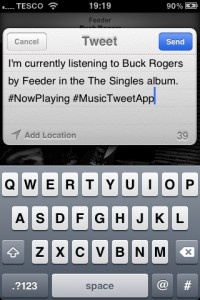
MusicTweet is an app designed to do just that: tweet music. When a user starts up the app, it will automatically find the song and album information on what they’re currently listening to. When the tracks change, it’ll track down the info for the new one, too. From there it’s simply a matter of tapping the “Tweet” button. The app will automatically add the title, artist and other miscellaneous bits. Tracks can be changed in-app, along with the volume, so there’s little reason for tweet-happy music lovers to not keep it running all the time. MusicTweet is available on the App Store now for $0.99. $0.99 ![]() iPhone App - Designed for the iPhone, compatible with the iPad Released: 2011-11-29 :: Category: Social Networking |