iPhone App - Designed for the iPhone, compatible with the iPad
Posted March 25th, 2013 by Rob Rich Our Rating: :: EASY MONEY
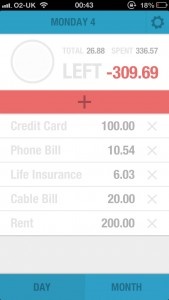
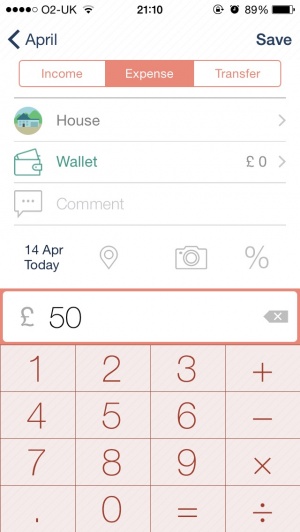
Wally - Smart Personal Finance may not have all the bells and whistles of those other fancy personal finance apps, but it's really easy to use and understand.
iPhone App - Designed for the iPhone, compatible with the iPad
Posted November 12th, 2012 by Michael Halloran Our Rating: :: PREMIUM PRICE
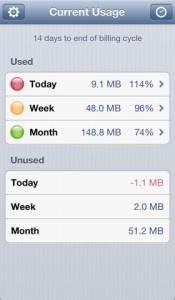
This app is able to track real-time data consumption to help users prevent overage charges. However, it is lacking in some key features that would be expected from an app at such a high premium.
Budgeting app Mvelopes has just added an extremely convenient new feature: the ability to pay bills directly from within the app.
See, while other budgeting apps may have the ability to list bills that need to be paid in their apps, actually paying them becomes a challenge. This new Bill Pay feature allows for transfers directly from the bank to those institutions that need to be paid. It’s possible to add multiple bank accounts – even from entirely different banks – to help make paying back bills easier, and users can transfer money between banks using the app.
When using this feature to directly pay bills, the app can also track payments and forecast future payments to help keep spending in line. While it’s not possible to add new bank information while on the go, scheduling payments for as soon as the next day can be done while mobile. Data is encrypted so that if a device is lost, this important data is safe. These features are available as part of the Mvelopes Premier package for $9.99 a month, and are integrated into the app, which is available now.
We like unique finance apps, like CoinKeeper. Now another interesting finance app has popped up called ImpulseSave. ImpulseSave allows users to save money by literally taking it out of their accounts and putting it into an ImpulseSave savings account.
Users setup goals to save up money for (like a new iPad). The purpose of the app is for users to get the same experience of spending their money when they’re actually saving it. Instead of an impulse buy, they save impulsively. Users can use the app anytime they feel like saving some money (perhaps when they stop themselves from making an impulse purchase). The funds are transferred to a bank account with no fees and users can access that money whenever they’d like (although the common 2-3 business day wait for bank transfers apply). Money in the accounts even gather interest!
ImpulseSave was already established prior to the app at ImpulseSave.com. And non-iOS users can even use ImpulseSave on any other mobile phone through their SMS service.
Late last month, I reviewed CoinKeeper, a budgeting and finance app that I thought was particularly good (it received a 148Apps Editor’s Choice award). When I first looked at CoinKeeper, I made the assumption that in simplifying the interface of finance apps in such a creative way the developers wouldn’t build in the powerful budgeting features found in other apps. I’ve since spent over two weeks with the app. In that time, I’ve discovered some of those powerful features I didn’t notice before, ignored some features I previously thought may have been useful, and have tips for new CoinKeeper users.
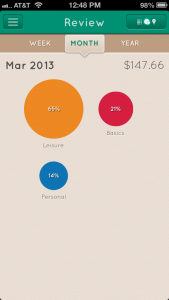
Reviewing The Review A feature I must have missed is subcategories. As the name suggests, subcategories are categories within the categories users have already added. New subcategories are added by tapping on an existing category, then a transaction within that category. As an added bonus, within the statistics screen showing a piechart of expenses, piecharts for subcategories are also available.
I had mentioned syncing in my review, but I have to reiterate the fact that this is the strongest feature of CoinKeeper. The syncing is quick and up-to-date, making the previously annoying task of keeping track of both mine and my fiancee’s finances an easy and daily occurrence.
Also, the daily reports feature was much more useful than I had previously considered (I briefly mentioned it in the review). The feature gives users receipt like notes for each day highlighting the money spent on each budget (and received from income). It was a great way to flip through and figure out what money is being spent on daily.
The game feature that included earning stars and points in attributes, wasn’t motivational or fun. In all honesty, I’ve completely ignored the feature ever since I started using the app on a daily basis. Looking at it now, I’m apparently level 2 in Thrifty and Hoarding, level 3 in Consistent, and level 1 with 0 points in Prosperous (how stereotypical for a writer).
Tips for New Users
Make a miscellaneous income account. In the review, I had suggested that all users make a miscellaneous expense category because the app doesn’t allow users to make transactions that don’t go into a category. Miscellaneous income also happens and is useful. I used it for birthday money, gambling (poker night with friends), and selling things (sold my first iPad).
This is just a general budgeting tip that helped me feel better about using the app: underestimate income and overestimate expenses. Over-budget coins are bright red and completely full (instead of a percentage full and green or yellow). It’s not a nice feeling to stare at multiple bright red coins, especially before the month is over.
The Last Word
I can’t do much more to suggest CoinKeeper as a must-have finance app, especially for couples or groups sharing a money pool. We’ve already rated it 4.5/5 stars, given it a 148Apps Editor’s Choice award, and now, published an in-depth follow up of the app. Now it’s up to you to buy CoinKeeper.
It’s coming down to the time for us procrastinators to either suck it up and do our taxes or file an extension. Taxes, and finance in general, are not the most exciting of tasks. And on a yearly basis, I seem to wait until the last minute to get this done (just did mine today). When taxes and finance are put into app form, they can be a little less boring. Check out our four favorite tax season apps for taxes and generally being in a better mood about finance and budgeting.
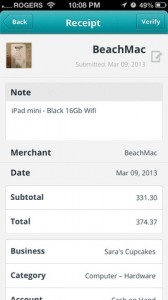
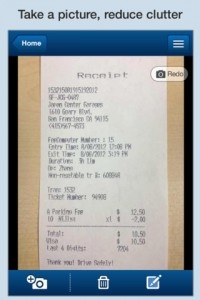
Tax Receipt Log: The most important thing about finance apps is speed and organization. Tax Receipt Log makes the process of saving receipts both quick and organized. Users snap a picture of the receipt, enter an amount, and tag it under a category. Text and voice notes can also be added to the entries. And when tax season comes around, all of the expenses can be exported as a spreadsheet and sent out via email. It may be a little late to organize receipts in this way this year, but now’s a great time to start for next tax season.
iPhone App - Designed for the iPhone, compatible with the iPad
Released: 2011-03-31 :: Category: Finance
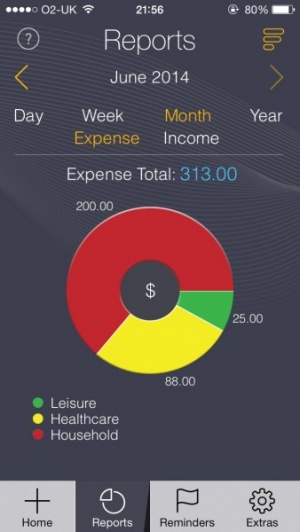
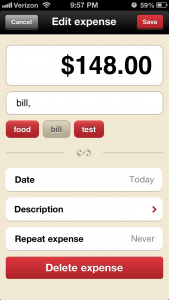
CoinKeeper: This is a recent favorite of mine and we even awarded it an Editor’s Choice award here at 148Apps. CoinKeeper does what most finance and budgeting apps fail to do, it makes the process of entering all transactions into an app make sense. CoinKeeper has a beautiful and unique interface. The motion of dragging a coin from an income to an account and from an account to a budget just simply makes sense. It’s a quick motion and is intensely visual. Seeing a monthly budget in terms of colors and coins filled up by percentage is exactly what I need to keep my money in check. Anyone serious about their budgeting absolutely must have this app.
iPhone App - Designed for the iPhone, compatible with the iPad
Released: 2011-10-17 :: Category: Finance
PocketMoney: I reviewed this one back in 2009. Like CoinKeeper, PocketMoney is a way to keep track of all transactions through the year. It has budgeting options, multiple accounts, and everything most would need out of a budgeting app. There are even advanced options like category splitting which allows users to put parts of a transaction in one category and other parts in another (like buying a DVD while grocery shopping… partially in entertainment and partially in food). Unlike CoinKeeper, PocketMoney doesn’t have a unique and revolutionary interface. It has the more traditional iOS interface with simple rows of transactions and bottom buttons. I would suggest this one for users that can’t get attached to the CoinKeeper interface.
+ Universal App - Designed for iPhone and iPad
Released: 2008-07-11 :: Category: Finance
Mint.com: Mint is a service that helps users track all of the information that PocketMoney and CoinKeeper need inputted manually. Mint keeps track of accounts and transactions automatically and does its best to sort the transactions into categories. Budgeting is fairly easy with Mint but the automation isn’t exactly perfect. Transactions will sometimes be categorized in the wrong place and need to be manually fixed. Also, Mint doesn’t work with all banks. Billy Miller, who reviewed Mint on 148Apps back in 2009, had some trouble with the app supporting small banks and credit unions, “A lot of people who prefer small banks or credit unions will probably run into the same situation.”
Bump Technologies, developer of popular information sharing app, Bump, has just released Bump Pay, a PayPal-based solution to checks, cash, and IOU’s between friends.
As simple as sharing information like contacts and photos with Bump, Bump Pay allows users to make and receive payments via PayPal by “bumping” their iPhones together. No setup for Bump Pay is necessary. An existing PayPal account is all it takes to sign into Bump Pay. There isn’t even a transaction fee for using Bump Pay. If the PayPal account is linked to a checking account, the transaction is free.
Bump Pay was actually a tool the developers of Bump made for personal use to settle things like going out to lunch when someone didn’t have cash. But everyone loved the app so much that they decided to release the app in the App Store.
Bump Pay is free to download and free to use. PayPal users have no excuse not to check it out.
On a regular basis, we’re bombarded with concerns regarding identity theft worries and how best to keep sensitive information safe. Recently released onto the App Store is an app that sets to calm those worries, all in a simple, portable way.
AllClear ID sets out to alert users whenever there’s a report that criminals may have accessed their accounts. Bank accounts, credit cards and even the user’s Social Security number are all monitored through the AllClear service.
Besides tracking such useful things, AllClear ID also offers a number of ways to protect the user’s identity, such as the option to order a credit report or reduce junk mail. Security alerts come through either as a phone call or alert message with the option to connect to one of AllClear ID‘s investigators for assistance.
For the security conscious, AllClear ID is sure to set a few minds at ease. Even better, it’s free to use although there is a Pro service available for $14.99, although it’s far from essential.
It’s no longer a matter of if you’ll be taking care of all your financial transactions via smartphone, but when. And now that we’ve seen the Geode we’re thinking that day might be arriving very soon. The smart wallet, which is also a phone case, may be the most sophisticated, useful smart wallet ever created, and we’re awaiting its launch with baited breath.
First off, Geode isn’t tied to just one credit card or online service, but rather allows users to scan all their credit cards, loyalty cards and more right into the case’s companion app. The process is painless, using the included reader to swipe cards with magnetic strips or the iPhone’s built-in camera to snap the barcode of loyalty cards. From there, using your cards is as simple as tapping on the one you want, the e-ink reader on the Geode displays the barcode for scanning by merchants, and if you need a physical card you can pull the Geode card out of the case, which is temporarily loaded with your chosen credit card’s info.
Most important of all the Geode is secure, utilizing a biometric fingerprint scanner to ensure that you and you alone have access to your credit cards. So now, even if your virtual wallet is stolen there’s no threat of the bad guys going on a shopping spree.
The Geode will go on sale soon at a somewhat steep price of $199. Those who want to get in early and get a discount though can head over to the product’s Kickstarter page and pre-order a Geode, along with a few other goodies. So, who’s up for grabbing what may be a potentially revolutionary device?
We’ve all used the old fashioned clunky cash drawer in a store, but how about a future where this expensive and heavy item is no longer needed? The release of Square Register has made that a bit more likely, thanks to the app’s ability to accept card and cash payments via an iPad.
Square Register is ideal for the small business owner. Once the user signs up to the service, they’re provided with a free Square Card Readee. With a compatible cash drawer and receipt printer, it’s possible to take cash payments at a tap of a button. While card payments invoke a fee of 2.75% a transaction, cash payments are free to take making this an ideal app for those business owners dealing with small yet regular sums of cash.
It’s quick to sign up for, as well. Numerous analytical services are then made available so that the user can track their sales, what times of day are their busiest, how many tips have been accrued, and even tax-based inquiries.
It’s possible to keep track of what items have been sold and for how much, as well as create a loyalty program for customers. Electronic receipts can be provided instantly via SMS or email, but paper receipts are still an option.
It’s all very clever stuff and a great space and money saver for the business owner.
The Square Register app is available now for free.
Now I’ll admit that I don’t do much driving nowadays because I use mass transit (i.e. the subway), but I did drive a lot once upon a time. And it was quite the pain to deal with all of the extraneous annoyances like traffic, insurance, and gas. Guess which of those problems Gas Logs addresses?
The latest app from JAS Appications allows users to track their mileage, their spending, etc… All manner of values can be adjusted to fit a user’s region, including gallons/liters, and a number of different currencies. Of course, it just wouldn’t be a JAS Applications app if it didn’t also include a super-useful GPS feature. Which it does. Yup, as expected Gas Logs can do all this in addition to finding nearby gas stations by using the iOS device’s built-in GPS.
Again, someone like myself who doesn’t even own a car won’t have much use for it but there are billions of people out there who drive, and at least millions who own an iPhone. Chances are good that there’s a decent market for something like this.
With the likes of contactless payment changing the way that people can pay for their goods, it’s surely only a matter of time before cash and even credit or debit cards are eradicated. Card.io payments goes some way to bridging this gap by using the iOS camera to enable card payments.
Card.io payments is simple to use. Just hold a credit card in front of the camera and all relevant information is scanned automatically with the payment processed shortly afterwards. The company behind the app, Lumber Labs, promises that everything is safe and secure thanks to no information being stored and any communication is protected with high-grade encryption.
No setup fees are required or monthly subscriptions. Instead pricing is 3.5% of plus 30 cents per transaction, with earnings paid out on a 7 day rolling basis. It’s simple and effective to use, whether that be with a small transaction between friends or with something more substantial.
The Card.io payments app is available now for free with fees applying when used.
Mint.com is a service that I wish would come over to the British shores. For now though, I’ll just gaze longingly at how the already excellent personal finance app has now been optimized for the iPad and improved upon.
Built with the iPad and iOS5 in mind (which is now a requirement to install Mint.com Personal Finance), the overview screen has been redesigned so that users can quickly get a snapshot of their finances as well as the latest alerts and bill reminders. Cash and pending transactions can be entered to ensure the most accurate view of the user’s finances, plus detailed transactions are viewable. Multi-touch graphs make everything easy to understand, particularly for those who work best with visual imagery, so its users always know where their money is going.
It’s a sizeable enough update that re-establishes Mint.com Personal Finance‘s position as a great app for all US and Canadian users in their quest to keep an eye on their finances. It’s out now.
Sharing expenses is often a touchy subject, even among friends. No one wants to pay too much, but they also want to make sure everything is split evenly. And this is exactly the kind of situation iOmoney was created to handle.
Originally a Palm OS and Pocket PC application, iOmoney has finally made its way on to the App Store. With it, users can track the expenses of their entire group and see exactly who owes what to whom with a couple of taps. If five friends (three singles and one couple) go on a trip together, each group transaction can be entered into the app for easy tracking. Along with basic costs, each bill can be marked as payed (or partially paid) by any individual in the group with debts calculated automatically. So if “Helen” picks up the check for dinner, iOmoney will be able to tell exactly how much each of the others owes her.
An example provided by the developer can be found here, but it’s not a necessity. iOmoney is pretty easy to figure out through a bit of experimentation. Tap to add, type in a few values, occasionally check the Debts & Balances tab to see how it’s all being split. Easy stuff.
iOmoney is available on the App Store right now in both a full ($4.99) and lite (Free) version. Anyone who finds themselves out with friends a lot would do well to try it out.
iPhone App - Designed for the iPhone, compatible with the iPad
Posted July 12th, 2011 by Rob Rich Our Rating: :: HANDY
Money for iPhone offers up a fairly comprehensive financial management toolset for a pittance. Just understand that it requires a bit of a time commitment for it to be most effective.
Posted February 24th, 2011 by Jason Fanguy Our Rating: :: BUDGET BUSTER
If you're down with its asking price, Pageonce Pro is an app which organizes and tracks your hard-earned green and belly-aching bills. It allows users to see their bank account information, credit cards, bills and investments, collectively, all on one screen. It further allows you to control your money, bill-paying, etc. and sends you real-time alerts/reminders regarding any/all of your accounts.
iPhone App - Designed for the iPhone, compatible with the iPad
Posted August 31st, 2010 by Bonnie Eisenman Our Rating: :: SIMPLY USEFUL
If you're a Mac user, Squirrel 2 is an excellent iPhone app for keeping track of your spending. It supports budgets and multiple accounts, and syncs wonderfully with the Mac application. Windows users, however, will be disappointed by Squirrel for iPhone as a stand-alone app.
Logitech has created a wired keyboard for the iPad which is the first one made specially for use in the classroom. The Logitech Wired Keyboard for iPad is designed for easy connectivity by simply plugging it in, making it easier on students and teachers, and has a key lifespan of more than five million strokes. [...]