ABC for the Little Scientist for the iPad is a nice, interactive letters app with a science theme. Like other apps such as this, ABC for the Little Scientist consists of letters a to z, each illustrated with its own interactive page where one can tap the letter or word in question to listen to narration, here of either a male or female voice as well as to look for interactive hotspots. I like the fact that this app uses unique words not typically found in apps like this but instead tackles more complex ideas such as “connection” as in internet connection, this page including a roaming satellite and the earth from a view in space. A version for iPhone is also available.
Learning how to write a good academic essay is a vital skill for many students but it’s not always easy to learn how to achieve such great results. Enter an app by the name of High School Writing which hopes to help students learn exactly what they need to know to approach essay writing, right down to addressing college application essays.
The app, recently updated, includes ten major essays that students should learn. These consist of: Argumentative (Persuasive), Cause and Effect, Compare and Contrast, Descriptive, Expository (Informative), Five-Paragraph, Narrative (First Person), Narrative (Third Person), Opinion and Reaction (Response) Paper. Each essay type is vital for numerous different purposes so this app should cover all eventualities. It even goes onto teach students how to write the best college application essays to ensure that they know how to sell themselves appropriately.
Currently priced at $14.99 (regularly $19.99), High School Writing is one of the more expensive apps out there – however, its ability to teach critical thinking in such a simple way is priceless for those desperate to improve their grades.
High School Writing is available now. It’s an universal app with the iPad offering some great dual-viewing fields allowing for side by side comparison of websites for research purposes.
Realising that the world is a globe and thus in theory someone on the other side of the world is in the exact same spot as I am now is a very odd thing to get to grips with. Written down it sounds a little like madness so it’s no wonder that once upon a time people thought the world was flat. After all, if there’s no easy opportunity to travel the world, how could anyone realise that actually the world doesn’t stop at a certain point?
That brief, bordering on philosophical piece of rambling aside, Dig2China provides its users with the opportunity to see exactly where they would be if they were able to dig a hole through to the other side of the earth right that second. The phone vibrates as it ‘tunnels’ its way through the planet in order to surface at the other side.
Once the app pinpoints the new location, fun facts like the current time, weather and official language are shown plus there’s a Wikipedia link for further information. Dig2China makes for an ideal yet fun geography app for young and old.
Learning a new language is challenging work. Fortunately technology is around to make things a little simpler courtesy of apps like Oxford Advanced Learner’s Dictionary.
The app is aimed at those learning English as a foreign language, promising cutting edge features such as full sentence pronunciations and thousands of detailed graphics that aim to bring words and definitions to life.
In all, there are 58,000 example sentences that can be listened to with the option for either British or American voices. 183,500 words, phrases and meanings are explained clearly with an integrated thesaurus providing plenty of synonyms and lists of collocations. As the dictionary will explain, collocations are words that go together. See? Even as a first language, there’s a whole bunch of words that could be learned through this app!
Priced at $28.99, Oxford Advanced Learner’s Dictionary is on the heftier side of pricing but it’s for a good reason. It’s a comprehensive app and one that a book of the same depth would be considerably more expensive. For those learning English as a foreign language, this is an invaluable resource.
It’s really quite easy to get words jumbled up, especially for those not 100% confident with their English language skills when it comes to writing things down. It’s not so much the obvious mistakes that are easily made but more the subtle ones. Things like spelling breach as breech or compliment as complement. Small and subtle but it makes all the difference. For those who are keen to ensure that such blips are a distant memory, an app like WordWit has the potential to not only educate and entertain in its mission to decode the secrets of confusing word usage and spelling.
Hundreds of misused words are paired with the incorrect entry with the user needing to figure it out for themselves. Simple explanations are offered for these variances to ensure that the differences are laid out obviously for those learning their way around the language. There are even handy mnemonics offered to ensure that the correct answer is remembered easily for the future. All of WordWit’s entries have been written from scratch by their team with even the quotes featured throughout carefully researched and chosen for the purpose of educating. The quotes themselves are frequently educational too which is always a benefit.
Crucially, WordWit maintains the fun factor with quizzes available to keep things entertaining as well as educational. The ideal way for any student to learn in particular. The quiz functionality isn’t the only way to learn though with the option to look up specific words or browse the selection too.
For the word addict, it’s also possible to suggest words that the developers may have missed out first time thus hopefully ensuring that they feature in future updates.
Fun and a way of learning something. What more could be needed in an app? WordWit is out now for $1.99.
I never get to visit zoos as often as I like as my nearest zoo is over an hour’s drive away. Throw in the expense of visiting and it’s just not as frequent as I’d like.
It’s a similar problem for the likes of my young cousins who don’t get to see animals anywhere often enough other than through the internet or books. Pocket Zoo HD won’t whisk anyone physically to a zoo but it does the next best thing by offering over 30+ live animal cams so that users can see creatures from all over the world.
Animals available to view include amongst others the cuddly penguin, the majestic tiger, the quirky meerkat and the fearsome killer whale. Pocket Zoo isn’t just about live cameras either with over 200 wildlife videos included as well as a virtual zoo with series of original animal illustrations. A string of facts are also included to educate young animal fans as well as real animal sounds.
Pocket Zoo HD looks like an ideal app to while away some time alongside younger relatives. It’s out now for the iPad, priced at $3.99.
Babies are fascinated by pretty much everything going. It’s no wonder too. After all, the world is an exciting and fun place to be in when you’ve never seen it before! While some technology is a little mature for little ones and the likes of Angry Birds might be out of reach for a few years yet, that doesn’t mean that babies can’t enjoy the iPad as much as any adult.
The latest app to help babies enjoy touch based interaction is Baby’s Musical Hands. It’s an app that features 15 brightly colored squares that babies can touch and interact with. Tapping a red square makes a drum sound while yellow plays piano notes and blue squares play a guitar noise. It’s the kind of fun that babies will instantly love, feeling that they can change so much with a simple tap of the screen. Every now and then, a touch produces a rainbow burst of stars also which will no doubt cause a giggle of happiness from any baby trying it out. The overall mixture of audio and visual feedback is bound to cause delight as well as inform babies just how useful interacting with things is.
Full multi-touch support is there so that the iPad can never be overwhelmed by the baby wanting to touch in a few different places. For a more quiet experience, parents are also able to either use the iPad mute switch or turn the volume down so that the baby can continue to enjoy the visual joys without the sounds that come with it.
Having been developed by a father, Owen Goss of Streaming Colour Studios, Baby’s Magical Hands is geared perfectly towards babies as they learn to interact with the world around them.
Posted June 27th, 2011 by Lisa Caplan Our Rating: :: DINOLICIOUS
If visiting a real life Jurassic Park has always been a dream, Dinosaur Zoo will bring you as close to the real thing as possible - without turning you into a T-Rex's lunch.
Finding the right school for your children is important business. So important that living in the right region can make all the difference. An app like GreatSchools Finder sets out to make this all a bit easier.
It’s an app for families in the US to find out quickly just how good their local school is and how it compares with other nearby schools. It offers over 125,000 K-12 public, private and public charter schools in the country using a 1-10 rating for each. Test scores are provided as well as over 900,000 parent and community reviews too.
Map features are on offer so it’s easy to see exactly where each school is located and numerous filtering options ensure that a parent can quickly view what’s relevant to them such as filter out certain grade levels or distance requirements. Once the right school is found, it can then be saved to a list of favorites for easy consultation and can be shared with others too.
GreatSchools Finder looks set to be an ideal way of taking out some of the hassle of finding the right school, and it’s available now as a free app.
Education is something that continues long into many people’s adult lives. So many professions now require regular accreditation and studying for certain qualifications.
This is particularly true in the health care, fitness, finance, education, law and engineering fields where things change so fast that regular retraining is vital for success and promotion opportunities.
There’s now an app in the form of Continuing Education Tracker which enables users to keep track of all their continuing education units easily. It tracks the specific course being undertaken, the relevant licenses and what budget is required for that time period. It’s all very easy to view from one screen and it’s also possible to email the information elsewhere.
It looks set to be a great way of keeping track of everything so that users can always see just how they’re doing on their respective course. It could certainly prove to be a great motivational tool as well as organizational.
Continuing Education Tracker is available now for all iOS devices and is priced at $0.99.
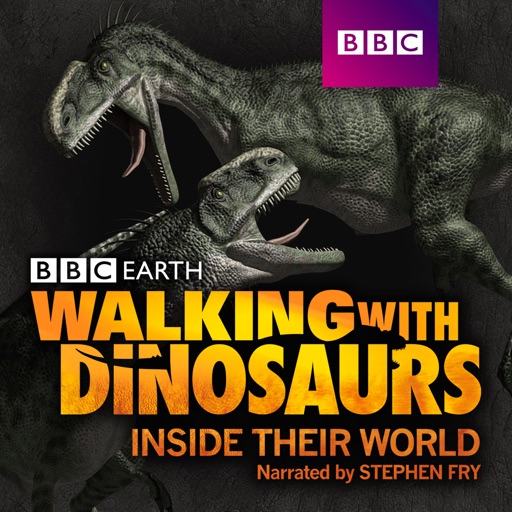
Fans of the kids’ favorite Dinosaur King TV show will be pleasantly surprised to see that there’s now an app to satisfy their interest.
Dinosaur King D-Team Adventures allows users to look through numerous interactive pictorials and play some games all based around their favorite characters. There’s 80 different dinosaurs in all to learn facts about them from physical data to name explanations so it’s even an ideal app for those youngsters just interested in dinosaurs, let alone the show.
Once the fan feels suitably knowledgeable on the subject, they can then partake in the Dinosaur Quiz King game in which they must answer 10 randomly determined dinosaur related questions and then be scored accordingly. There is also the Dinosaur King Around the World Game which offers an exciting twist on the trivia format.
Dinosaur King D-Team Adventures looks set to be an ideal app for fans of the show, and it’s available now for $2.99 for all iOS devices.
Everyone learns best through different methods. Numerous psychological studies have determined this and it’s amazing how much it helps to know what works for each individual. For those who work best by listening to their revision material, iVocAudio could be an ideal learning tool.
When using iVocAudio, users simply need to record their own Q&A pairs with the iOS device’s microphone and allow it to play back. It makes for an ideal revision tool for all kinds of subjects as it’s ultimately decided by the user what they want to use it for. The app also allows users to download existing files from the iVocAudio site which is particularly handy for those looking to learn another language. Multiple folders are possible so users can switch between subjects whenever they so choose.
iVocAudio looks to be a great tool for anyone who needs to learn something. Heck, you could even use it for more regular things like a shopping list or birthday reminder tool. The potential is pretty widespread.
It’s available now for all iOS devices and is only $0.99.
Check out the video below if you’re still wondering if it’s for you.
I like to think I’m a fairly well read person. In every day speech and writing, there’s hardly ever a word I struggle to understand. It only takes a quick flick through a dictionary to realise however that there’s a whole wealth of different words out there that are both fascinating and quite cool to know. In every day speech, it’s easy to stick to the same variety of words so along comes Vocabology hoping to buck that trend.
Vocabology is a free app that allows you to view the word of the day from various different sources on the internet. All located in the one place, it’s easy to quickly look up and learn new things. The app covers everything from Merriam Webster, Yahoo Education and even Urban Dictionary. Urban Dictionary makes for a particularly intriguing one offering up some terms that I can safely admit I’ve never heard of before.
For those hoping to learn even more than English, there’s also the addition of words of the day in Spanish, French, Italian, German and Portugese.
In the case of each entry, Vocabology also provides a definition, often an explanation of how to pronounce it and an audio clip saying it. Users can save their favorite words to a favorite list to consult at a later date.
Finally, there’s also a quiz game that enables users to test their knowledge of words that have been covered previously on the app.
Within no time at all, users of Vocabology are destined to learn more and more new words which they’ll hopefully use in every day life. Along the way, users should also learn a few new words in different languages too which is bound to be convenient.
Vocabology looks set to be a great app to check in on a daily basis.
It’s available now for all iOS devices and is a free download.
Despite not having children of my own, I know all about LazyTown. My cousins were hooked on the show when they were younger. They loved the rather quirky world it offered and its combination of puppetry, animation and real people. They’re unfortunately a little too old for it now but I’ve no doubt they’d have been thrilled by the arrival of the LazyTown BooClips app.
BooClips aims to improve your children’s reading skills while also stimulating their imagination. Using a combination of different features such as word for word narration, 3D and even picture in picture sign language intepretation, it’s bound to enthral kids. Voiceover recording is also available so that your children can become part of the storyline, no doubt boosting vocabulary skills.
The app is simple to use for all age groups and you can stop or start it wherever you like, it keeps track of where you left it.
It looks to be a great app to get your kids into reading while still feeling as interactive as any game too.
It’s available now for the iPad. The BooClips app is a free download with additional books such as Dr Rootenstain and Lazy Town Sportfake available as in-app purchases for $4.99 each. Take a look at the video below to see just what the interface is like.
This iPhone, iPad and iPod app “shows to go you” that science, especially physics, can taught in an interesting way that it is not dry and expressionless as was the case with a few of my junior and high school teachers. Actually, it can be fun, as the information on the app says, for the whole family. Go Car Go also demonstrates that it does not take rocket science to teach science. This is a very simple app that clearly shows how different physical properties and design will alter a car’s performance. If I “get” it, anyone can.
Posted March 3rd, 2011 by Carter Dotson Our Rating: :: LEARN TO STACK!
Stack the Countries is a game that tries to blend education with physics puzzler gameplay, making you answer questions about the facts of the world's countries and trying to stack those countries on top of each other to reach the goal height.
The British Library has entered the smartphone age, with the venerable institution launching its first ever app. the program, called Treasures, allows users from all over the world to take a peek at the museum’s extensive collection, showcasing such wonders as a 1215 original copy of the Magna Carta, Elizabeth I’s famous Tilbury speech before the Spanish Armada and famous manuscripts from composers like Mozart and Handel. There’s plenty more where that came from, as the app currently features over 100 different items alongside sound recordings and 50 short videos. The British Library has also promised to regularly update the app, adding new exhibits and paying special attention to new arrivals in the museum.
In addition to a standard iPhone edition of the app there is also an HD iPad version which offers slightly higher resolution pictures. iPods and iPhones running iOS 3.2 or above can view the app, while the iPad requires utilization of iOS 4. The app retails for $1.99 on the iPhone or $3.99 on the iPad.
It’s wonderful to have such an extensive collection from a revered source such as the British Library being opened to the public to view on the go. The information included with the exhibits alone is well worth the price of admission, but the video and audio clips that accompany them really push the app across the finish line. This is a terrific app for lovers of history and those with an insatiable appetite for knowledge. We can’t wait to see what new features and updates are added in later versions.
One of the knocks on American architecture is that we rarely ever save our old buildings. Sure, we keep major historical sites like George Washington’s house or Independence Hall, but most of our buildings are eventually torn down to make way for newer, bigger buildings. But now a new app lets you see at least one city the way it used to be, as Time Shutter San Francisco lets you spy the City by the Bay in all its former (and current) glory.
Time Shutter uses old photographs and illustrations to created detailed recreations of major SF landmarks from roughly 100 years ago. Users can then take a picture of the current structure standing at the historical site and then watch as the app combines the two images in a sort of “then and now” transition. Even better, all the historical images come with a quick history caption, so you may also learn a little something along the way. The app currently contains over 140 pics of various city landmarks, and a helpful map allows you to easily figure out which sites are in the near vicinity.
This is actually a pretty cool app that adds a new dimension to tourism. SF is a history-rich city, but if you don’t know the town well it’s easy to miss out on a lot of really neat architecture and information. This app provides a great way for kids and adults both to learn more about the city while they visit and do something other than just ride cable cars and go down to Fisherman’s Wharf. It’s even possible that some locals may enjoy the app just so they can learn more about the city in which they live.
For all of you living in other areas don’t write this app off yet just because it’s aimed at San Francisco. The team at ISL Consulting has told us they’re already working on a New York edition of the app, and we’re sure even more cities will be added as time goes on. In the meantime though, if you find yourself in the city famous for the Golden Gate Bridge, Alcatraz and Rice-a-Roni here’s a fun way to get a bit more out of your trip.
In modern society, which came first, technology or education? This is the personification of the age old question of whether the chicken or the egg came first. In the case of technology and education, one cannot exist without the other, so the modern educational system has adapted to adopt the technologies of the age into the classroom experience.
Over time, everything from calculators to computers were successfully integrated into the education system and if the developers over at Regular Berry have anything to say about it, iPhones or iPads may be next on the list. Just yesterday they debuted Algebra Touch, an app that is targeted at streamlining the process of teaching students the key concepts of Algebra, while still providing an interactive experience.
So how interactive is this application, you ask? Why not take a look at the iPad and iPhone demonstration videos to see for yourself:
When I was watching these videos all I could thing about is how much better I would have been at Algebra, had this app existed when I was in school. It has managed to find a way to meld the processes necessary to be successful with the material, while still making it fun to do.
According to Regular Berry’s developer blog the application is current designed to cover the following concepts:
Simplification
Like Terms
Commutativity
Order of Operations
Factorization
Prime Numbers
Elimination
Isolation
Variables
Solving Equations
I may not be a math wiz or a seasoned educator, but I know enough to comprehend that a good portion of a teacher’s workload could be eased with software of this nature. Further encouraging classroom adoption is the compatibility with external display cables, which could be used to connect the iPad or iPhone to the teacher’s projection device of choice. So not only is it visually appealing, but it is convenient as well.
If there’s anything that concerns me about Algebra Touch it might be that the low level math is being done for the user by the software. In a classroom where you are working with younger children, it may be best to integrate in a process wherein the students do the basic calculations on their own. I know calculators made me lazy; I would hate to see the same happen here. Though, at the end of the end of the day, if it helps our future children learn, then it is all worthwhile. Good luck securing funds for a classroom worth of iPads.
CultofMac reports that, for the next 48 hours, Calendars+ by Readdle can be downloaded for free. The app works with Google Calendar and the built-in iOS Calendar and lets you manage your work, either online or offline, with an easy to use interface to navigate through. It’s originally priced at $6.99 and will return to [...]