Triage Review
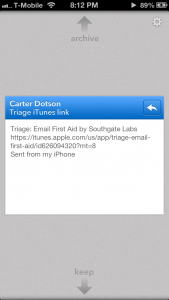
iPhone App - Designed for the iPhone, compatible with the iPadTriage won't replace your email client, but it will help accentuate it.
Read The Full Review »
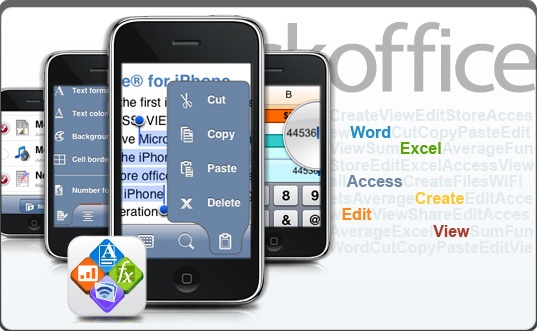
Posts Tagged e-mailTriage ReviewiPhone App - Designed for the iPhone, compatible with the iPadTriage won't replace your email client, but it will help accentuate it. Read The Full Review » We’ve just heard from QuickOffice, the leading giant who provides office software for mobile phones, that soon iPhone and iPod Touch users should be able to edit their e-mail attachments on-the-go. This a feature that has been lacking on the iPhone natively since day 1.
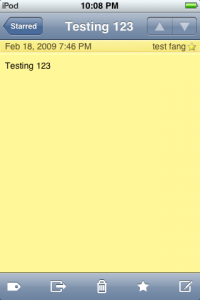
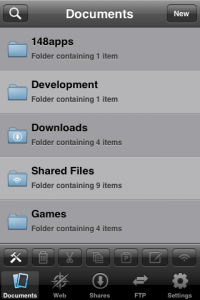
Currently, Documents To Go can “talk” to mail and retrieve attachments for editing (only .doc and .docx supported at the minute – excel promised soon): however, only through Microsoft Exchange. Whilst this should accommodate many, QuickOffice hopes to accommodate all. For those who do use Microsoft Exchange for their mail, Documents To Go with Exchange Support is available for $9.99 (£5.99). For those who don’t, the best work-a-round at the minute is provided by QuickOffice themselves, who take on an Air Sharing-avec-Office role where a user can add files from their computer onto their iPhone for editing provided that they are on the same wireless network. I spoke to the QuickOffice team, and they said that “we understand the ability to open email attachments is an important feature many users want and [we] are excited to be adding this capability.” This is rejoicing news for Blackberry users who have long had the ability to receive an attachment, edit it and send it back within a matter of minutes. Whilst the App Store’s “Business” section has been flourishing of late (as has 148Biz), it is surprising to see that it has taken this long for this feature to be available to the public. We’ll keep you posted as we get more information – and we’ll have a review ready as soon as we can. QuickOffice is currently on the App Store for $19.99 (£11.99) and – of course – the new update will be free. Note: current review is of an older version. NotesparkiPhone App - Designed for the iPhone, compatible with the iPadIf you aren't satisfied with the iPhone's built-in note pad, and you are connected to the Internet most of the time, you can really benefit from Notespark's constant syncing. There are a myriad of apps to consider though, and many are far better than this one. This app doesn't do that much wrong, but it has a slim feature set and though what it offers works well, it's best for iPhone users who want something simple. Read The Full Review » TextGuruiPhone App - Designed for the iPhone, compatible with the iPadTextGuru is a full fledged text editor for the iPhone. It let's you organize files in nested folders, offers cut, copy and paste, can share files via wifi, and can import files via FTP and the Internet. It also serves as a viewer of common file formats such as PDF, MS Office, and more. It's a jack of all trades utility for those serious about their documents. Read The Full Review » Note PadiPhone App - Designed for the iPhone, compatible with the iPadNote Pad is a text editor that lets you store notes into standard folders or in smart folders that automatically populate with notes that match the list of keywords associated with them or with notes whose location is within a certain distance of your current location. The author's web site makes available synchronization software for Windows and Mac OS X that allows you to sync the notes via wifi with your PC. Read The Full Review » ABContactsiPhone App - Designed for the iPhone, compatible with the iPadAlthough its user interface is a bit quirky, ABContacts continues to evolve. The current version works well and provides a relatively streamlined experience. It provides far more functionality than the Contacts app built into the iPhone, and is definitely worth considering. Read The Full Review » |