Pocket Scanner Review
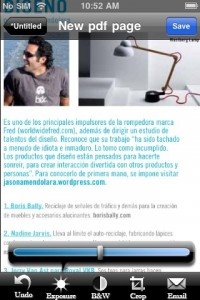
iPhone App - Designed for the iPhone, compatible with the iPadIt's not quite what I expected, but Pocket Scanner is still a very handy app for the document-happy iOS user.
Read The Full Review »
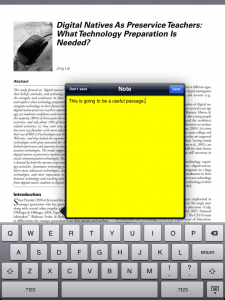
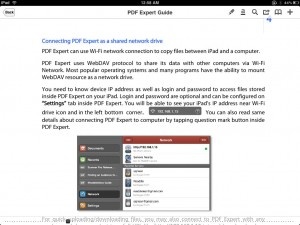
Posts Tagged document readerPocket Scanner ReviewiPhone App - Designed for the iPhone, compatible with the iPadIt's not quite what I expected, but Pocket Scanner is still a very handy app for the document-happy iOS user. Read The Full Review » GoodReader for iPad ReviewiPad Only App - Designed for the iPadGoodReader is a top option for viewing, reading, annotating, and moving documents on the iPad. It features a full and robust suite of PDF features and viewing support for a large variety of document types. Read The Full Review » Readdle’s PDF Expert ReviewiPad Only App - Designed for the iPadPDF Expert offers a clean and professional reading environment, with a host of notation and sharing options. Read the full review to get the overview of this robust app. Read The Full Review »
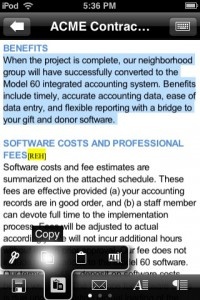
Dataviz has had a long history in the Mac world. They started out doing document conversion software for early Macs — remember when Macintosh software couldn’t read Windows files? Of late they have focused in on providing syncing and editing software for mobile devices. Their Documents To Go application has been available on many other mobile platforms, Palm, Windows, Blackberry. This release on the iPhone brings them back to the Apple world. This initial release comes on two forms, the main Documents To Go and an Exchange Attachments edition. Both versions consist of both a desktop application (Windows or Mac), and an iPhone OS application. The desktop application allows you to choose which files you want to sync to the mobile device — either individual files or folders. If you choose a folder, any new files in that folder will be automatically synced. We should point out that this is true 2-way syncing. Changes either on the desktop or the iPhone are synced automatically when the devices next connect. Much better than many file storage and viewing apps that only do one way transfer and fail to sync any changes. The document types that you can sync and view include all of the usual Microsoft Office and iWork ’08 formats. Also supported are all of the basic text files and image formats that the iPhone can display. Beyond the normal file viewing, this initial release also allows you to edit Microsoft Word documents (.doc and .docx formats). The Word file editor is pretty robust and feature rich and seems to do a really good job maintaining the document formatting. Dataviz have promised a free upgrade to Documents To Go with Microsoft Excel editing as well though that’s not currently available. Documents To Go’s major competitor on the iPhone is QuickOffice which we previously reviewed and found to be pretty solid. QuickOffice does offer one feature that Documents To Go has yet to implement, Microsoft Excel editing. We’ll take a full look at Documents To Go in the coming days. Documents To Go is available now at an introductory price of just $4.99 (for 2 weeks). $9.99 ![]() + Universal App - Designed for iPhone and iPad Released: 2009-06-14 :: Category: Productivity
Appearing as a new folder on your documents list, this support allows you to download, view, and even edit and forward documents attached to your email messages. You are presented with all of your email messages that have attachments and can view the messages and the attachments in a more file focused view, with the attachments at the top of the message. From there you can save the attachments locally, forward them, or edit them. In addition to getting access to your attachments stored on the Exchange server, you can forward any attachment you have stored locally in an email via your Exchange server. This extra support for remote attachments storage should be a great extra feature for those people that use Exchange. The Exchange Attachment edition is available now at an introductory price of $9.99 (for 2 weeks). $16.99 ![]() + Universal App - Designed for iPhone and iPad Released: 2009-06-14 :: Category: Business A new application that turns your iPhone into a portable drive and document reader, DataCase has been released in the App Store (App Store). One of the best features of this application is that it does not require an additional application on your computer. This one will let you access your phone with either Bonjour or FTP. We’ll have a full review in the coming days. Check after the jump for a demo video. [via TechCrunch and TUAW] |