Posts Tagged crash

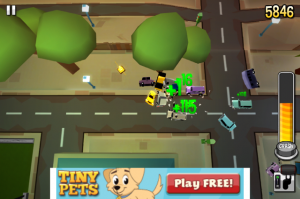
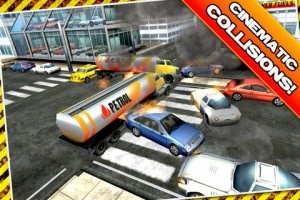
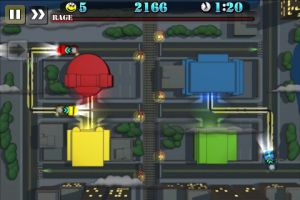
Traffic Panic 3D Review

Traffic Panic 3D Review

+ Universal App - Designed for iPhone and iPad
It might seem simple on the surface, but Traffic Panic 3d is a complete nightmare to a person's productivity.

Read The Full Review »
Box Cat Review

Box Cat Review

+ Universal App - Designed for iPhone and iPad
A quirky title with a retro look and an unapologetic video game role reversal.

Read The Full Review »

Games involving flying down narrow corridors using only a single button for lift have been around almost as long as video tennis. Some of these iterations get around the stigma associated with “classic” formulas by using attention-grabbing visuals or funky music. Still others just go nuts and see what sticks.

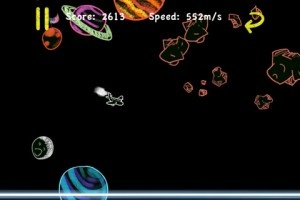
Doodle Plane, from the minds over at Chitralekha Productions, mostly follows the example of the former. It’s pretty much flying through narrow spaces and tapping a button to climb, but the colorful chalkboard graphics (and “sketchy” animations) make it a bit more interesting visually. The addition of a throttle, however, adds a (basic) new dimension to the idea. Having to carefully monitor height and speed make the levels a bit more frantic, and it’s all too easy to accidentally fly past a parachuting office worker (?) when not being careful. If nothing else, it certainly ups the challenge.

It’s also interesting how Doodle Plane forgoes the typical endless corridor design of most similar titles and instead uses stages with a definitive start and finish. Shortly after taking off the levels fall into the expected “one wrong move and BOOM” pattern, but after a bit players will reach an actual end and have to ever-so-delicately try to land their scribbly aeronautical nightmare. It’s not as tough as it sounds, but as with the hapless skydivers it can be easy to overshoot the target when not paying attention.

I doubt anyone who doesn’t enjoy these kinds of games will jump at the chance to play Doodle Plane, but I imagine genre fans will have a good amount of fun with it. Especially as the addition of take-off and landing segments, as well as mid-air rescues, make it more than just a simple re-skinning of a classic.

$0.99
+ Universal App - Designed for iPhone and iPad
Released: 2011-05-18 :: Category: Games

QuBIT Review

QuBIT Review

+ Universal App - Designed for iPhone and iPad
It's fast, it's psychedelic and it's a heck of a ride.

Read The Full Review »

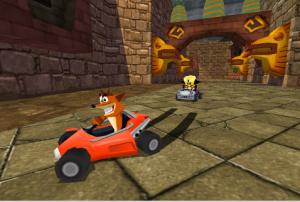
If you loved the madcap adventures of Crash and friends in Crash Bandicoot Nitro Kart 3D, you’ll be excited to hear that a sequel is now available that replaces the 3D in the title with a 2. Not only that, but a new adventure awaits players as well as the introduction of some much needed multiplayer action for up to four players, likely timed to coincide with Apple’s upcoming Game Center service.

The sequel to one of the first console-to-iPhone ports asks a pretty steep $9.99 and weighs in at 71.8MB but has so far been receiving positive press. Some reviewers have mentioned a few bugs, however, but these will hopefully be ironed out in the next update.

From what we’ve seen, CBNK2’s graphics look great and all the features of the original are retained with some great new options to boot. With any luck, we’ll be seeing iPad versions of Activision games coming to the App Store soon as well.

$2.99
iPhone App - Designed for the iPhone, compatible with the iPad
Released: 2010-05-27 :: Category: Games

Car Mania

Car Mania

iPhone App - Designed for the iPhone, compatible with the iPad
This is a pick up and play that you won't be able to put down. I liked it, then I liked it even more! The game starts fantastic and gets better the more you play it! Thanks Origin8!

Read The Full Review »
Flight Control

Flight Control

iPhone App - Designed for the iPhone, compatible with the iPad
This game is an action / strategy game where you have to plan the flight paths of the airplanes coming into the landing strip. Sounds easy hmm? Don't be too confident, this game is addictive, fun and difficult to land all the planes!

Read The Full Review »

Careful With Those Apps Eugene

So developers are blaming Apple, Apple isn’t commenting, as they never do. But the deal is that for any iPhone OS 2.0 users there is a major stability issue that is causing data loss to watch out for.

Here’s how it happens — you are running an app and the screen goes blank and your iPhone or iPod Touch restarts.  You see the Apple logo and it looks like the device is restarting.  And the Apple logo doesn’t go away.  And it still doesn’t go away.  So, let’s try restarting again– hold down the power button for 8 seconds and it goes blank.  Start it again.  Same thing happens — seems to be stuck in the boot up process.

I know that this has happened to at least 3 people on Twitter. Doesn’t seem like it’s an uncommon problem.

What do you do?  Well the only thing that seems to work is to force a restore from iTunes. For info on how to do that, see this Apple support article.  So after you give your phone the death grip and breathe a sigh of relief as the restore process starts you begin to wonder what happened?

I have a theory and it’s just a theory.  I have no way to prove this.  But I think the crashes are being caused by lost memory.  Applications may not be properly cleaning up after themselves, known as releasing memory, when an application ends.  This lost memory is building up over time and causing the crashes as other applications can’t get enough memory to work properly.

What you can do to keep this from happening.  Probably not much, it’s mainly up Apple to fix what is causing this.  There are some things you can do that might mitigate the problem or help you recover when it does happen.

First, if an application crashes and you are returned to the application list, don’t just go on with what you are doing.  It’s a good idea to restart the phone to help it clean up lost memory.  To do this, hold down the power button for a few seconds and slide the shutdown slider.  Wait a couple seconds and hit the power button to boot back up.

What you can do the help recover if your phone does crash is let that agonizingly slow backup process in iTunes complete.  This will help so that you won’t lose all your preferences (and your high score in Poker Dice!) when your phone needs to be restored.  It’s time consuming, but hopefully not as time consuming as setting everything back up though.

So, about an hour later, hopefully your restore has worked completely and that includes the backup restore process. If the backup restore process doesn’t work you will still luckily retain any synced contacts, calendar, etc.

To me this problem is just an indication that Apple has pushed out the 2.0 update a little early. They had deadlines and didn’t make things as bullet proof as 1.x was.

All apologies to Pink Floyd for the title.

Pink Floyd – Careful With That Axe Eugene

    Advertisement    


Featured Apps

    Advertisement    


Developers

Would you like your application reviewed on 148Apps? See the About page for information.
    Advertisement    


148Apps Network

148Apps - iPhone app reviews and news. The best gosh darn iPhone app site this side of Mars.
http://148apps.com :: @148Apps

The Portable Gamer - Mobile gaming magazine for the casual gamer.
http://ThePortableGamer.com :: @PortableGamer

The App Hall of Fame - An archive of the very best in apps and games.
http://AppHallofFame.com :: @AppHallofFame

Android Rundown - Android news and reviews. Where you get the rundown on Android apps and hardware.
http://AndroidRundown.com :: @AndroidRundown

148Apps.biz - iPhone development news and information for the community, by the community.
http://148apps.biz :: @148AppsBiz

Best App Ever - Yearly Mobile App Achievement Awards.
http://bestappever.com :: @BestAppEver

GiggleApps - iPhone applications reviews for kids and parents.
http://GiggleApps.com :: @GiggleApps