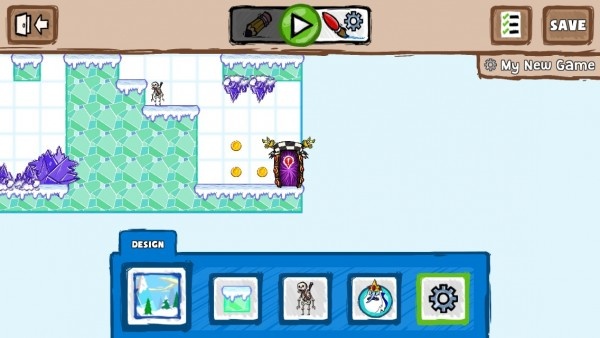
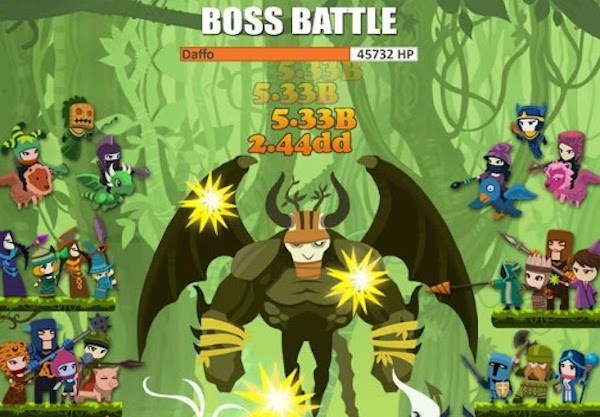
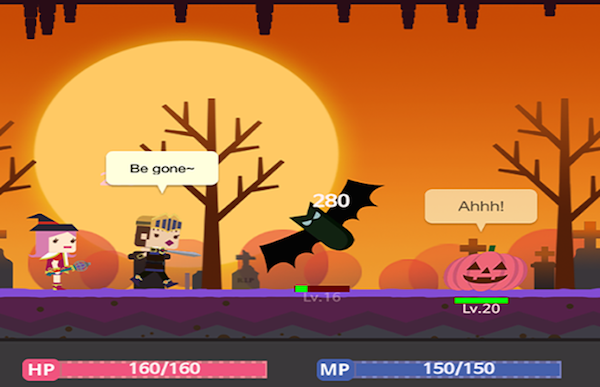
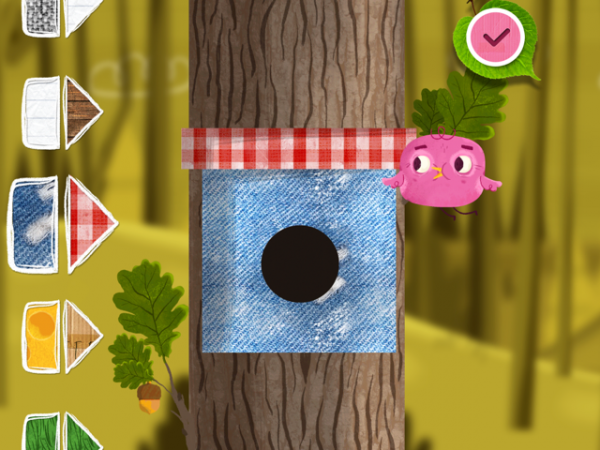
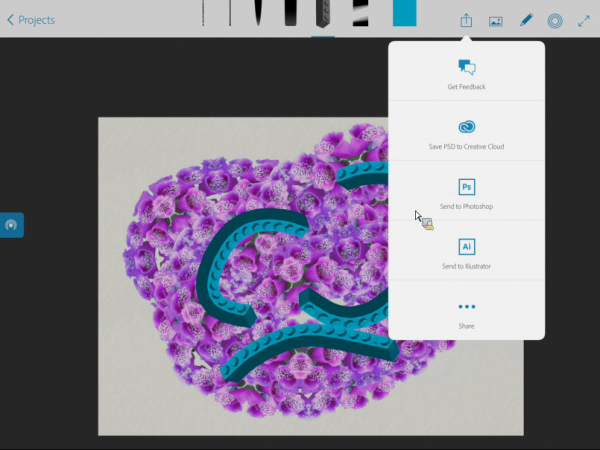
Disney has released a tool to help make pixel art and animation easy. Pixel’d lets users make artwork that shows its pixelation and is proud of it! Users have a default 150×150 canvas to work with, though this can be shrunk to 4×4 or enlarged up to 1024×768. Users can freehand draw, generate lines or shapes, and use color fill to help make their creations. Artists looking for more advanced editing can use 3 modifiable layers to help them in their process.
Canvas backgrounds can be added and interacted with, featuring artwork from various Disney properties. A selection comes with the app for free, and others are available through in-app purchases. It’s possible to create more than just single-frame artwork, as animations up to 20 frames long can be created. Single frame artwork can be exported as PNG or GIF with animations exportable as either animated GIFs or MP4 video files. These can then be exported to the Camera Roll or shared to social networks directly from the app. Finally, it’s possible to team up with a friend using the Buddy Draw feature to collaborate on artwork via wifi.
The Olympic flame was fanned to extreme levels at 148Apps.com this week, as Jennifer Allen explored PlayUp’s socialization of the London games. She writes, “We’ve covered PlayUp before, appreciating its ability to bring sports fans together in their love of their chosen sport. Just in time for the London 2012 Olympics, a major update has been released geared towards keeping users informed during the summer Olympics.
The app offers users all the latest information on their favorite teams and athletes, as well as the latest news on the medal tally. That’s 17 days worth of coverage, across 26 sports, 39 disciplines and 302 medal events. Content is geared towards the geographical location of the user, ensuring that the most regionally relevant content is brought to the forefront when first launched.”
iPhone App - Designed for the iPhone, compatible with the iPad
Released: 2011-10-02 :: Category: Sports
Giggleapps.com got Disney-fied with a review of Minnie Bow Maker. Amy Solomon writes, “Minnie Bow Maker is a cute and enjoyable application for kids – part craft experience – as well as including story and fashion show elements. Having a son, I have not had to deal with a daughter who wants to dabble in the world of fashion at a young age. For this reason, I consider myself fortunate as I could easily be a killjoy when it comes to many action figure dolls geared to fashion-conscious girls that to me, send inappropriate messages.
For this reason, I think many parents, especially those of girls, will enjoy Minnie Bow Maker as this app touches upon fun accessories that may satisfy young children who have shown an interest in the world of fashion.”
+ Universal App - Designed for iPhone and iPad
Released: 2012-07-02 :: Category: Entertainment
Finally, 148Apps.biz featured a story about 6waves’ WaveX. Carter Dotson says, “Mobile publisher 6waves has announced WaveX, a new advertising tool for developers to drive traffic to their games. This serves essentially as a traffic exchange, where developers can display advertisements for other games, and get more opportunities for traffic by helping to drive new installations of other games. Developers can upload graphics for both portrait and landscape games, and the service is completely free to use.”
The week is over, but there’s more ahead across the 148Apps network. Follow us on Twitter or Like us on Facebook to gain access to the latest news, reviews, and even a contest or two. Until next week, game on Olympians!
Looking for some fellow musicians to jam with? Or perhaps it’s time to really get together that Afrikaans metal band together, for real? That’s what musicr is designed to do: bring local musicians together. Users can fill out a musical profile that shows their interests and musical proficiencies, like what instruments they play. Then, they can find other people with smilar interests who play other instruments to help get a band together, or people who play the same instruments to practice with and get tips, or just some cool folks to jam out with.
The app also serves as a great vehicle for self-promotion. Share photos of instruments and setups to wow friends and other users on the service, or even just to prove that yes, you do own a 12-string guitar. Use status updates share info on upcoming gigs, or to say how that song is coming along, or anything music-related.
OneTuner is a radio station app that not only features streaming music, but also features integration of user’s social accounts.
There are thousands of radio stations available from several dozen different genres. It’s possible to filter by country and language, though sadly there are no Afrikaans heavy metal stations. Stations can be starred and added to a favorites list. Of course, the app supports background audio for listening while using other apps. Have a streaming radio station that would be worthy of inclusion in the app? Use the “Add radio station” feature in the options to submit for inclusion.
What the app’s most intriguing feature might be is its ability to play a user’s Twitter timeline and Facebook news feed as audio. Just log in, and the iSpeech text-to-speech engine will automatically playback tweets as a news channel. It’s perfect for staying up to date while in the car, or if one wants to stay up to date while still playing whatever game they want. Someday, if Apple opens up some Siri APIs, the developers should add in the ability to say “Siri, Like!” “Siri, retweet!” Maybe someday.
The developers claim that the app does not and will not have subscriptions, and is supported through ads in the free version, and a paid ad-free version.
Know about the band Blur? They’re most famous in America for that one 2:02 song that goes “Woohoo!” and then has a bunch of otherwise indecipherable singing? It was all over rock radio in the 90’s and shows up in movie trailers to this day. Well, they’ve been producing music besides the aformentioned “Song 2” for almost a quarter-century now, and there’s a new app, appropriately titled The Blur App, to celebrate their lengthy career.
Check out an incredibly exhaustive discography in the Music section that shows off pretty much every single physical release of Blur music ever released. There’s links to buy tracks where available. A music player with samples of live and rare tracks is there too There’s videos featuring interviews and live concert footage from all throughout the band’s history. This is all available in a timeline format that features photos, clippings, and even notable setlists from live performances with anecdotes from the band.
Pushover is an app for getting all kinds of notifications on an iOS device, trying to make it easy to stay up to date with various services from anywhere. As of launch, there are 9 different services available for users to get notifications about.
Want to get notified of emails? Forward emails to the given email address and notifications will appear when they come in. Use Adium on Mac? Pushover can have notifications sent to the device when they come in, or only when one’s Adium account is away. Use a Fitbit? It’s possible to be notified when the battery is low. Use Findmyshift? Get notifications of staff notices, shift time changes, and if time off requests have been approved. Most importantly, Pushover also supports IFTTT, which makes it pretty much compatible with everything, as it supports 49 different services for triggering notifications. For developers interested in supporting Pushover notifications, an API is available.
These aren’t just for those hoity-toity iPhone owners, either – the app is universal for the iPad. Of course, the downside is that the iPad won’t vibrate when notifications come in. Or at least it shouldn’t. I’d be afraid of an iPad vibrating on its own. Plus, it’s on Android! Notifications for everyone! Except for Windows Phone users. They will get nothing and like it.
VaultBox.me is an app and website designed to help users catalog their property for insurance purposes in an easy and convenient way. Developer Jacob Israel claims he was inspired to create this service after his home was robbed three times in one year, but was unable to be reimbursed for the full value of his items due to insuficient cataloging.
So, VaultBox.me provides sufficient cataloging of property for insurance purposes. Users can easily scan the UPC barcodes of their items to add basic information, and add in info such as the item’s serial number to identify it. Pictures of the item, receipt, owner with the item, and the serial number can be added for additional proof. All this is available from both the app and from the VaultBox.me website, so if that precious iPhone disappears, the information saying it was stolen is not! The service is free for 10 items, with yearly subscriptions available for greater quantities.
Untappd has a simple mission: it wants to help beer lovers find good beer. Not just where the good beer is, but also to discover new types of beer to drink. Start out by creating an Untappd account, which can be started by logging in with Facebook. Note that users have to be at least 21 to sign up.
The Pub tab shows drinking activity from friends, the global Untappd community, and even nearby. Use the Discover tab to find specific beers nearby, popular places to grab a good drink nearby, and even find trending drinks. Use the center Drink Up tab to add beers, and Untappd will even suggest beers to try based on what’s been added in to the app. My Tab is the section to track check-ins, the distinct number of beers tried, and to see earned badges. Finally, Notices lists interactions from friends, and the latest news from Untappd. Remember to drink responsibly, but have some fun drinking new beers with friends.
Darksiders 2 is coming out soon on consoles & PC, and THQ has launched a mobile app to help get people involved with the game. Darksiders 2: Soul Harvest integrates that most unholy of social networks, Facebook, to help players get rewards and potentially win prizes.
Users harvest souls from nearby real-world locations based on how many people have checked in to that location. The player can harvest souls from locations every 10 minutes. Harvested souls go toward a counter that will unlock extra content, such as backgrounds, a mini-guide from Prima Games, and a copy of the Darksiders digital comic. However, to unlock them, not only must the user harvest the prerequisite number of souls, a community total number of souls must be harvested as well. Eventually, an exclusive piece of in-game content may be made available once the community unlocks it.
Users are also entered into a contest to win prizes such as a full-sized Death Scythe, a custom Darksiders 2 Xbox, and even the ultimate prize: a trip for 2 to Cancun with a visit to the Chicxulub crater in December 2012 to potentially see the end of the world.
Ever see cameraphone footage of a concert on YouTube and think, “if only there was some way to stitch all this footage together into a smartly-edited cohesive whole?” Vyclone says, “I have a way to do that thing you just said!”
Vyclone is designed to serve as a way to combine multiple videos of an event shot at the same location. When people at the same location shoot a 60 second video at or around the same time using Vyclone, and then upload it, the service combines them into one video. The app tries to intelligently switch between different videos in order to create a quality final product, switching angles at just the right time, and deciding on the best audio track to use for the video. Videos can be shared with just the members of one’s own Vyclone crew, the nearby crowd, or with everyone, with the latter two options making it possible for anyone’s Vyclone footage to be part of a video.
Think that Vyclone is a terrible hack of a director? Then use the Remix option to combine the footage in a customized way, and show Vyclone how it’s really done. Vyclone has just launched and is free to download.
This week at 148Apps.com, we got into the game with our look at CoachNote. Writer Jennifer Allen says, “CoachNote offers a way of creating sports drills, strategies and tactics, all from an iOS device and it’ll be a real hit for coaches as well as fans. The app makes it easy to create complex plays and strategies with tools for drawing lines in multiple colors to explain what’s going on.”
+ Universal App - Designed for iPhone and iPad
Released: 2012-01-26 :: Category: Sports
Meanwhile, GiggleApps.com took a closer look at Brave: Storybook Deluxe. Reviewer Amy Solomon writes, “As one would expect from this Disney Pixar film, the illustrations, music and narration are quite striking and beautifully crafted – especially the brilliant use of bright and bold colors which was the main detail that caught my eye the first time I saw a trailer for this film.”
+ Universal App - Designed for iPhone and iPad
Released: 2012-06-14 :: Category: Entertainment
148Apps.biz presented a guest editorial from Matthew Palmer, founder and CEO of Marketing Your App. Palmer says, “After all the hard work of creating a mobile app, there is one decision that can sink even promising apps more than any other: choosing a price. Knowing what to charge for any product is tough, but the peculiar world of the App Store makes it a top question for even savvy developers.
The rewards are great: Apple has already paid out $4 billion to app creators who have combined a smart app with good marketing. But, too often, sticker shock leads customers to ignore otherwise helpful apps. When developers choose the wrong price, more often than not it seems, they aim too high.”
And that, my friends, is the week that was. Don’t miss out on anything in the coming days and weeks. Stay on top of our contests, promos, reviews and news items by following us on Twitter and liking us on Facebook. You’ll be glad you did. Until next week, keep wall crawlin’.
As a blogging platform, Tumblr is good for many things – particularly the way that it allows content to be shared and spread virally. It is an overwhelmingly visual platform, though, and pictures are a huge part of the Tumblr experience. Thus, TumbleOn was born to distill Tumblr to its essence: it’s all about viewing pictures on Tumblr, all the time. Users can log in to their Tumblr account, and view their timeline just based on photos. The app handles GIFs and photosets extremely well, which is a good thing because Tumblr is all about sets of GIFs. Tapping on a photo pulls up the whole post, allowing for the whole set to be viewed, along with the text that ccompanies the post. Photos can be reblogged and liked on Tumblr from within the app, along with being saved and emailed. Want to upload photos to Tumblr? Use TumbleOn! WIth the iPad app, there’s no better way to upload photos, because Tumblr still won’t make their official app iPad-compatible! TumbleOn is avialable in both iPad and iPhone versions, and the iPhone one is free until July 13th. Get tumbling!
The Negro Leagues Baseball Museum has released an iPad app that gives baseball fans the world over a chance to explore the history of the various baseball leagues that allowed African-American baseball players to showcase their skills before Jackie Robinson broke the color barrier in 1947. The app showcases the famous players of the leagues, such as Josh Gibson, Cool Papa Bell, and Satchel Paige, along with a timeline of the events that defined the Negro leagues, and eventually allowed the game to be as diverse as it is today (although fewer and fewer African-Americans are playing in MLB).
The app has been updated and put on sale in honor of the 2012 MLB All-Star Game being in Kansas City, which is also the home of the Negro Leagues Baseball Museum. This app is a reminder of the time before sports and society became far more racially tolerant and integrated, and when these leagues served as a way for talented athletes of color to remain involved in the game despite being locked out by prejudice. The app is on sale for $1.99, and proceeds go directly toward the museum.
This week at 148Apps.com was all about the red, white, and blue as we celebrated the 4th of July. Writer Lisa Caplan contributed to the festivities with her list of Favorite Four apps for Independence Day. She writes, “It’s July 4th, so we hope most Americans are out celebrating and reading this on an iPhone or iPad or between activities. But if you are still looking for apps to help make the day even better, we’ve rounded up four of our favorties that commemorate everything from US History to the traditional BBQ for you here.”
+ Universal App - Designed for iPhone and iPad
Released: 2011-06-22 :: Category: Education
GiggleApps stayed on a vacation theme with its review of Miny Moe Car. Reviewer Amy Solomon says, “Miny Moe Car is a charming and fun simulated driving app that toddlers and children in preschool will enjoy. I have always been a fan of this type of toy, both as an arcade game as well as a simple children’s plaything. I remember when my son was just a year old, I bought him the most realistic driver I could find – a toy he still enjoys today. A search on iTunes will find a few applications of this type that mostly show a POV from the driver’s seat of a car or other vehicle. This is also the case for this application which does a really nice job of recreating the driving experience for toddlers.”
+ Universal App - Designed for iPhone and iPad
Released: 2012-05-09 :: Category: Education
And finally at 148Apps.biz, Carter Dotson reported on a new study revealing the iPad as the number one gaming platform. Dotson writes, “Tablets and phones are vastly different devices. This seems obvious, but in reality, they really aren’t: the difference between the iPhone 4S and the iPad 2 is basically different sized screens. However, the way that users, especially gamers, use the two devices is still dramatically different, according to PlayFirst, via Pocket Gamer. Tablet users are playing more games than phone users are, and they’re spending more on games.”
That’s the end of this week’s happenings, but there’s always more news, reviews and contests headed your way across the 148Apps network. Just follow us on Twitter or Like us on Facebook to keep track of all the goings-on. Until next week, enjoy the fireworks!
It looks like Apple has been furiously working behind the scenes the last couple of days, responding to the problem some app updates were having, which was later shown to be an issue with Apple’s FairPlay DRM and specific app updates.
Apple said that it has fixed the problem. “We had a temporary issue that began yesterday with a server that generated DRM code for some apps being downloaded,” Apple said, in a statement to All Things D.
The fix, at the time, was to have users with an affected app to re-download it from the App Store.
Today, it seems as if some updates are fixing themselves, whether users have updated or not. Our own inestimable Jeff Scott said that this morning, “I had an update to Instapaper that when installed fixed the broken app, with no need to re-install.” Good news, then for app developers and app consumers.
In another rare move, Apple flexed some editorial muscles this morning, hiding any one-star apps that resulted from the DRM snafu.
As of this morning, it appears Apple has indeed removed negative reviews from apps affected by the bug. Apps like Instapaper, GoodReader, and The Early Edition are showing no reviews for the latest versions available, which are the ones that were crashing earlier in the week. We haven’t checked on every single app that was affected, but it is safe to assume at this point Apple will remove all reviews (not just negative ones) from any app that received a corrupted update.
Cult of Mac weighed in with its own thoughts on the mechanics of this move, pointing out that “Apple didn’t actually delete the reviews, though. Instead, what they did was force all of the affected apps to trigger a new “app update” on users’ devices, then moved the old ‘Current Version’ reviews to ‘All Versions.’”
All in all, a good day for consumers and developers alike. For Apple? Maybe not so much, though they do get kudos for being so quick with a fix.
HealthTap has a new app that is trying to bring together doctors and those who need medical advice in a new, convenient way. Users can message doctors directly with HealthTap, seeing which doctors are available live to talk about health issues right at that moment. It is possible to talk to them privately, is HIPAA-secure, and supports the ability to share photos and documents with the doctor. Making appointments directly from within the app is possible, and users can view and share their private health records digitally with doctors. HealthTap claims that over 12,000 doctors are available with its service. As well, there’s a directory of over one million doctors available, with a DocScore available for many doctors, showing their effectiveness based on peer review and other publicly-available data.
While many of these features do cost money, HealthTap claims that they often cost less than a co-pay, saving users money and doctors time in solving health issues that may not require full appointments. HealthTap is available for iPhone/iPod touch, iPad, Android, and via the web.
It’s Fourth Of July here in the states, and everyone is celebrating with sales on their apps, including EA, Chillingo, Crytek, WB Games and more. Let’s take a look, shall we?

First up is EA – from July 2th until July 9th, all their games will be $0.99 or free. Their pitch basically amounts to an “all our stuff is on sale” sale. That said, here are a few great games you should definitely pick up at these low prices.
+ Universal App - Designed for iPhone and iPad
Released: 2012-04-12 :: Category: Games
Warner Bros. are also doing a “Everything is $0.99″ sale, maybe just to prove they can. It’s nice to see some competition here, but the indies are sure to feel the pinch. Even so, there are some great games to save money on. Here are a few we dig.
There are also some games on sale for Independence Day that don’t hearken from the juggernauts of electronic gaming, but they’re still worth your time and monies. Check ‘em out below, but be sure to check the price before you buy – some of these are on sale starting on the 4th itself.
We live in a three-dimensional world, but could there possibly be more than that, ones we can’t perceive? Definitely. Want to try to perceive them? Then download The Fourth Dimension. This interactive app explains what how a fourth spatial dimension would interact with ours, and how we would see it in a three-dimensional context, by partially comparing it to how objects can appear three-dimensional in a two-dimensional plane (like any 3D video game, or just a drawing of a cube on a piece of paper), and expanding it out to a fourth-dimensional object’s projection into three-dimesnions.
Or at least I think that’s how it works. It’s all very hard to grasp. Thankfully, the app authors tackle the subject with a goofy wit that should help keep users’ brains from melting into goo. The ability to interact with shapes, and get a feel for how fourth-dimensional tesseracts would appear in a three-dimensional world lends the app a degree of helpfulness that a scientific book, or even a novella like Flatland cannot.
Today at Google’s own developer conference, vice president of the Chrome division at Google, Brian Rakowski, announced Chrome for the iPhone and iPad. The app will apparently work on iOS devices that have iOS 4.3 and up. It is scheduled to be available later today.
The exciting part of this announcement is that it will support Chrome Sync, Google’s bookmark and history synchronization system that allows users of Chrome browser on the desktop have their own stuff on any computer they use Chrome on. Imagine opening your iPad or iPhone browser and being able to access the sites you were browsing and bookmarking on the desktop. Simply brilliant.
In addition, Google announced that their Drive system will also be available for iOS. Google Drive is the updated Google Documents, but competing directly with services like Dropbox – users install Google Drive on their desktop computer, and a folder appears with all their documents and files in it. This new app will bring Drive to the iPhone and iPad for a seamless cloud experience for Drive users.
Google also announced that Drive would now be available to Chrome OS users as well, which makes a lot of sense considering that Google created that specific OS.
With Drive on all major platforms, now, will it give Dropbox a run for its money? Will Google allow Dropbox on Chrome OS? Only time will tell.
This week at 148Apps.com, we indulged in a little healthy living with our review of the iHealth Blood Pressure Dock. Site editor Rob LeFebvre writes, “The iHealth Blood Pressure Dock is a fantastic piece of tech that will allow anyone, regardless of experience, ability, or consciousness to have their blood pressure taken and monitored over time.
The free app that works alongside the actual blood pressure dock and arm cuff is simple, easy to use, and can be set up with multiple users. This allows families to keep track of more than one family member who might want or need to do so.
While high blood pressure is no laughing matter and should be monitored by a doctor or licensed health care provider, the iHealth blood pressure dock is ideal for tracking blood pressure in between doctor visits.”
Meanwhile, at GiggleApps.com, writer Amy Solomon took a trip to learn about polar bears via her review of the Smithsonian’s Polar Bear Horizon. She writes, “Polar Bear Horizon – Smithsonian Oceanic Collection is an interactive application based on the book of the same name and now part of a series of Smithsonian applications developed by Oceanhouse Media. Like other apps by Oceanhouse Media, this application includes the choice to listen to narration allowing readers to follow along the included text which becomes highlighted when words are spoken, or to read this book to oneself. Auto-play is also an option.”
+ Universal App - Designed for iPhone and iPad
Released: 2012-02-22 :: Category: Books
Finally, 148Apps.biz founder Jeff Scott announced the return of MobileBeat to San Francisco, saying “I think of MobileBeat as the business of mobile conference. The conference is about making connections with the business side of the mobile industry. This year the focus of MobileBeat is on something we see ignored all too often, design.”
Another week has passed, but there’s still plenty more where that came from. Join us on Twitter and Facebook to track the latest developments, and maybe even score a few free apps along the way. Until next week, stay Brave!
Facebook is getting into the world of app discovery. Is it a way for them to get people used to checking Facebook for apps before they possibly launch their much-rumored upcoming phone? Perhaps. While access to App Center through the mobile apps does not appear to exist for all users yet, it can be accessed manually by going to facebook.com/appcenter. From here, users can then view a variety of apps. They can view either by “Top Apps”, or by “Social Apps” which shows the apps that friends are using. Selecting an app opens up a description page with screen shots and the ability to see just which of a user’s Facebook friends are actually playing the game. One thing to note is that the iPad is actually not supported in App Center yet, only the iPhone and iPod touch.
App Center is usable from the web, and this is where it may get extremely useful – it’s possible to push an app link to a mobile device via a Facebook notification, which can then be opened on that device’s store. While web installation of apps is something that Android users have had for a while, this is the first real taste that iOS users are getting, outside of having Automatic Downloads enabled.

This week, 148Apps was all about Electronic Entertainment Expo (E3) 2012. Take, for instance, Carter Dotson’s report on new Xbox 360 features that may allow iOS integration: “At Microsoft’s E3 press conference, they revealed an interesting new feature that will integrate smartphones and tablets to the Xbox 360. Called SmartGlass, this is designed to operate a second screen during games, movies, and TV shows. This means that hypothetically, a game could display a map on the tablet screen, or even integrate interactive game elements like maps and play-calling in sports games.
Our kids-centric site, GiggleApps, reviewed Give A Day HD, which, as reviewer Amy Solomon states, “is a thoughtful children’s book app that helps create discussions between children and their adults about the world bigger than their families, as this app brings the topic of less fortunate children to the attention of young readers. This app is also available as an app for iPhone as well and is also part of the PlayTales Reader application.”
iPad Only App - Designed for the iPad
Released: 2012-03-26 :: Category: Books
And finally, 148Apps.biz covered the big news that Google acquired iPad app QuickOffice. Writer Kevin Stout states, “Quickoffice, the mobile document editing software (that particularly handles documents from the Microsoft Office suite well), has been acquired by Google. Announced on Google’s official blog, Google plans to intergrate Quickoffice‘s technology in to their own Apps product suite.”

Our week that was is now did and done. If you’d like to keep up with the latest reviews, news and contests, all you have to do is click the links to follow us on Twitter or Like us on Facebook. That wasn’t so hard, was it? I didn’t think so. See you next weekend, fellow chupacabras!
At Microsoft’s E3 press conference, they revealed an interesting new feature that will integrate smartphones and tablets to the Xbox 360. Called SmartGlass, this is designed to operate a second screen during games, movies, and TV shows. This means that hypothetically, a game could display a map on the tablet screen, or even integrate interactive game elements like maps and play-calling in sports games.
TV shows and movies will be able to provide supplemental information and features with SmartGlass as well. Game of Thrones was mentioned specifically as an application of SmartGlass. In fact, that may be the killer app for SmartGlass, considering that there’s no way to understand what’s going on in the show without consulting the internet! SmartGlass will also be able to control the upcoming Internet Explorer for Xbox.
Despite Microsoft trying to make their own imprint on the tablet market with Windows 8, SmartGlass is going to be platform-agnostic, with apps for iOS and Android, with support for both phones and tablets. This shows that Microsoft is a very segmented company, with their Xbox division potentially removing a valuable reason to get a Windows 8 device, as well as the fact that these non-Microsoft operating systems are so prominent that Microsoft has to play ball with them. No release date for SmartGlass is available yet, but it will likely be part of the fall Dashboard updates that Microsoft releases.
This week at 148Apps.com, writer Carter Dotson explored all things Zombie with his Favorite Four list. He writes, “May is Zombie Awareness Month. While pop culture seems intent on making us aware of zombies on a regular basis, this is the special month for zombies. May is almost over, but that doesn’t mean there’s not just enough time left to celebrate with some zombie-themed apps.”
+ Universal App - Designed for iPhone and iPad
Released: 2011-10-27 :: Category: Games
Meanwhile, everything over at GiggleApps got dotty, as Amy Solomon reviewed Dot Collector, saying, “Dot Collector is a very nice universal app for the youngest children with simple game play, wonderfully bright colors and soothing sounds that babies will enjoy. This app is utterly intuitive to use as players need to simply drag moving dots into a black dot, clearing the board. A new dot is added to each additional level, adding to the game play.”
+ Universal App - Designed for iPhone and iPad
Released: 2012-02-28 :: Category: Education
Finally, Kevin Stout on 148Apps.biz reported on the increasing numbers of young children using smartphones. Stout writes, “There’s no such thing as to young when it comes to smartphones and tablets. When keeping in mind the younger audiences when developing apps, even the youngest of children have a high percentage of exposure to mobile devices. An infographic released by Schools.com has reported that 38% of 0-8 year-olds have used tablets or smartphones.”
That’t it for this Memorial Day week. Summer’s here, so keep your eyes on 148Apps.com, our Twitter and Facebook feeds to make sure you get the latest app news, reviews and contests. See you next week, tovarish!
This week at 148Apps.com, we celebrated the coming Memorial Day holiday with a closer look and an ever-growing list of apps on sale. Site editor Rob LeFebvre writes, “So, it’s that time of year again! BBQs, lawn chairs, beer, and the ability to finally wear shorts with sandals without fear of frostbite. Tan those legs and check out all the huge sales that are going on across the App Store below. We’ll try and keep it updated as we go this weekend, so be sure to let us know of any good sales on iOS apps…”
+ Universal App - Designed for iPhone and iPad
Released: 2012-04-12 :: Category: Games
At GiggleApps, writer Amy Solomon reviewed The First Million-Teach Your Child to Read. Solomon says, “The First Million is a lovely universal “mix and match” book application that adults and children will find interesting as well as intuitive as here, as the pages of this book are split into three sections – each being able to be flipped back and forth to create new and intriguing illustrations and word combinations. Unlike other “mix and match” books where one can look for the corresponding thirds of the same image to make a match, this app is completely open-ended with no right or wrong matches to be made, giving children free range to produce any and all combinations they may fancy.”
+ Universal App - Designed for iPhone and iPad
Released: 2012-03-21 :: Category: Education
Finally, 148Apps.biz writer Kevin Stout reported on Disney’s push into Angry Birds territory. Stout writes, “Intensely popular Disney game, Where’s My Water?, will be receiving its first line of merchandise based on the game. The physics-based puzzler by Disney has been popular on both iOS and Android. Fans of the popular game can now buy all kinds of merchandise featuring the story’s character, Swampy the Alligator.”
+ Universal App - Designed for iPhone and iPad
Released: 2011-09-22 :: Category: Games
That’s it for us – and we’re one week closer to summer! Remember to follow us on Facebook or Twitter to get all of the latest updates all during the week. See you next time, Marvel Zombies!
Sick of hearing about the Facebook IPO? Want to hear about something actually related to the Facebook product? Well, I have good news then. Facebook has launched a new app that will come in handy for users who manage Facebook Pages.
Pages Manager offers several core features for page administrators. One, it’s possible to get notifications about when followers of the page like, comment, and share posts. Analytics information can be viewed, including the reach of a page’s content and how many users are engaging with it. As well, it’s possible to post to a page from mobile. For users who administrate multiple pages, the app does support switching between them.
The app uses a very similar HTML5-wrapped interface as the standard (and often-maligned) main Facebook app, so caveat emptor, though the app should likely be coming to Android at some point in the future because of it. It is not iPad-native at the moment either. Still, for Facebook Pages administrators looking for a mobile solution, this should help.
While credit card readers likeSquare are targeted toward end users who may want to collect occasional credit card payments, for those who are looking to make the iPhone a major part of their retail business, Cashier Live is hoping to fill that void.
The app can transform the iPhone into a full point-of-sale device. Barcodes can be scanned with the camera to be added to an order. Receipts can be emailed to customers. Inventory can be managed with the app, and the app can be integrated with Milo to help keep track of inventory. Reports can be tracked with the Cashier Live website from any computer’s web browser. While cash and check payments can be handled through the app, adding a Linea Pro scanner can add credit card payments along with a traditional barcode scanner to the iPhone. This all works with the iPod touch as well. Cashier Live is free to download, and new users can sign up for a free 30-day trial to use the service.
Want to make bass drops that are so sick, the CDC will have to declare a pandemic? Want to make dubstep so dirty that you’ll feel compelled to put on an episode of Game of Thrones just to feel clean again? Then Bass Drop is a must-download. This app lets anyone make some sick dubstep beats. I’m an undercut away from being Skrillex!
There’s a keyboard for making assorted “wub wub wub wub” sounds from 3 different sets, and 12 buttons that can add effects, bass lines, and drum loops. These buttons can be configured with different types of the sounds, and with the ability to have them be toggles, or only play when physically held down. 3 different preference layouts can be saved to make recreating favorite tracks easier. Bass Drop is currently free through the end of May, so aspiring electronic musicians can get in on portable dubstepping at an unbeatable price.
Frisky, the electronic music internet radio station, is now available on iOS with an eponymous app. Frisky comes with two distinct flavors of stations to listen to: Frisky and Chill. Frisky is for high-energy dance music, boasting the same shows from the DJs scheduled on the Frisky website. Chill is programmed to slow things down, keep things cool with ambient and lounge music with some movie scores mixed in. The Chill station is an extension of their ChilloutSundays programming, except as a 24/7 station, and it’s currently only exclusively available through the app.
Each station changes the interface’s appearance slightly, with even the volume slider matching the color scheme for the station: warm pink for Frisky, and cool blue for Chill. A simple swipe of the finger switches stations. Frisky supports 128 kbps MP3 and AAC streams, along with a 48k AAC stream for listening over cellular networks without taking up too much data. Listening status can be shared via Twitter, Facebook, and email. Best of all, the app has launched for free.
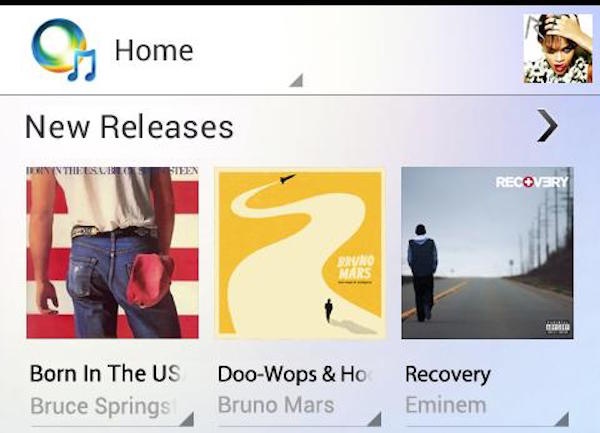
A new visual redesign has made its way to Rhapsody, putting artists front and center on the new home screen. It’s always nice to have easier access to the music you listen to as it provides a simpler way to browse new releases, popular artists, and featured albums. You can also check out enhanced album [...]