Posts Tagged apps
SyncSpace Review
+ Universal App - Designed for iPhone and iPadSyncSpace is a an app for drawing and collaborating with other users over local wifi or the internet.
Read The Full Review »
‘Twas the week before Christmas, and as everyone knows, Jeff Scott listed sale apps and watched that list grow: “As another year draws to a close, millions of people will find iOS devices and iTunes gift cards waiting for them under the tree. That means lots of people looking for apps and games to download and that means it’s time for a HUGE sale. This year does not disappoint with tons of apps and games on sale and a ton going free for Christmas week.
If you enjoy this list, feel free to tweet or share this post on Facebook.
Here are our picks from the best of the best apps and games on sale. And as a reminder, you can always find the latest apps and games on sale at our iOS Price Drops page.”
Read the full list at 148Apps.com.

Released: 2012-05-29 :: Category: Games
Then away to GiggleApps we ran with a dash, and checked in with Amy Solomon, who had this news flash: “The Night Before Christmas presented by One Hundred Robots is a personal favorite retelling of the classic holiday story of the same name.
If one were to check iTunes, one could find multiple apps adapting this traditional Christmas story, and this app is a top choice of mine for a few reasons.
Although I am not always a fan of computer generated animation, especially when it boasts a 3D effect.
I do, however, love the bright, colorful and wonderfully stylized look of this computer-generated app, with interesting photographic elements and textures along with a 3D look for a very interesting visual experience. There is a wonderful use of perspective, and the placement of that would be the camera if one were shooting live action as well, as quick camera movements highlights the benefits of working with computer graphics.”
Read Amy’s full review at GiggleApps.com.

Released: 2010-11-30 :: Category: Books
Then at last we arrived at AndroidRundown, to see what was new in KickStarter-town: “Stands for smartphones are a very usual kickstarted project because they are all generally very simple and relatively cheap to make. We have done a few here for this blog post, and I was trying to stay away from them, but after seeing the crazy look of this week’s KickStarter Spotlight project I had to do it. This week I am showing off Simply Amplified’s Symphony Shells. They are 3-D printed phone stands that are shaped like real-life oceanic shells. They come in three separate forms, the urchin; small and spiked, the murex; arched and pointy, and the nautilus; square and twisting. All can be done in a very colorful and ornate tie-dye pattern or simply come in a solid or di-chromatic color scheme. My initial favorite is the nautilus simply because of its epic size and crazy spiky, square spiral. These really are very beautiful designs and any of them would display a smartphone with style and aplomb.”
Read more about Symphony Shells at AndroidRundown.com.
So rest and relax, and don’t even flitter – you can always find us on Facebook and Twitter. And when you wake from your drowse and your long Christmas naps, don’t forget to check in with 148Apps.
This week at 148Apps.com, site editor Rob LeFebvre examined why mobile games just don’t seem to have as much depth as their console brethren. He says, “Should gamers expect the same experience on mobile devices as on console? Probably not–but that may be changing. Michael de Graaf, the producer for the mobile version of Need for Speed Most Wanted, feels that the difference between console and mobile is narrowing. “At the moment, consoles still have an edge when it comes to raw power but that gap is narrowing,” he told us, “and we’ve seen possibilities continue to expand on mobile. The current quality of screens we are seeing and new form factors are increasing the quality and diversity of experiences that gamers can now have on a mobile device.”
Nick Rish, vice president of mobile publishing for EA, believes that comparing the two is futile. “There is something very immersive about holding a device 10 inches from your face,” he said, “putting on headphones and enjoying a game like Need for Speed Most Wanted while on your lunch break … It’s tough to say one platform provides a better consumer experience than the other; gaming is in the eye of the beholder.”
“Mobile gaming grew from very basic flash games we all’ve been playing on web browsers,” said Przemek Marszal, art director at 11 bit studios, the developer behind the Anomaly Warzone series. But that’s changing, he said, noting that even a hard-core indie developer like John Carmac sees the potential of iOS gaming.
Read the full post at 148Apps.
Over at GiggleApps.com, writer Amy Solomon got back to nature with her review of Scholastic First Discovery: The Forest: “Scholastic First Discovery: The Forest for iPhone is an impressive adaptation of the printed non-fiction title “In the Forest” A First Discovery Look and Learn Book from Scholastic. A version of this app is also available for iPad.
The Forest is an impressive application about nature, with wonderfully bright colors and robust details on each page bringing the sights of forests to devices. Instead of text that one would read, this app consists of very good narration that leads children through interactive exercises that will teach them a lot about the forests of North America.
Six chapters are included that cover a lot of ground, such as learning about both deciduous and coniferous trees, tapping leaves or branches to learn about the trees they belong to, also allowing children to drag these realistic bits of foliage around the screen.”
Read Amy’s full review at GiggleApps.

Released: 2012-10-26 :: Category: Education
Last up, AndroidRundown.com writer Carter Dotson was happy to announce that one of our favorite games, Punch Quest, is coming to Android: “Android, get ready to start punching. Punch Quest is coming to Android very soon. The culprit? Noodlecake Games, who have made a habit (or a business model) out of releasing and supporting iOS-to-Android ports. Punch Quest combines and endless runner with beat ’em up gameplay, as players run through a dungeon, punching and uppercutting the foes they come across. Coins can be earned to be spent on new skills, power ups, and hats. Sweet, sweet hats.”
Read the full story on AndroidRundown.
And we’ve cleared yet another week in 2012. Join us next weekend for another recap of the latest and greatest news from the week that was – and make sure to follow us on Twitter, Facebook and Pinterest for the latest info on the hottest apps. Now go get the rest of your holiday shopping done!
Sometimes how to articles can cover topics that might seem too advanced. This week, however, I want to cover Notification Center, that helpful list of notifications that can be displayed by swiping down from the status bar. It is possible to manage different apps’ notifications and how they appear on a device, and this guide will make it hopefully less daunting to manage.
To manage notifications, go to Settings and select Notifications. First you will see Do Not Disturb, Sort Apps, and In Notification Center. We’re going from bottom to top.

Each individual app that supports notifications is in this list. For apps from the App Store, this is the default view:

The Notification Center toggles whether the app will appear in the list of notifications available by pulling down from the status bar. Notifications will still appear if enabled. Show will configure how many entries will appear in Notification Center. This way, one app can’t clutter up too much space in the list, or important apps can show many recent notifications.
Alert Style can be set to Banners, which shows the standard relatively unobtrusive banner that appears across the top of the screen. Alerts makes the notification pop up in the middle of the screen, which must be dismissed before continuing to use your device. This is the style of notification that appeared before iOS 5. None means that no alert will appear at all.

Badge App Icon means that as notifications come in, the number on the app will update. Disable this if that number is unimportant or just annoying. Sounds can be toggled to make notifications have sounds or not. View in Lock Screen causes notifications to appear in the lock screen – this can be disabled for emails to protect their private contents, for example. These settings can be mixed and matched: for example, if you want to know about incoming tweets while your phone is locked but not while you’re using it, just enabled View in Lock Screen and Sounds, and then you won’t be bothered while actually using your device, though you can still hear the sounds go off.
Different system apps have different settings: Phone lets you configure the Ringtone from its entry. Messages lets you configure several extra sound and display settings:

Mail lets you configure different notifications for different accounts, along with the VIP settings, as covered in an earlier topic. Finally, the Weather and Share Widgets are just simple On-Off toggles.
Sort Apps allows for apps to either be sorted by time, meaning the latest notification to come in move sall that app’s notifications to the top, or Manually. This means that based on how the apps are sorted in this settings page, done by tapping Edit in the top-right corner and dragging the icon that appears on the right of each list item to move them, will make the notifications always appear in that order in Notification Center.

Do Not Disturb allows for notifications to not go off at certain times. It can be manually enabled in Settings right below Notifications, or it can be scheduled to be set at specific times in Notification Center. Turning the Scheduled switch on allows for specific times to be set on a daily basis for when notifications will not make sounds. Calls can be set to be allowed from Everyone, No One, Favorites in your contacts, or by Groups of contacts. Finally, Repeated Calls means that if someone tries to call again within 3 minutes, then it will not be silenced, so really important calls are not missed.

Hopefully by learning what each setting does, now you know how to manage your notifications like a pro!

The prodigal son has returned. After two years of dabbling in the dark arts on Android, and fortunate circumstances with T-Mobile supporting the iPhone 5, I have finally returned to the Apple camp. But why? I like Android, I still have a Nexus 7, and if I hadn’t gotten an unlocked iPhone right when they went on sale I probably wouldn’t be here right now. Well, here’s what’s convinced me I made the right move.
The iPhone games are just better.
The Android gaming scene is getting better. The iOS scene is still streets ahead. I always felt like I struggled to find a fun game to just have sitting around on my phone because the good ones I usually already had played on iOS! No longer do I have that problem! I don’t have to carry two devices around in order to play games on the go!
Interoperability between Mac and iPad
Tweetbot’s iCloud synchronization between devices works beautifully. Being able to get my photos from my iPhone to my Mac with Photo Stream is extremely handy. I can seamlessly transfer documents with Byword. I can respond to iMessages from my iPad or Mac as well as my iPhone, and it provides a single point of contact for me. Friends that had to figure out which number or email would actually reach me in this past year – I apologize! It’s better now! The interconnectivity just feels great.
Things just work
Android’s Linux roots definitely show. It is getting more stylish, but the nature of the platform always means there’s a few metaphorical exposed wires. There’s a lot less of that on iOS, and sometimes when I want to just pick up my phone and do something, it’s nice to have to worry. And the experience of using most any app is just undeniably smoother. Using Twitter with an app like Tweetbot is streets ahead of any other app for tweeting on Android. Oh, and I can actually expect updates for my phone when they come out, instead of waiting and hoping they arrive at some point.
The size is just right
I like big phones and I cannot lie. The Galaxy S III’s bigger screen was great for video or the games I did play on there. But it is nice to be able to tweet or reply to a text while walking down the street or while standing and hanging on for dear life on an L train. However, the 16:9 aspect ratio still adds a lot to games, makes video-watching great, and shows more info in portrait-orientation apps.
Google services are getting better on iOS
I use several Google-powered email accounts. The Gmail app on Android has been just about perfect for me. The Apple email app’s lack of push email and different langauge for some features still annoy me. But the email app situation has improved: Sparrow lacks native notifications but is fantastic for tackling unread email, and the Gmail app’s 2.0 update is fantastic. Plus, for the rare times I do check Google+, the iOS app is definitely on par with the Android one, and Google Voice, which I still use, is perfectly usable as well. Just because I left Google’s OS doesn’t mean I have to leave my Google services.
I still don’t regret having left iPhone two years ago – and I hope the Android Rundown readers don’t either! But iPhone has definitely improved in the past two years and while I could have stayed with Android and been happy, I love my iPhone purchase. It just feels right.
This week at 148Apps.com, site founder Jeff Scott took a closer look at the new studio and game from Aurora Feint co-founder Danielle Cassley: “It’s been a long time since we’ve heard from Danielle Cassley. Please indulge me in this short trip down memory lane. Ms. Cassley is one of the co-founders of Aurora Feint. Aurora Feint was our first app review way way back in 2008 here at 148Apps. Sadly, the Aurora Feint games have been removed from the App Store probably due to their reliance on the soon to be shutters OpenFeint. They were and interesting part of the App Store history and will be missed. Aurora Feint the games company eventually became OpenFeint the social game network service as the demand for the social backend built into Aurora Feint became the focus. A couple years later, in April 2011, after great success, OpenFeint the company was purchased by GREE.
Ms. Cassley has always struck me as a superstar seemingly held back by other forces like corporate structure. Much like her co-founder of Aurora Feint, Jason Citron who started his own company recently, she has now started a new game studio to help build the games she wants to see made. The first game from her new company, Red Bird Studios is a joint venture with Velvet Architects and is titled Avengees.
Want to know more? Read the full article on 148Apps.
GiggleApps.com got revolutionary this week, with a review of Ansel & Claire: Paul Revere’s Ride. Amy Solomon writes, “Ansel & Clair: Paul Revere’s Ride is a splendid educational app for iPad 2 and beyond that does a thorough job of explaining the American Revolution and the details of Paul Revere’s ride.
Ansel & Clair: Paul Revere’s Ride is a new app in a series of Ansel & Clair apps that revolves around intergalactic travelers Ansel, a travel photographer from planet Virtoos and Clair, the Virtoosian robot who accompanies Ansel to Boston at the start of the American Revolution to take historical photographs used to teach other Virtoosians distant history.”
Read the full review at GiggleApps.

Released: 2012-10-23 :: Category: Education
And finally, AndroidRundown’s KickStarter Spotlight this week was for iGloLED. Joseph Bertolini says, “While it may not be the cheapest, probably the fastest and easiest way to spice up any basement or outside area is to add colored lights. We’ve looked at KickStarter projects in the past that are WiFi enabled smart LED lightbulbs, but these are very expensive per light and only illuminate a small circular area. The other solution is to use LED strips, those long single row ropes of LED’s that can easily be hidden under a bar or inside an entertainment system. Now, I have looked around the internet before for these and buying one is actually a lot more expensive then it initially seems because they have to include their own power adapter and most of them cannot be wirelessly controlled or change color. As you can probably guess, this is exactly what this weeks project, iGloLED does. Like most of our KickStarter projects this operates via WiFi and includes a host of options for customizing the color. If that is not enough there will also be an available SDK which means that this bad boy is open to the public and all of their programming brilliance.”
Find out more about this potential product at AndroindRundown.
Another week down, and only 15 shopping days remain this holiday season. Before you give the gift of apps, check all of our sites for the latest news, reviews and more – and be sure to follow us on Twitter and Pinterest, and Like us on Facebook to get the latest updates right when they happen. See you next week!
Evzdrop Review
iPhone App - Designed for the iPhone, compatible with the iPadEvzdrop is an app that combines the best features of microblogging and check-in services.
Read The Full Review »
iTunes 11, just released at the end of November 2012 by Apple, represents probably the biggest changes to the way iOS devices sync up with computers in quite a while. In particular, apps synchronization has changed quite a bit.
In order to access your device settings, click on the button that either shows the name of your iOS device or the number of devices you have connected.
![]()
First off, all purchases are automatically transferred from a device to the computer when syncing, even if they are not set to specifically synchronize. There’s still the option to transfer purchases without doing a full synchronization, by going to File -> Devices -> Transfer Purchases.

Second, app synchronization is now automatically enabled. If you are setting up a new device, or syncing with iTunes for the first time, then iTunes, as is its wont, will try to sync a lot of apps to the device. The only real solution is to just go through and click “remove” on any app in the list that is unwanted. This cannot be disabled, and the Automatically sync new apps checkbox will only disable syncing apps that are new to the library to the device. However, devices that have synced with iTunes before will not suddenly find themselves buried in apps that iTunes tries to install, as it will leave the current settings alone.

However, the biggest and most convenient change is that it is now possible to manually install apps without neeeding to synchronize. Just select an app from the list, and click Install, and the app will be installed on the device on the next sync. Clicking Remove will set it to be uninstalled on the next sync. Clicking Will Remove or Will Install will set the app back to its previous installed or uninstalled state.

Wi-fi synchronization can be set up from the Summary page, scrolling down to Options and choosing Sync with this iPhone over Wi-Fi.

This new method of syncing apps makes it easy to download an app while from the computer, and send it to a device without needing to have automatic downloads enabled. This also makes installing previously-purchased apps much easier than on the device itself, as huge libraries of previously purchased apps don’t even load in iOS 6!
While those buying new devices and syncing them up the first time will find a lot of clicking to be necessary beforehand, this does make syncing apps with iTunes an infinitely better process.
The iPhone is great not just because it’s a camera, but because it’s also a great photo editing device, along with the iPod touch and especially the iPad. Now, there’s a good chance that some of your most treasured photos are on there already. But it’s not your only camera. Maybe you own a super-sweet DSLR that you use for real photos, and there’s that one photo that would get so many likes on Instagram. Maybe you have an Android phone (gasp!) but want to edit those photos with Camera+. Woe is your fate to have these photos be trapped on these disparate devices!
But lo, there are ways to free them from their digital prisons through many different processes. Despite iOS’s user-friendly reputation, these methods aren’t necessarily as smooth as they should be, as just adding a photo to an iOS device is kind of like walking into Mordor. But what I am here to show you today is a method that is relatively simple, and that involves as little file transformation as possible, so photos should lose little to none of the quality they had, while still being usable on your iOS devices.
Here’s what you’re going to need:
Regular readers will recall i-FunBox from an earlier How To article on transferring app save files, which is worth a read for the basics on what the app is and what it does. When ready, load up i-FunBox. On the left sidebar, click the dropdown arrow next to App File Sharing. Select GoodReader from the list.

Now, if you use the app, you’ll see your downloaded files here. Otherwise, if this folder is blank, then just add your photos here – the fact that this supports folders gives it an advantage over using iTunes’s built-in file sharing method, though you will have to open up the folder that you want to add photos to – you cna’t drag and drop files into folders with i-FunBox.

Now, open up GoodReader on your device. The main page of the app should show the files you just added. To add a picture to your Camera Roll, tap on it to open it up, and then tap the camera icon superimposed with an arrow on the bottom taskbar. Repeat this for each photo you want in your Camera Roll. For massive photo libraries, this may take a while, but it will ensure that the actual original photo is being copied to the Camera Roll.

The photos are now resting comfortably in your Camera Roll, ready to be edited, shared, iMessaged, or whatever your heart desires! Have another preferred method for getting your photos on to your iOS device? Let us know in the comments.
This week at 148Apps.com, site editor Rob LeFebvre reviewed some exciting new printer technology for everyone with an iOS device: “The Lantronix xPrintServer is one of those rare bits of networking/printing hardware that just…works. I can’t be more effusive in my praise for this device, having been an IT coordinator for a small office in which printers and the network printing thereof was a weekly headache for my staff and I.
The tiny little plastic xPrintServer comes in a nicely packaged box, which includes a plug with several adapters for various national plug configurations, an ethernet cable, and the device itself: a cute little white plastic rectangle that isn’t much bigger than an iPhone 5. One of the short ends of this device has a port for the ethernet cable, the power adapter and a USB port.”
Want more? Read it all at 148Apps.
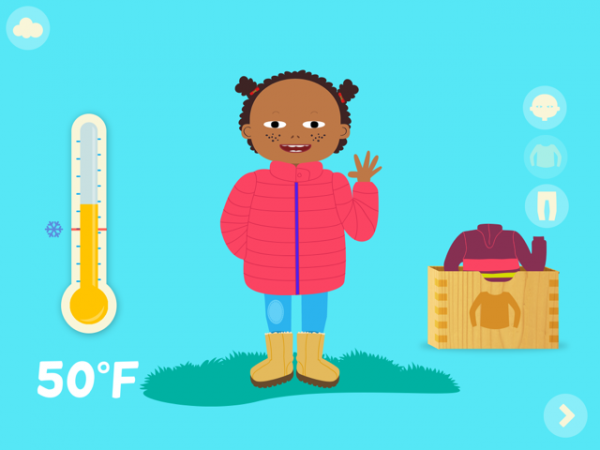
Over at GiggleApps.com, reviewer Amy Solomon took a closer look at Toca Tailor, saying, “Toca Tailor is the new, highly anticipated universal app that allows children to create their own clothing from a plethora of options.
Toca Boca is well known for what they call “digital toys,” wonderfully themed apps that children can play with in the same fashion as their other classic toys.
Toca Tailor reminds me of my old toy “Fashion Plates” where one could select from a series of plastic head, top and bottom plates, be it skirt or pants choices to create different fashions as one would make a relief, rubbing a crayon on paper placed over these plates with their raised designs. I have very fond memories of this toy, yet I was well aware even as a child that the different outfits one could make were not unlimited.”
Indulge your inner fashionista, and learn more at GiggleApps.

Released: 2012-10-25 :: Category: Education
Finally, Carter Dotson explored a paradox at 148Apps.biz: “Thursdays are all hype. Despite being the big release day for many new apps, there’s actually very little benefit to marketing or downloads in this period, according to ad firm Chartboost, and every other day has different benefits versus Thursday.
First, according to Chartboost, Wednesday is actually the most popular release day, because it’s the day right before Apple updates their featured lists on the iPhone and iPad App Stores. In reality, what’s happening is that developers are scheduling releases for midnight (0:00) on Thursday, and because apps get released at that time worldwide, which winds up being 11pm eastern in North America due to the Atlantic Time Zone, these apps start appearing on Wednesday.
But here’s the thing: that Thursday is actually a lousy day to be promoting apps.”
Intrigued? Read more at 148Apps.biz.
And that brings us one week closer to Thanksgiving here in the US. Be sure to follow us right here, or on Twitter or Facebook for the latest news, reviews and holiday sales. See you next week, smart shoppers!
Beamr Review
iPhone App - Designed for the iPhone, compatible with the iPadBeamr is a photo app that makes it extremely easy to make photo collages, with few options for better or for worse.
Read The Full Review »
Infinity Blade is the albatross hanging around my iPad’s neck. I put a lot of time into that game, slaying (and being slain by) the God King. That’s time I don’t want to lose, but the app’s large file size is crowding out other apps on my iPad! The game doesn’t have iCloud like the sequel does, so if I delete it, the save disappears into the aether. Or for a note-taking app like Penultimate, there should be an easy way to transfer an entire library of notes over to another device, such as the iPad Mini, without needing to export to sharing services or having to restore an entire device from iCloud.
While iTunes does not offer this functionality, there are ways to do this using third-party software, and without jailbreaking. I’m going to tell you how you can get to your app’s save files, copy them to your computer, and restore them back later – even to completely different devices.
First, download and install i-FunBox. It’s available for Windows and Mac and is free. Start by plugging in to your computer the device that has the save file of choice on it, and plug only this device in. At least on Mac, i-FunBox can only detect one device at a time.

Now, after it loads and the device is recognized by iFunBox, click on User Applications.

Find the app whose data you want to copy. Clicking on the User Applications text itself will open up a list of all applications, and the “Switch View” buttons in the top bar will change between an icon-based grid and a list view. As well, clicking on the dropdown menu on the left will give a quick list of all apps. Double-click on the app whose save files you want to back up.

Open it up, and a screen with several folders and a few files should be available. Ctrl-click (on Mac, Command-click) on the Documents and Library folders to highlight both of these for copying to your computer. Now click the orange arrow facing right that on Mac says Copy To Mac.

Save these files in their own individual folders. Do not let them mingle with other preferences files, lest the wrong save files get copied to their own devices! I created a Backups folder and then an individual sub-folder in that folder for each app’s Documents and Library files.

Now, it’s actually a very simple process to restore an app’s data to a device, hypothetically including to a different one than what you made the backup from. Unplug the original device and plug in the device to be copied to. Follow the same instructions as before to find the exact same app. This means do not copy from an iPad version of an app to an iPhone version or vice versa, as it will most likely not work! Once you’re at the screen with the Documents and Library folders, click the orange Copy From Mac or similar button and ctrl-click or Command-click on the app’s Documents and Library folders. Dragging the folders to the i-FunBox window should work as well. i-FunBox should instantaneously copy the files to the device. Load up the app, and if all has gone well, then the save file should be transferred!
Now, just a word of warning: as this is somewhat of a backdoor method to do this, there’s no guarantee that it will work properly. Transferring preferences files between universal apps should work, but iPhone and iPad versions will likely not. There’s no guarantee that a transferred save file will work, but Infinity Blade and Tilt to Live are confirmed working for me. And remember, keep the folders isolated. If an app won’t load due to messed up configuration files, then deleting it and reinstalling it should solve the problem. Just be very careful.
Angry Birds Star Wars HD Review
iPad Only App - Designed for the iPadAngry Birds Star Wars may not come from a galaxy far, far away, but it does add some interesting new variations on the famous gameplay, along with plenty of Star Wars references.
Read The Full Review »
AirPlay Mirroring is great – in theory. Beaming an iPhone, iPad, or iPod touch screen to an Apple TV without having to fuss with cables at all? Wonderful! However, apparently beaming HD video across a wireless network is not easy! For those getting blurry video, or latency so slow that it feels like communicating with the moon would be faster, here’s some tips to make AirPlay Mirroring work far better.
Get close to the router
Rule number one of wireless communication: the closer you are to the wireless source, the better the signal. In this case, video will look a lot better. What may help is to set up a second router near your TV as an access point, using a physical ethernet run to the main router. This may be most easily done via powerline ethernet adapters.
Plug the Apple TV into ethernet
Look, the great thing about wifi is that there’s no cables to fuss with. However, because wifi is essentially sound waves traveling through walls and and other waves, as opposed to beams of concentrated light sent on a direct path like with ethernet, a lot of issues can come up because of this. So, if possible, plug the Apple TV in to the router via ethernet. Performance will get better instantaneously as only one the iOS device will have to be wirelessly communicating to the router.
Upgrade that old router
That old Linksys router with the curious blue front and black body may still work fine for many tasks, but even wireless-G is something of a speed and latency dinosaur. Upgrading to a wireless-N router will find video quality and latency much improved. A dual-band router, one that uses both 2.4 Ghz and 5 Ghz bands, may find improved performance all around.
Upgrade that old Apple TV
The 2nd generation Apple TV, released in 2010, can decode 720p video sent by AirPlay. Just not very quickly. Upgrading to the newer Apple TV, bolstering an A5 processor, can help. But really, there’s one step for getting high-quality, low-latency AirPlay Mirroring:
Get a Mac.
It’s not an officially-supported feature, but there is a third-party app that can do AirPlay Mirroring on the Mac, called Reflection. It’s $15 with a free trial, and it leverages the powerful processor in a Mac (generally more powerful than the ones in Apple TVs) to provide AirPlay Mirroring at probably the lowest latency possible. I was able to get six-digit scores on Punch Quest, and while some latency is definitely noticeable still, it’s the best possible experience. Just get an HDMI cable and plug that bad boy in to the flatscreen!
AirPlay Mirroring will never be perfect because wireless communication is inherently imperfect, but these tips will make the experience far better!
This week at 148Apps.com, the crypts went creak and the tombstones shook as we got ready for Halloween. Site editor Rob LeFebvre helped kick the season into gear with his overview of Halloween-related apps: “While Halloween night is actually this coming Wednesday, many of us will be out and about this weekend engaging in some costumed fun, no doubt. What better way to gear up for a weekend full of apple bobbing, costume wearing, or several other activities of horror-themed debauchery than to grab a few Halloween-flavored games for your weekend fun?
To help, we’ve pulled together a list, with the help of the kind folks over at Touch Arcade and Pocket Gamer, of spooky sales, awfully-free apps, and spooktacularly updated apps and games for your viewing and downloading pleasure. Don’t blame us, though, if you binge on too many apps and end up feeling nauseous. Consider yourself warned.”
Get the full list of games and apps at 148Apps.

Released: 2010-02-15 :: Category: Games

Released: 2012-02-27 :: Category: Healthcare & Fitness
The Halloween fun continued at GiggleApps.com, where Amy Solomon reviewed Henry’s Spooky Headlamp. She writes, “Henry’s Spooky Headlamp is a nice universal interactive game for toddlers where players drag their finger around a darkened screen, as this movement will move a spotlight around the page as if coming from main character Henry’s flashlight. Use this light to search the page for the items seen at the top right of the screen.
Suspenseful music also included, effective in creating a mood appropriate for Halloween, but it is nice that the items one is looking for, such as a candle, scarecrow or jack-o-lantern are not scary, keeping this app appropriate for the toddlers and early preschoolers who will enjoy this app.”
Read Amy’s full review at GiggleApps.

Released: 2011-10-07 :: Category: Games
And not to be left out of this monster mash, Trevor Dobrygoski at AndroidRundown.com reviewed Stupid Zombies 2, saying, “With Halloween right around the corner, seems like more zombie games are coming out. Stupid Zombies 2 is a fun zombie game that’s not quite a physics-based game and it’s not quite a puzzle game. What I mean is, the zombies are just standing there (in the beginning). To shoot zombies use walls to ricochet off bullets to reach zombies.”
Read Trevor’s fullreview at AndroidRundown.
Scared yet? Just wait till Halloween rolls around! Until then, keep checking in on us through our Twitter posts and Facebook pages. We promise to always give you the latest news, reviews and contests. Until next week, try not to get too many rocks in your trick or treat buckets!
Atlas by Collins Review
+ Universal App - Designed for iPhone and iPadAtlas by Collins is an app that has a lot of information, but feels like it's missing a few things that could make it a truly great reference app.
Read The Full Review »
The ESRB has become the de facto standard for rating the content of video games. Well, at least packaged retail games. The ESRB is trying to expand out their rating system to cover downloadable games with the new Digital Rating Service. This provides ratings for downloadable games, including mobile apps, as they integrate their system with the CTIA Mobile Apps Review System. This service will allow app developers to fill out an automated questionnaire and instantaneously receive an ESRB rating for their app. This can all be done for free, opening up the ratings system to developers of all sizes.
However, the problem is that the ESRB ratings are currently not on the App Store, and there’s no real unified rating system out there yet for mobile games. The issue going forward with widespread acceptance will be if Apple decides to integrate these ratings into the store. Right now, the App Store uses Apple’s own ratings, with information that is supplied by the developer as to the content of the app and its age-appropriateness. Apple does implement the standardized MPAA ratings and TV ratings on the iTunes Store, so it seems like Apple may be open to an integrated ratings system in theory. However, given that apps are often from independent sources, rather than through studios that have the time and ability to prepare material for rating purposes, there may be hurdles toward Apple implementing ESRB ratings on the App Store. As well, the current ratings are set up for both games and apps, instead of the games focus of the ESRB.
So, the likely scenario is that only certain games will display the ratings, likely as splash screens, and only games from large publishers traditionally associated with the console space that place value on these ratings. If the App Store doesn’t implement them as a standard, then it loses some value, as obviously seeing the rating of an app after it has already been downloaded seems somewhat useless. Only a requirement from the ESRB to display logos in screenshots for games that choose to tuse the ratings may be
However, several of the new labels could come in handy, for those that indicate if an app uses location, features interaction with other people, or shares user information. While the self-reporting nature of the ratings system will not prevent unauthorized apps from sneaking these features past users, though it may educate users more.
So while there’s potential for ESRB ratings to become a real part of the App Store, there are still many, many hurdles for it to become widespread.
Seamless Food Delivery And Takeout for iPad Review
iPad Only App - Designed for the iPadSeamless is a food delivery app that makes the process almost too easy.
Read The Full Review »
SportStream Review
iPad Only App - Designed for the iPadSportStream is a second screen sports app that also works rather well as a way to track scores and social feeds around teams and games.
Read The Full Review »
This week at 148Apps.com, we pondered life after the change from Google Maps to Apple Maps. Carter Dotson took a look at his Favorite Four alternatives to Apple’s built-in guidance system: “So, there’s a bit of a brouhaha over iOS 6 switching its maps provider from Google Maps to TomTom and other Apple sources. Yes, the 3D flybys in the maps are pretty, but the lack of details once had in Google Maps and loss of transit directions is a backbreaker for some. Sure, Google Maps has a mobile website that can be added as a web app, but maybe it’s time for something all new. Unless or until a separate Google Maps application is released, here’s four fine alternatives for mapping and directions.”
Take a look at Carter’s choices on 148Apps.

Released: 2009-06-11 :: Category: Navigation
GiggleApps writer Amy Solomon got cooking with a kids’ game called Dr. Panda’s Restaurant: “My son and I are thoroughly enjoying Dr. Panda’s Restaurant as this app has so much to offer in cooking fun for children of all ages. This app consists of a two-story restaurant, each containing a two-person table to be filled with the animals who get welcomed by Dr. Panda, now the chef of this restaurant as well as the one who greets these animals before they are sent to their table. Eight animals are included, as are ten recipes to cook.”
Read more of what’s on the menu at GiggleApps.com.

Released: 2012-09-01 :: Category: Games
And finally, AndroidRundown.com featured a KickStarter Spotlight on Lifx. Joseph Bertolini writes, “Lifx is an LED light that connects to any home wireless network and is controlled by a smartphone. It would have been easy for the developers to just simply stop at changing the color, and I, frankly, would have been satisfied. But seeing as this is a KickStarter project, it is a safe bet that these developers did not become complacent. Some simple additions, such as dimming and batch operation are included, but the one that I am most impressed by is the ability for the light to deliver phone notifications. Imagine every time a text message comes in the room blinks green or blue for Facebook notifications. There is also an option to program lights onto specific actions and cycles, such as dimming over a period of time or turning on every day at 8 am.”
Read more about this potential product at AndroidRundown.
And that about covers it for the week that was. Joins us every day for the latest news, reviews and contests – and keep track of it all by following us on Twitter and liking us on Facebook. See you in 7.
Jasmine – YouTube Client Review
+ Universal App - Designed for iPhone and iPadWith the official YouTube app dead in iOS 6, one developer has made a replacement that's even better.
Read The Full Review »
So, there’s a bit of a brouhaha over iOS 6 switching its maps provider from Google Maps to TomTom and other Apple sources. Yes, the 3D flybys in the maps are pretty, but the lack of details once had in Google Maps and loss of transit directions is a backbreaker for some. Sure, Google Maps has a mobile website that can be added as a web app, but maybe it’s time for something all new. Unless or until a separate Google Maps application is released, here’s four fine alternatives for mapping and directions.
HopStop
Transit directions are notably missing from iOS 6 maps. However, for those needing to get around, HopStop provides valuable directions. Supporting many major North American cities, just choose the starting address, destination, departure/arrival time, and preferred method of transit, and the app provides helpful directions, including alternate arrival/departure times for buses and trains. It even includes some transit options that Google Maps doesn’t, such as suburban Pace buses in the Chicago area.

Released: 2009-02-05 :: Category: Navigation

Released: 2012-01-20 :: Category: Navigation
Waze
This app uses OpenStreetMap data to power its maps, relying on the free user-supported data supplied to provide reliable up-to-date information, similar to Wikipedia. It uses this data to provide a free turn-by-turn navigation solution. The hook is that data on traffic, accidents, speed traps, and more, is all provided by people also using the app. Simply driving around with the app open can help intelligently detect where rough traffic is based on slower speeds. Waze can even find cheap gas along routes based on user-submitted reports.

Released: 2009-08-01 :: Category: Navigation
MapsWithMe
This app offers over 7800 maps of cities and places all over the world, which are all downloaded direct to one’s device. So, where data service is spotty or nonexistent, this app still provides valuable street data along with various locations and landmarks available offline. It’s perfect for the iPod touch and wifi-only iPad. The maps are curated by the development team, including their CEO who wears a sweet hat.

Released: 2012-04-12 :: Category: Travel
MapQuest
Long before there were Google Maps, there was MapQuest. While The Lonely Island declared Google Maps “The best”, who’s got an app on the App Store now? MapQuest does! Find important places and get turn-by-turn directions using their main app, or use their “Local” app to find the best restaurants and bars based on crowdsourced information. MapQuest is a survivor, and will be around to give us directions when all that’s left is Twinkies and cockroaches!

Released: 2009-06-11 :: Category: Navigation

Released: 2011-11-07 :: Category: Travel
This week at 148Apps.com, iOS 6 and the iPhone 5 were never too far out of our collective consciousness, as evidenced by site founder Jeff Scott’s discussion of changes in the iOS App Store: “Take exposing the top paid, free, and grossing apps at the same time on the landing page of the Top Apps list, for instance. It seems like a small change, but it promotes free apps to the front of the page and lowers the exposure of the top paid apps past the first three. Michael Zaletel of i4software notes, ‘This gives MUCH MORE prominence to the Top Free Apps and so I predict Free apps and Freemium apps will see a big boost after today.’”
Read more of Jeff’s commentary at 148Apps.
Meanwhile, back in the GiggleApps.com cave, reviewer Amy Solomon had this to say about Superhero Comic Book Maker HD: “Comic Maker allows one to choose from 27 backgrounds, a blank page and a chance to access photos from one’s device to work on. I really enjoy these backdrops, each bold and colorful, as there are wonderful choices to stimulate creative thinking and superhero or monster themes, such as the POV from a spaceship, industrial setting with robots and a conveyer belt, as well as other more natural scenes including a farm, saloon, or desert, which allow these characters to visit Earth. It is worth noting that although the theme here includes monsters, every image included within is utterly family-friendly, as is the included classical music based on classic nursery rhymes that Duck Duck Moose is known for.”
Intrigued? Read Amy’s full review at GiggleApps.

Released: 2012-08-01 :: Category: Games
And staying on the ‘Super’ theme, 148Apps.biz writer Carter Dotson solicited some marketing advice from Supercool Creative: “Social media is often an enigma to developers looking to promote their apps. It’s a tool that can be incredibly powerful for getting more downloads and driving revenue, but just how to succeed with it is a mystery to many. Facebook integration, especially with the App Store, has been anticipated by developers as a way to help their games spread through social media, but these features won’t be doing all the work to make an app gain users through social media usage. However, David Murdico has written an interesting blog post for Supercool Creative entitled “5 Ways to Promote Mobile Apps and Games with Social Media” that covers many ways to best utilize social media to developers’ advantage.”
Want to know more? Read the full article at 148Apps.biz.
That’s it for this week, but with fall…um…falling, there’s sure to be a huge amount of new content about to drop before the holidays. Keep up with the latest by following us on Twitter and Liking us on Facebook. We’ll make it worth your while! See you next week!
Walk Score Review
iPhone App - Designed for the iPhone, compatible with the iPadFind the best places to live where a car is not necessary with Walk Score.
Read The Full Review »
This week at 148Apps.com, everything was about – what else? – the iPhone 5. Site founder and all-around iPhone guru Jeff Scott provided some much-needed advice for anyone interested in switching carriers when upgrading: “So you, like many, have decided to switch carriers with the iPhone 5? You could go data only but perhaps you still need the phone part of the iPhone. Let’s say for instance you are tired of the customer-hostile management at AT&T and want to move to Verizon. Just, you know, as an example.
Let’s rundown what you will need to make the switch and any pitfalls you might hit. It’s a fairly simple process, but there are some things you should know first, before starting.”
Read all of Jeff’s great advice at 148Apps.com.
Meanwhile, GiggleApps headed to the Great White Way, courtesy of Amy Solomon’s review of Broadway Barks: “Broadway Barks is a lovely interactive story, written, narrated and sung by Tony-winning actress Bernadette Peters, based on the previously published children’s book with CD of the same name. Versions for both iPhone as well as iPad are available.
This is a cute and charming story of a dog who no longer has a home and is all alone in the park until he is discovered and given a chance to be seen at Broadway Barks – a charity event in New York City to promote the adoption of animal, ultimately finding a new home.”
Read the full review at GiggleApps.com.
Finally, 148Apps.biz featured a how-to for creating a better mobile app from Prince Arora: “You just came up with a great idea for a mobile app or you are working on a new feature to add in your existing app. You have laid out all the screens, primary & secondary actions, and interaction flow in your head and you get down to write the code.
Great! However, this scenario is the same as starting to build a house without a blueprint. Wireframes are like blueprints and visual design is like interior decoration for an app.
So before you start writing code, work on a blueprint — this includes writing down the features/user stories, designing the flow charts, defining the primary & secondary action and designing the wireframes. These sounds like a lot but I’ll walk you through each step to show you how simple it can be.”
Read all of the steps at 148Apps.biz.
And that, my friends, brings us to the end of a very busy and exciting week. Stay abreast of the latest news, reviews and contests by following us on Twitter and Liking us on Facebook, and be sure to meet me back here next weekend for a rundown of what you might have missed. See you next week!
This week at 148Apps, we left our white shoes behind and got ready for some football with Carter Dotson’s round-up of apps for the NFL 2012 season: “Are you ready for some football, in particular the 2012–2013 season of the premier American football league, the National Football League? Well, with the season kicking off tonight with the Super Bowl champion New York Giants playing the Dallas Cowboys, I’ve collected four apps to help make the game-watching and fantasy-football-playing experience better. No matter what, they’re better than the replacement refs are going to be!”
Read all of Carter’s picks for the season at 148Apps.com.

Released: 2012-07-23 :: Category: Sports
Over at GiggleApps, Amy Solomon reviewed This Is My Body-Anatomy for Kids, saying, “I have really enjoyed perusing this application, consisting of many sections that cover such topics as how fast one grows, the skin, one’s senses, as well as the different systems of the body, such as digestive, respiratory, muscular, nervous and skeletal, going into a very nice amount of depth for children to appreciate.
As this app opens up, children are given a choice of characters to follow, nicely including boy and girl choices some of which are children of color and an Asian character – lovely inclusions still not seen often enough in the US iTunes store.”
Read more about this fun and educational app for kids at GiggleApps.com.

Released: 2012-08-20 :: Category: Education
And stalwart reporter Carter Dotson returned yet again, this time on AndroidRundown, to look at the latest developments from Apple iPad rival Amazon: “While rumors of a new iPad mini spread, and the Nexus 7 enjoys its sales numbers, Amazon has laid dormant until now with the announcement of new Kindle Fire devices.
The flagship is the Kindle Fire HD. This will come in both an 8.9″ variety and a 7″ variety; the specs on the 7″ are supposed to be the same as the 8.9″, but Amazon was more keen to show off this version. It’s got a 1920×1200 screen (true HD!) which is 254 ppi (compared to the iPad retina display’s 264 ppi), to go along with a Texas Instruments OMAP 4470 processor, which Amazon claims can do 50% more floating point operations as compared to the Tegra 3 processor in the Nexus 7.”
Want more? Get more by reading the full article at AndroidRundown.com.
And that’s a wrap of this weekly wrap-up! Join us throughout the week for the latest contests, reviews and news on our Facebook site as well as on Twitter. Until next week, remember – no white after Labor Day!
Are you ready for some football, in particular the 2012–2013 season of the premier American football league, the National Football League? Well, with the season kicking off tonight with the Super Bowl champion New York Giants playing the Dallas Cowboys, I’ve collected four apps to help make the game-watching and fantasy-football-playing experience better. No matter what, they’re better than the replacement refs are going to be!
NFL ’12: The NFL’s official app offers video, including a single screen scoreboard of all the week’s games on the iPad. Get score alerts for individual games. See highlights and analysis videos from NFL.com, along with news stories. Is that significant other clueless about sportball, and expects you to leave the house on Sunday afternoons? Or do you live outside your favorite team’s market, and don’t want to pay for Sunday Ticket, which costs about as much as operating J.P. Morgan’s yacht? Then for $29.99, you can listen to every game from your iPad, iPhone, or iPod touch.
NFL Game Rewind: Every fan of their team has plenty of things to say about what they think they saw while watching. However, there’s a reason why NFL coaches don’t eat buffalo wings and drink beer while coaching, because it doesn’t provide them cogent analysis. So sober up, and subscribe to NFL Game Rewind, a service that provides the ability to rewatch past games on a play-by-play basis. The $69.99 subscription offers even coaches’ film, which will provide more in-depth looks at games, with deeper archives available. The $49.99 subscription offers this year’s games, available commercial-free and in condensed forms, to relive games in short time frames.
Thumb: Fantasy football is an integral part of the football fandom experience. After all, nothing makes a meaningless blowout more exciting than when your wide receiver scores a touchdown in garbage time to win your matchup that week. But deciding who to start is a pain. Why not rely on the wisdom of random internet strangers? Use Thumb’s fantasy football section to post simple thumbs-up-or-down questions on whether someone should be started on your team, and watch as the guy you benched scores 3 touchdowns in one game and the guy you started sets the NFL fumbles record your fantasy team is led to victory by listening to the opinions of others!

Released: 2010-05-03 :: Category: Social Networking
Fantasy Football ’12: You’re the Ludacris of fantasy football, in that you have fantasy football teams in different area codes, or at least on ESPN, Yahoo, and NFL.com. If only there was one app that could manage teams on all those different sites! There is! Based off of Fantasy Monster, this is designed solely for managing fantasy teams from all across different leagues. Remember, the more fantasy leagues you’re in, the more likely you’ll be able to call yourself a fantasy football champion.

Released: 2012-07-23 :: Category: Sports

Released: 2012-07-23 :: Category: Sports
NFL Fantasy Football Cheat Sheet 2012 for iPad Review
iPad Only App - Designed for the iPadGet a leg up in that upcoming fantasy football draft with NFL Fantasy Football Cheat Sheet 2012 for iPad.
Read The Full Review »
I want to just work from my iPad. I’m sick of desktops, laptops, and netbooks. The iPad is lightweight, has great battery life, and I don’t have to take it out of my bag when I’m flying. Most of the work that I do is writing, covering iOS and Android, so it seems appropriate to primarily do this work from mobile devices, right? That’s what I want, but there’s still just so many shortcomings that keep it from being a regular reality.
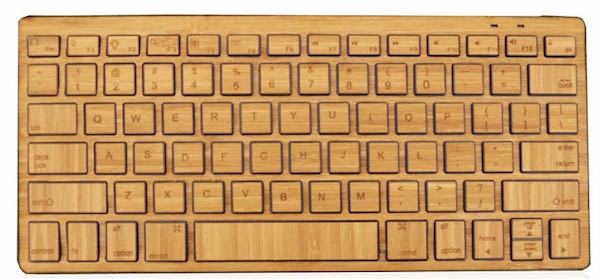
What I find is that for basic tasks, the iPad is great. I like the focus that the iPad’s limitation of running a single app on screen at a time provides, especially for writing. I use a portable Bluetooth keyboard, and while it’s not full-size, the benefits I get from being forced to focus on what I’m writing is a huge benefit. As well, with the customer support job I work with that uses Zendesk, I discovered that it’s actually quite easy to do it efficiently through Safari and the Zendesk mobile app. I didn’t feel like I was any less productive in working from the iPad than I do when I work from my Mac in this case. But it’s the exception to the rule.
The problems always come in when I have to work with files. For example, when I have to upload images to WordPress, it does not go well. Until iOS 6 hits with the ability to upload images from the browser, I have to upload through the app, which requires that images be placed in the body of text, not in the galleries that are below posts. Adding images to an article from the iPad is problematic as well, as the menu doesn’t display properly unless I’m in portrait.
Thankfully, things are a little better outside of WordPress. An app like GoodReader for iPad helps when trying to work with files and performing basic tasks like unzipping archives or just saving photos to the Camera Roll, but it feels like a workaround to a real solution, and it’s ultimately more time-consuming. Android is better-equipped to deal with files, but it’s still a clunkier experience than working from just a computer.
Now, what about remote computing apps? These either require having a computer set up and running somewhere, like with LogMeIn, or using something like OnLive Desktop, which requires a good enough low-latency wifi connection, which can be hard to get while mobile. Clear’s mobile WiMax hotspot worked well enough for me on a recent trip to Chicago, but most publicly-available wifi spots struggled with it. This isn’t even considering the key problem with all remote computing apps: the touch screen is not a mouse, and trying to use it as one is awkward.
Really, that’s the problem with the iPad as a work device. It may be a post-PC device, but work is still caught in a PC state of mind. I am at a point where I can do most of my work if absolutely necessary from my iPad, especially writing and answering emails. But I still hit a bottleneck where it’s woefully inefficient. Until the necessary services adapt to the needs of tablet users like myself, I will still have to fight through that bottleneck.


]