
What's New
NOW AVAILABLE: check out our family of apps:
• gifoodles! doodle your own animated GIFs - so fast and easy!
• doodles! doodle your own digital stickers and drawings in a full-featured app!
App Description
***PLEASE NOTE***
We have improved this app with a new app called, "doodles!" Please check out that app for improved performance and features! (Just tap on the "Related" button above and find the bright green icon!)
Pencilicious lets you COPY, PASTE, MOVE and CHANGE your digital ink at ANY time!
"10! A Masterpiece. . . I’ve tried tons of drawing and note-taking apps over the past year. Pencilicious is far and away the best option out there. Buy it. Buy it now." Tapscape.com
Selected as a Top Ten Drawing and Note-taking app by apppicker.com!
THIS VERSION PUTS LIMITS ON HOW MANY PAGES AND NOTEBOOKS CAN BE CREATED.
UPGRADE TO PENCILICIOUS *PLUS directly from within the app to eliminate the limits that this version puts on how many pages and notebooks you can create and the watermark added to pages that you export.
3 BEAUTIFUL NATURAL BRUSHES
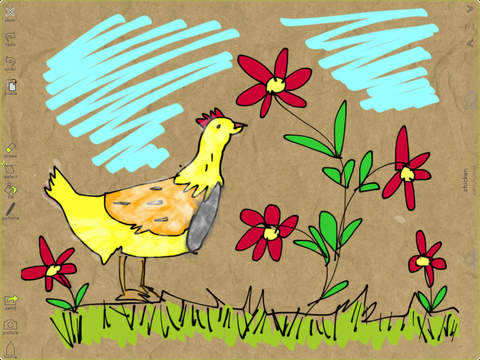
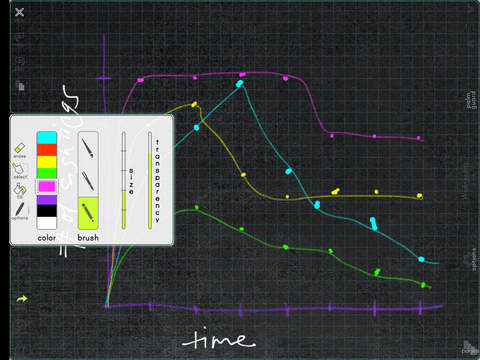
Beautiful and fast retina-quality ink is what you'll find in Pencilicious' brushes. Choose from 5 brush sizes and 9 color palettes; change transparency to produce highlighter and chalk effects. Brush style, color and transparency can be modified at any time. Choose a specific palette for your drawing, with the option to change that palette at any time.
PAINT BUCKET FILL
With just a tap, add a colored fill to any enclosed area. The fill area stays with its boundary strokes so you can move your filled object around the page. Fill color and transparency can be easily modified at any time.
ERASE, CUT, COPY, PASTE, RESIZE and DEFORM
Pencilicious lets you easily manipulate strokes and shapes after they have been created. Select one or more strokes and perform cut, copy, paste, re-size and deform actions. Make a stray mark? Erase or move it. Draw a sloppy square? Drag the endpoints to neaten it up. Want to repeat an object? Copy and paste, then drag to re-size. Easily copy objects from one page or notebook to another.
ZOOM
Two-finger pinch zooming is the newest feature added to Pencilicious. Now get up close with your drawings and notes for even easier ink editing!
ORGANIZATION BY TOPIC AND TIME-OF-USE
Personalize your notebooks with a name, topic and distinctive cover. Pencilicious organizes your notebooks both by topic and by date: Quickly scroll through all your notebooks in chronological order when in portrait view; rotate to landscape to see notebooks organized by topic and flip right to a particular page in any notebook.
LOTS OF BACKGROUND PAPERS
Whether you want plain white paper, a blackboard effect or textured art paper, Pencilicious’ 15 background papers let you personalize the look of your notebook. And if you need some structure to to your paper, overlay your choice of 2 grids or 4 types of lines on any paper.
EXPORT and IMPORT
With many export options, Pencilicious notebooks and pages are easy to share. Send a full notebook or a single page to Dropbox, e-mail, iTunes or your iPad's photo library. Take a photo or choose any image from your photo library to add to your notebook. Once on your page you can resize the image and make notes or draw over it.
AND NOW WITH NATIVE PENCILICIOUS File Import/Export to iTunes and Dropbox. Easily share and collaborate with friends and colleagues.
AIRPRINT
Print out your notes and sketches directly from Pencilicious.
3 NEW SETS OF USEFUL PAPER TEMPLATES
Purchase useful paper overlays in sets. Each of these Overlays can be used with your choice of paper background, creating a notebook that is unique to you.
*Create your own Calendar and To-Do List Notebooks.
*Sketch out your very own iPad or iPhone App Designs.
*Sketch out musical notes in a Music Staff Notebook.
Clearly, Pencilicious is the note-taking and sketching app that you've been looking for! Start using Pencilicious now and watch for even more new and exciting features to be added soon!
If you like Pencilicious Lite, make sure to upgrade to Pencilicious *Plus and rate us on iTunes!
iPad Screenshots
(click to enlarge)



App Changes
- June 14, 2014 Initial release
- August 17, 2014 Price increase: FREE! -> $0.99
- August 28, 2014 Price decrease: $0.99 -> FREE!
- October 06, 2014 New version 1.5
- March 28, 2015 Price increase: FREE! -> $0.99
- October 24, 2015 Price increase: $0.99 -> $1.99
- November 08, 2016 Price increase: $1.99 -> $5.99
- December 02, 2016 Price increase: $5.99 -> $6.99
Other Apps From appikiko LLC