
What's New
Fixed crash on start issue with iOS 16.2
Added support for Audiobus 3
Added support for Ableton Link 2
Note: This version requires iOS 11 or higher.
App Description
Glitchbreaks is an iOS Universal manipulation tool for “Glitching” breakbeats. Manipulate beats to create new beats and record them.
● "Glitchbreaks is a sick sample loop glitching app with a groovy interface and nice instant touch control of real time audio. It's capable of seriously twisting sounds out, is one of the most modern audio apps I've seen yet and Ninjas will love it" -Ninja Tune Records
● GlitchBreaks is an addictively fun and very useful app that will appeal to electronic musicians in a variety of settings. it’s a serious tool for manipulating audio loops. - iosmusicandyou.com
● I've spent many hours playing with Glitch Breaks, cutting, and modulating my way to pure glitch bliss. It's unmistakable high quality, effortless interface makes it easy to forget the world outside and go full tilt boogie to your hearts content. -smitematter.com
Glitchbreaks uses four audio channels setup like mute groups. You can quickly switch between them to construct new beats, or manipulate loop points to “Cut” or “Glitch” the breaks.
Glitchbreaks can be used as a performance tool to juggle breaksbeats or destroy sounds at a granular level. You can make interesting effect-like-sounds by manipulating pitch, loop start, length, and cutting the beats with fluid responsive controls.
You can record your performance and bring it into iTunes through file sharing, or copy it out into another iOS application via Audio Copy and Paste. You pre determine the length of your recording by bars to easily make pieces to bring into a song without the need for further sample editing.
Auto-BPM detection will detect the tempo of a sample you copy into Glitchbreaks (you just need to specify the bars between 1-4). You can turn this feature off in order to manipulate audio that doesn’t have tempo, this is especially useful for manipulating voice samples.
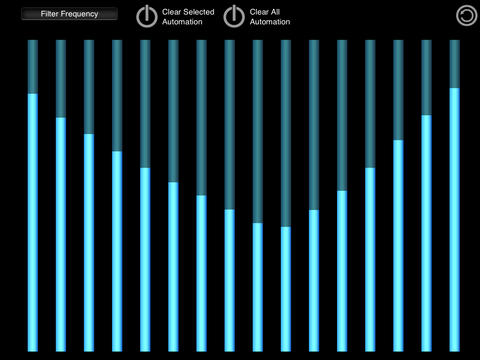
Glitchbreaks contains a 4 channel mixer to adjust the levels of each sample, as you change the levels the sounds are combined into the mix, on the iPad version this is displayed graphically with a rendered waveform that is combined to give you an indication of what the entire sound looks like.
All of this is very easy to operate and even a beginner will be glitching and juggling breaks like a pro in minutes.
Features :
● 130 high quality factory beat loops
● Audiobus Support: Now you can stream live audio from Glitchbreaks directly to other Audiobus-compatible apps.
● Audio Copy and Paste and General Pasteboard support
● Full MIDI support, Virtual MIDI, MIDI Clock Sync In and Out, MIDI Learn
● 4 continuous looping channels with 4 channel mixer
● Dynamic Effects
● Auto-BPM detection / with on/off setting
● Set the BPM up to 2.9 times the original sample BPM
● Touchable Waveform Display with accurate position indicator
● Large Waveform view for iPad
● XY-Pad Loop Modulation (Loop Length, Loop Start)
● Cut Editor / Sequencer with 4 user save slots
● XY-Pads for selecting 4 Glitch or Cut styles
● Index Tracking keeps the beat on time
● Retrigger pads with quantize
● Pitch Shift
● Pitch Reset
● Independent time settings Whole, Half, Quarter
● Quantize for Cut and Glitch operations
● Recording to 44.1khz 16bit Wav files
● Set custom record length in bars
● Background Audio supports mixing with other apps
● iTunes File Sharing
● Mute
● Reverse
● Mixer view with volume faders per channel.
● Master volume
● Universal app
● Supports the New iPad retina display / iPhone retina display
● Load sounds while playing without hitting stop
● Preset Loading and Saving
● Background Audio Tracks
● Snap to Index
System Requirements and Recommendations
Glitchbreaks requires iOS 8.1 or higher
It is recoomended to run Glitchbreaks on : iPad/iPhone4/iPod Touch 4th Gen higher.
iPhone Screenshots
(click to enlarge)


iPad Screenshots
(click to enlarge)




App Changes
- June 10, 2014 Initial release
- August 31, 2014 Price decrease: $4.99 -> $2.99
- September 02, 2014 Price increase: $2.99 -> $4.99
- September 24, 2014 New version 1.38
- November 27, 2014 Price decrease: $4.99 -> $2.99
- December 02, 2014 Price increase: $2.99 -> $4.99
- December 31, 2014 Price decrease: $4.99 -> $2.99
- January 02, 2015 Price increase: $2.99 -> $4.99
- May 24, 2015 New version 1.40
- June 17, 2015 New version 1.41
- July 05, 2015 Price decrease: $4.99 -> $2.99
- July 07, 2015 Price increase: $2.99 -> $4.99
- September 05, 2015 New version 1.42
- October 31, 2015 Price decrease: $4.99 -> $2.99
- November 03, 2015 Price increase: $2.99 -> $4.99
- November 25, 2015 Price decrease: $4.99 -> $2.99
- December 01, 2015 Price increase: $2.99 -> $4.99
- December 22, 2015 Price decrease: $4.99 -> $2.99
- January 03, 2016 Price increase: $2.99 -> $4.99
- February 07, 2016 New version 1.43
- March 26, 2016 Price decrease: $4.99 -> $2.99
- June 23, 2016 Price increase: $2.99 -> $4.99
- July 02, 2016 Price decrease: $4.99 -> $2.99
- July 04, 2016 Price increase: $2.99 -> $4.99
- July 05, 2016 Price decrease: $4.99 -> $1.99
- July 06, 2016 Price increase: $1.99 -> $4.99
- November 24, 2016 Price decrease: $4.99 -> $2.99
- November 27, 2016 Price increase: $2.99 -> $4.99
- December 22, 2016 Price decrease: $4.99 -> $1.99
- June 14, 2019 New version 1.46
- June 14, 2019 Price increase: $1.99 -> $4.99
- June 16, 2019 Price increase: $1.99 -> $4.99
- November 26, 2019 Price decrease: $4.99 -> $1.99
- December 10, 2019 Price increase: $1.99 -> $4.99
- December 24, 2019 Price decrease: $4.99 -> $2.99
- January 07, 2020 Price increase: $2.99 -> $4.99
- September 16, 2023 New version 1.47
Other Apps From Alexander Matheu