
What's New
Our latest update includes a fix for notification issues.
Enjoy the app? Share your thoughts by leaving a rating or review. Your feedback matters.
App Description
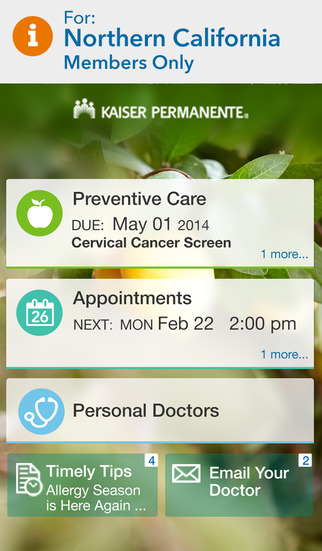
Manage care for you and your family in one convenient place. It’s simple and convenient to get personalized health reminders and information from your doctor.
The My Doctor Online app is for Kaiser Permanente Northern California members.
• Get the care that works best for common concerns, including E-visits for advice, prescriptions, and tests.
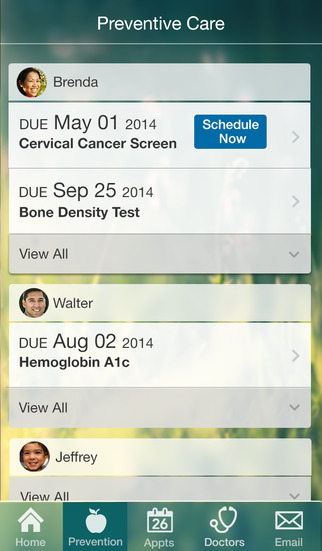
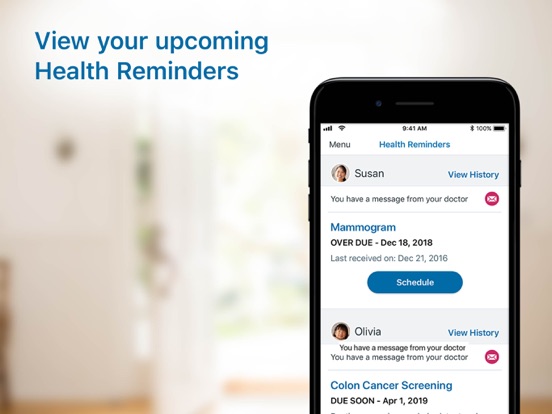
• Get timely notifications about appointments, screenings, immunizations, surgeries and procedures, pregnancy, diabetes, and more.
• See your doctor with a video visit.
• Schedule and manage primary and specialty appointments for you and your family.
• Refill prescriptions.
• View test results and other information in your medical record.
• Find doctors and medical office locations.
To get started, download and launch the app. Sign-in with your kp.org user ID and password. A Northern California member without a kp.org user ID and password can register from the app – just tap “Sign-In Help.” Once you sign-in, enable app notifications.
iPhone Screenshots
(click to enlarge)


iPad Screenshots
(click to enlarge)



App Changes
- June 11, 2014 Initial release
- July 26, 2014 New version 3.3.1
- March 07, 2015 New version 4.0.0
- August 17, 2015 New version 4.1.0
- September 25, 2015 New version 4.1.1
- November 01, 2015 New version 4.1.2
- December 09, 2015 New version 4.2.0
- June 23, 2016 New version 4.3.0
- July 21, 2016 New version 4.4.0
- November 05, 2016 New version 4.4.1
- November 08, 2016 New version 4.5.0
- November 30, 2016 New version 4.5.1
- June 14, 2019 New version 5.8.0
- August 16, 2019 New version 5.9.0
- August 28, 2019 New version 5.9.1
- September 24, 2019 New version 6.0.0
- November 18, 2019 New version 6.1.0
- December 24, 2019 New version 6.2.0
- January 21, 2020 New version 6.2.1
- July 14, 2020 New version 6.3.2
- July 16, 2020 New version 6.4.0
- October 23, 2020 New version 6.6.0
- November 12, 2020 New version 6.6.1
- August 06, 2021 New version 6.8
- September 16, 2023 New version 7.8
- November 15, 2023 New version 7.9.1
Other Apps From Kaiser Permanente