

What's New
• Fixed issue where the app would crash on launch for those users still using iOS 8.
App Description
A simple Recipe Organizer and Editor with Hands Free Kitchen Controls. Add your own recipes or import recipes from the Recipe Explorer.
*** Recipe Explorer ***
Search over 1 Million Recipes from 50+ food sites and blogs including AllRecipes, Food Network and Epicurious from within the app and import with as little as one button tap.
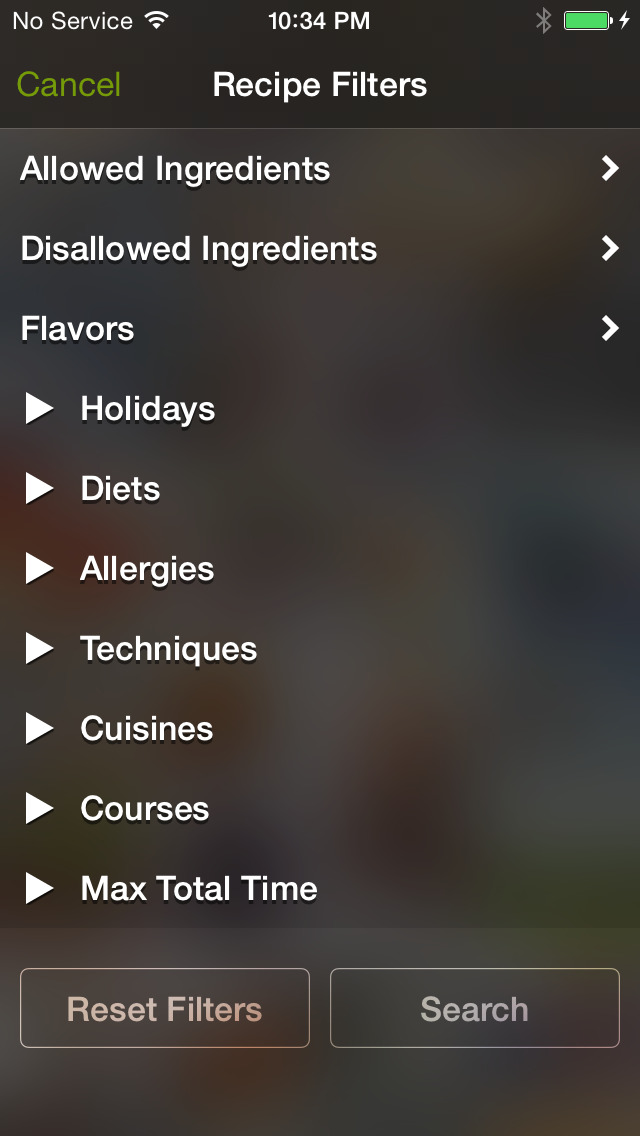
Search for recipes based on specific holidays, diets, cuisines or allergies. Finding a Gluten Free cookie recipe has never been easier. Need only vegan recipes? Just enable the filter for hundreds of vegan recipes. The possibilities are endless.
*** Recipe Importing ***
Import your entire MacGourmet or YummySoup! recipe library right through iTunes. Just drag and drop your recipe export file into iTunes File Sharing.
*** Hands Free Recipe Procedure Navigation ***
Messy hands in the kitchen and don't want to touch the screen? No Problem.
Just turn your iPad landscape orientation to enter "Kitchen View". In Kitchen View, you'll be able to view your recipe procedures step by step on large notecards. When its time to proceed to the next step, and your hands are dirty, bump the kitchen counter, and RecipePad will slide your next notecard into place.
*** Shopping List ***
The Shopping List will sync over iCloud so that your list is available on your iPhone while your at the store.
*** Music Controls ***
From the Kitchen View you can access your iTunes Music Library and play music while you cook.
*** Large Built In Kitchen Timer (Syncs with all your iCloud Devices!) ***
Any timers you start will automatically be synced with your iCloud enabled devices, like your iPhone. Tap the Timer Start button and your timer will begin to countdown. Your iPad and your other iCloud devices will start beeping letting you know when the time is up.
*** Other Features***
• iCloud Data Syncing of all your recipes (available only on full version).
• Share your recipes with your friends over AirDrop or by email (available only on full version).
• AirPrint support for printing recipes (available only on full version).
• Built in Recipe Editor for quick and easy recipe input.
• Categorize your recipes by Tags or Favorites for easy browsing and searching.
Recipe Explorer Details:
• The Recipe Explorer is available on a monthly or yearly subscription basis. Monthly access is available for less than a cup of coffee, 99 cents per month or $9.99 per year.
• Subscription payment will be charged to your iTunes Account at confirmation of purchase.
• Subscription automatically renews unless auto-renew is turned off at least 24-hours before the end of the current period.
• Your iTunes Account will be charged for renewal within 24-hours prior to the end of the current period at the rate of the subscription duration, $0.99 per month or $9.99 per year.
• Subscriptions can be managed by the user and auto-renewal may be turned off by going to the user's Account Settings after purchase.
• No cancellation of the current subscription is allowed during active subscription period.
• Any unused portion of the Recipe Explorer Trial will be forfeited when the a subscription is purchased.
RecipePad's Privacy Policy:
http://point618designinc.com/privacy
iPhone Screenshots
(click to enlarge)



iPad Screenshots
(click to enlarge)


App Changes
- June 13, 2014 Initial release
- July 29, 2015 New version 2.0
- August 29, 2015 New version 2.0.1
- October 01, 2015 New version 2.0.2
- November 05, 2015 New version 2.0.3
- February 05, 2016 New version 2.0.5
- February 15, 2016 New version 2.0.6
Other Apps From Point618 Design Inc.