




What's New
• New sharing pane
◦ Share to Path
◦ "Open in..." other apps
• Tweaks and fixes
New in 2.1
• Photo slideshow
• Info pane:
◦ Browse nearby photos
◦ Hide and delete a photo
• Settings:
◦ Toggle show/hide hidden photos
◦ Sort photos reverse chronologically
• Performance Improvements
• Bug fixes & UI tweaks
• Whew!
App Description
Everpix solves your photo mess. Enjoy your life photo collection effortlessly—everything in one place, automatically organized, and ready to be rediscovered. Everpix dusts off your memories and lets you see them in a brand new light.
Everpix syncs all your photos from your computer (like iPhoto or Lightroom), iPhone, iPad, and places on the web like Facebook, Flickr, Instagram, etc. Your photos are safe in the cloud with Everpix, accessible anytime and anywhere from your iPhone iPad, and Everpix website.
• Get all your photos in the past 12 months—unlimited and free!
• Your entire photo collection in your pocket
• Rediscover memories with Flashback
• Effortless organization
• No duplicate photos
• Safe and secured
• Create stunning photo books with Mosaic
• Syncs photos from iOS, PC, Mac, Android, and web services!
Subscribe for USD $4.99 / EUR 3,99€ / JPY ¥450, per month, renewing automatically, to get all your photos taken since the beginning of time in Everpix.
∙∙∙∙∙∙∙∙∙∙∙∙∙∙∙∙∙∙∙∙∙∙∙∙∙∙∙∙∙∙∙∙∙∙∙∙∙∙
"Everpix earned top marks for its design, ease of use, and emphasis on helping you actually enjoy all the photos you’ve taken." -The Verge
"Bottom line: Everpix is what iPhoto/iCloud photo syncing should be." -Daring Fireball
"Always nice to get [Flashbacks] from @Everpix. They've beautifully uncovered one of the main reasons we all take photos. To remember." -Nick M (Customer)
"Oh wow. The @Everpix UI really is quite beautiful." -Elliot S (Customer)
∙∙∙∙∙∙∙∙∙∙∙∙∙∙∙∙∙∙∙∙∙∙∙∙∙∙∙∙∙∙∙∙∙∙∙∙∙∙
Subscription Information:
• Any unused portion of the free trial period, will be forfeited when you purchase a subscription.
• Payment will be automatically charged to your iTunes account at confirmation of purchase.
• You will only be charged if you decide to purchase a monthly subscription.
• Your subscription will automatically renew unless you turn off auto-renewal at least 24-hrs prior to the end of your current subscription period. You can turn off auto-renewal at any time during your subscription.
• Your account will be charged for renewal within 24-hrs to the end of the current period.
• You cannot cancel your subscription during the active subscription period.
iPhone Screenshots
(click to enlarge)


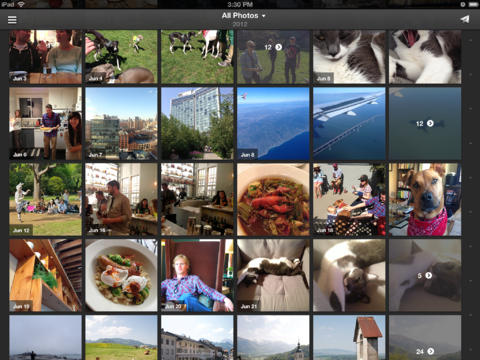
iPad Screenshots
(click to enlarge)



App Changes
- December 23, 2011 Initial release
- February 02, 2012 New version 1.0.1
- March 04, 2012 New version 1.0.2
- June 15, 2012 New version 1.1
- September 01, 2012 New version 1.2.2
- September 28, 2012 New version 1.2.3
- October 26, 2012 New version 1.3
- November 17, 2012 New version 1.3.1
- December 19, 2012 New version 1.4
- January 05, 2013 New version 1.4.1
- January 18, 2013 New version 1.4.2
- January 25, 2013 New version 1.4.3
- February 09, 2013 New version 1.4.4
- March 06, 2013 New version 1.5
- March 15, 2013 New version 1.5.1
- April 03, 2013 New version 1.5.2
- April 12, 2013 New version 1.5.3
- May 07, 2013 New version 1.5.4
- May 16, 2013 New version 1.5.5
- June 28, 2013 New version 2.0
- July 12, 2013 New version 2.0.1
- July 26, 2013 New version 2.0.2
- August 04, 2013 New version 2.0.3
- August 10, 2013 New version 2.0.4
- August 16, 2013 New version 2.0.5
- August 29, 2013 New version 2.0.6
- September 12, 2013 New version 2.1
- October 07, 2013 New version 2.1.1