
What's New
v9.0.6
• Some improvements.
• Bug Fixes.
v9.0
• Dark mode on iOS 13.
• Support for iOS 13.
• Audio player improved.
• Many improvements.
• Bug Fixes.
Thanks for using this app! To make our app better for you, we bring updates to the App Store regularly.
Thanks for all the suggestions!!.
App Description
Easy FTP Pro for iPhone and iPad offer all the features of a desktop client. Make changes to your website from anywhere!! Includes text editor with color coding: html, php, perl, python.. and printing, images and documents viewer, extract ZIP, 7-zip and RAR files, web browser, audio player, mp4,avi,... video player ,Dropbox, Google Drive, OneDrive, Box, Mega and WebDAV, also helps you to access files on your remote computer (Mac, Windows, Linux), NAS Servers, and more...
Video demo: http://www.youtube.com/user/jrmobileapps
Main Feature list:
√ Bookmarks, export and import them in a XML file or Import Filezilla bookmarks.
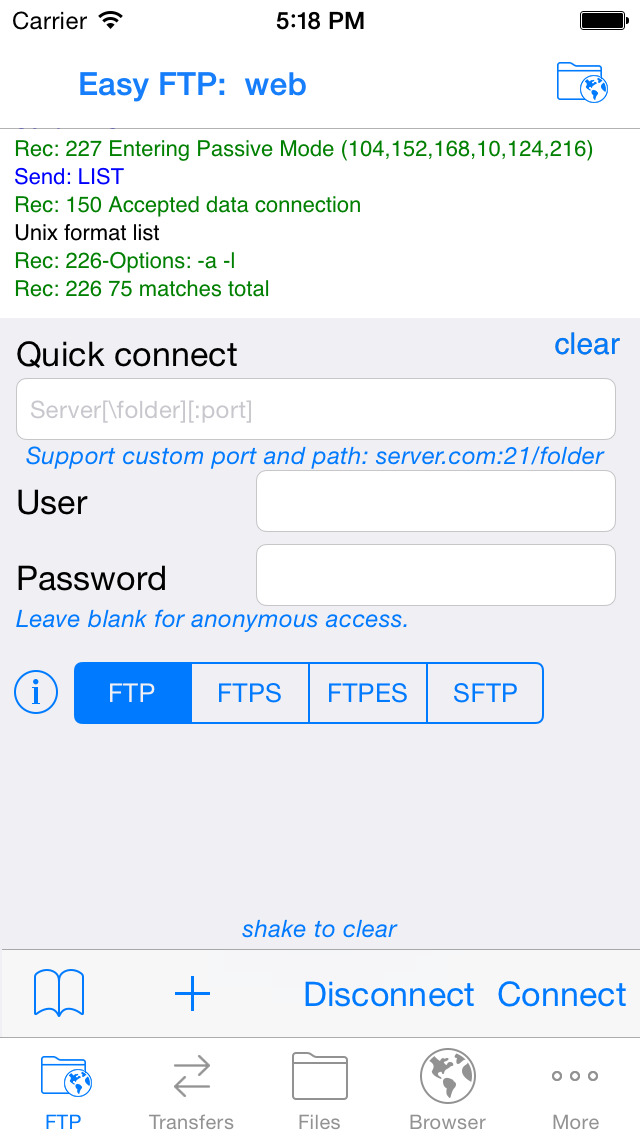
√ Support: FTP / FTPES / FTPS / WebDAV / SFTP and SCP also with private key.
√ Save and get pictures or videos from the Photo Library, also upload them directly to a server.
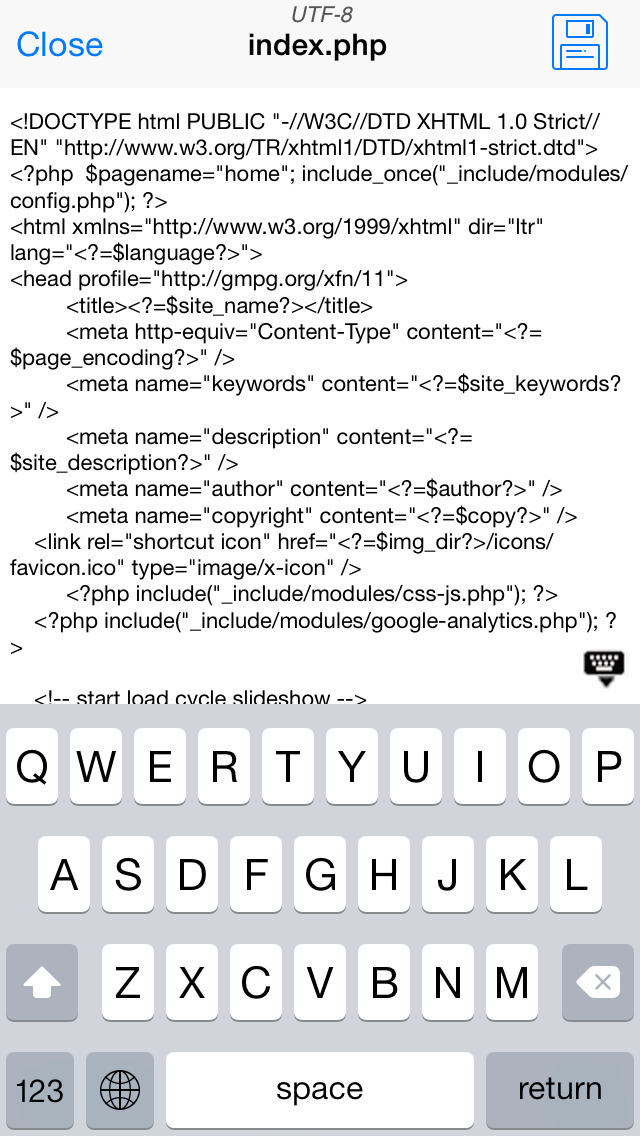
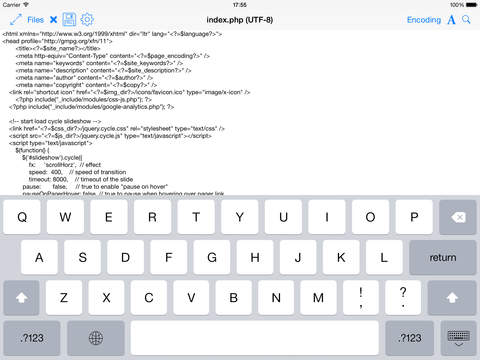
√ Includes text editor with color coding: html, php, config, xml, perl, python...
√ Web Browser with multiple tabs, Bookmarks, Download files, Modify the type of browser detected...
√ Dropbox, Google Drive, OneDrive, Box, Mega: Upload and download files and folders, rename, create folders, file sharing, view photos...
√ Computer shared files (SMB). Upload and download files, access with credentials, photo viewer...
√ Include a console to see the FTP commands sent and received from the server.
√ 3D touch support: Peek at documents, photos and Audio files, Quick Actions for FTP/SFTP bookmarks.
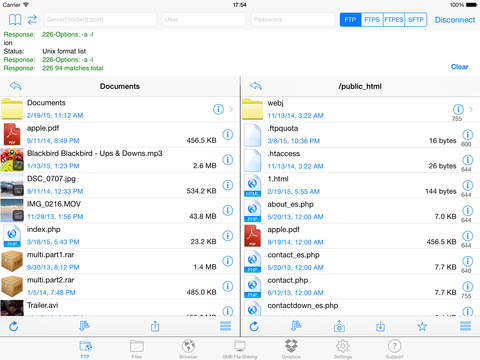
√ FXP: connect to two servers at a time and transfers files between them (some servers may not support it).
√ Support for Split-Screen Multitasking on iPad*
√ Search and open files from spotlight.
√ Support for pip when playing MP4 and MOV files on iPad*.
*some devices
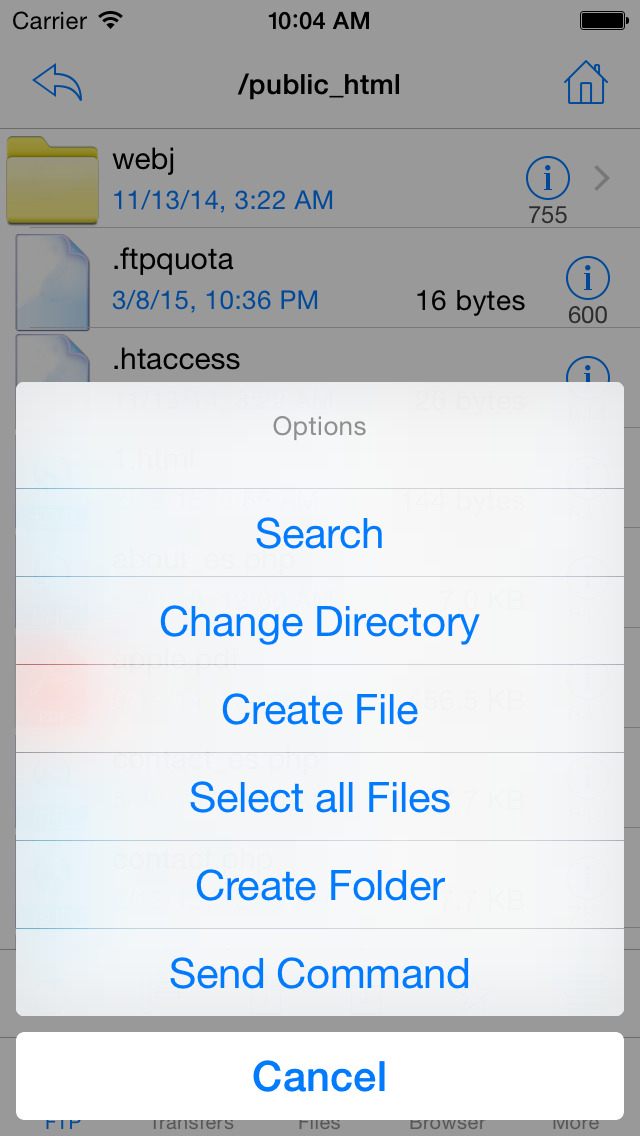
• FTP
√ Support SSL/TSL over FTP (explicit or implicit mode). Support TLS session resumption.
√ Support list format in UNIX and Windows server.
√ Support file list with different text encodings.
√ Delete or create folders, delete folders with files and folders inside.
√ Download and Upload folders.
√ Search files and folders.
√ Set one or more files permission.
√ Support for PRET.
√ Send Commands.
• SFTP
√ Browse, upload, download, delete and rename from any SFTP server.
√ Download, upload, delete or create folders.
√ Search files and folders.
√ Set one or more files permission.
√ Send SSH Commands.
• Viewers
√ Word,Excel,Powerpoint,Numbers,Pages,documents:rtf,txt...
√ PDF viewer with paging, zoom, bookmarks, page preview...
√ Includes an image viewer and image editor with zoom and tools to crop, resize, and rotate.
√ Audio Player that displays the cover, also artist, title, genre and album.
√ Video player that support: avi, divx, xvid, wmv, mpg, mkv, flv, mov, mp4, m4v, 3gp. Suport srt subtitle files and audio track selection.
• Compression tools
√ Unzip zip and 7zip files, also password protected files.
√ Make new ZIP archives with the stored files.
√ Decompress RAR files, including multipart and password protected files.
• Text Editor
√ Supports 30 different text encodings, also auto-detect encoding.
√ Newline character management, auto-detect included: Windows or Linux/MAC/UNIX.
√ Colour Syntax highlighting.
√ Printing.
√ Ability to edit text files from the server with the editor and re-upload your changes.
• File Manager
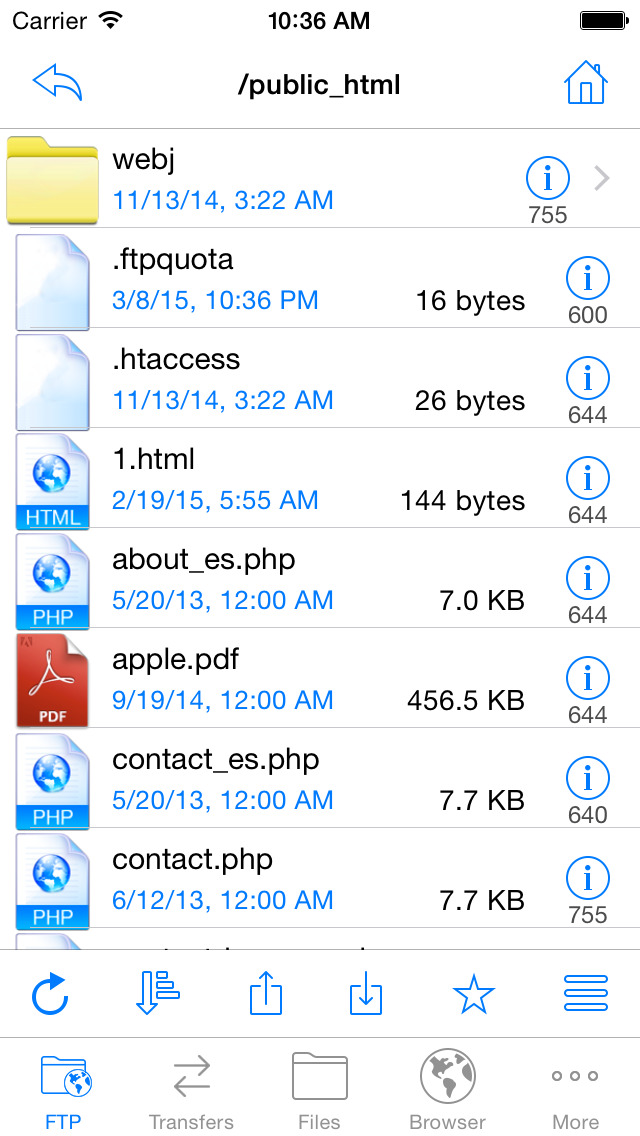
√ Open, Rename, Move, Delete, Create Folder, sort files,...
√ Displays thumbnail of images, video, and song’s covers.
√ Supports downloading attachments from mail app.
√ The app can Save and Open files with other apps.
• Sharing
√ Share access to the stored files from a web browser, also upload files.
√ FTP server.
√ you can protect the access with a password.
√ USB File Sharing via iTunes.
√ Email Files as Attachments.
• Other Features
√ A pin code, pattern or Touch ID can be set to restrict the access to the application.
For more details visit: www.jrmobileapps.com
Twitter: @jrmobileapps
Facebook: JR mobile Apps
Youtube: jrmobileapps
iPhone Screenshots
(click to enlarge)

iPad Screenshots
(click to enlarge)



App Changes
- April 06, 2013 Initial release
- April 07, 2013 Price increase: FREE! -> $3.99
- June 18, 2013 New version 3.5
- June 18, 2013 Price decrease: $3.99 -> FREE!
- June 23, 2013 Price increase: FREE! -> $3.99
- August 17, 2013 New version 3.6
- September 01, 2013 New version 3.6.5
- October 10, 2013 New version 3.7.1
- October 17, 2013 New version 3.7.5
- November 06, 2013 New version 3.7.8
- December 05, 2013 New version 3.8
- December 10, 2013 Price decrease: $3.99 -> FREE!
- December 11, 2013 Price increase: FREE! -> $3.99
- December 14, 2013 Price decrease: $3.99 -> FREE!
- December 18, 2013 Price increase: FREE! -> $3.99
- December 19, 2013 Price decrease: $3.99 -> FREE!
- January 08, 2014 Price increase: FREE! -> $3.99
- March 10, 2014 New version 4.0
- March 13, 2014 New version 4.0.1
- April 11, 2014 New version 4.1
- April 16, 2014 New version 4.1.1
- May 23, 2014 New version 4.1.5
- June 06, 2014 Price decrease: $3.99 -> FREE!
- June 27, 2014 Price increase: FREE! -> $3.99
- July 25, 2014 New version 4.2
- September 23, 2014 New version 4.3
- October 08, 2014 New version 4.3.3
- November 13, 2014 New version 4.4
- December 05, 2014 New version 4.4.7
- December 13, 2014 Price decrease: $3.99 -> $0.99
- December 18, 2014 Price increase: $0.99 -> $3.99
- March 28, 2015 New version 4.5
- July 11, 2015 New version 4.6
- July 17, 2015 New version 4.6.5
- September 25, 2015 New version 5.0
- October 28, 2015 New version 5.1
- November 03, 2015 New version 5.1.2
- November 24, 2015 New version 5.1.7
- December 10, 2015 Price decrease: $3.99 -> FREE!
- December 15, 2015 Price increase: FREE! -> $3.99
- February 15, 2016 New version 5.3
- March 06, 2016 New version 5.4
- July 04, 2016 New version 6.0
- August 05, 2016 New version 6.0.5
- August 09, 2016 New version 6.0.7
- November 08, 2016 New version 6.1.5
- November 17, 2016 New version 6.3
- December 06, 2016 New version 6.3.5
- December 14, 2016 New version 6.3.6
- June 14, 2019 New version 8.3.5
- June 15, 2019 New version 8.3.6
- August 17, 2019 New version 8.5
- September 24, 2019 New version 9.0
- September 30, 2019 New version 9.0.5
- October 02, 2019 New version 9.0.6
- October 28, 2019 Price decrease: $3.99 -> $1.99
- November 05, 2019 Price increase: $1.99 -> $3.99
Other Apps From Juan Ramon Rivero