
What's New
*NEW* Home Screen Design - easier to browse layouts.
*NEW* Image Picker - photos, videos, and colors now draggable from trays into layouts.
*NEW* Image Management - selecting & using media is both easier and faster.
*NEW* Expandable Layouts now FREE & included for everyone - common aspect ratios are easy to select.
*NEW* Removed all data collection functionality.
various bug fixes and performance enhancements implemented
App Description
Diptic, a former App Store App of the Week, helps you create and share beautiful photo and video collages. See for yourself why millions of people have downloaded this app!
"A simple, elegant way to use pictures to tell your story." – Macworld
DIPTIC 101
• Create collages with photos and videos
• Super Customizable — Tons of layouts to choose from plus tons of ways to enhance each one. Save your own customized layouts for re-use
• Add text captions, filters, colored borders, textured borders & more
LAYOUTS AND BORDERS
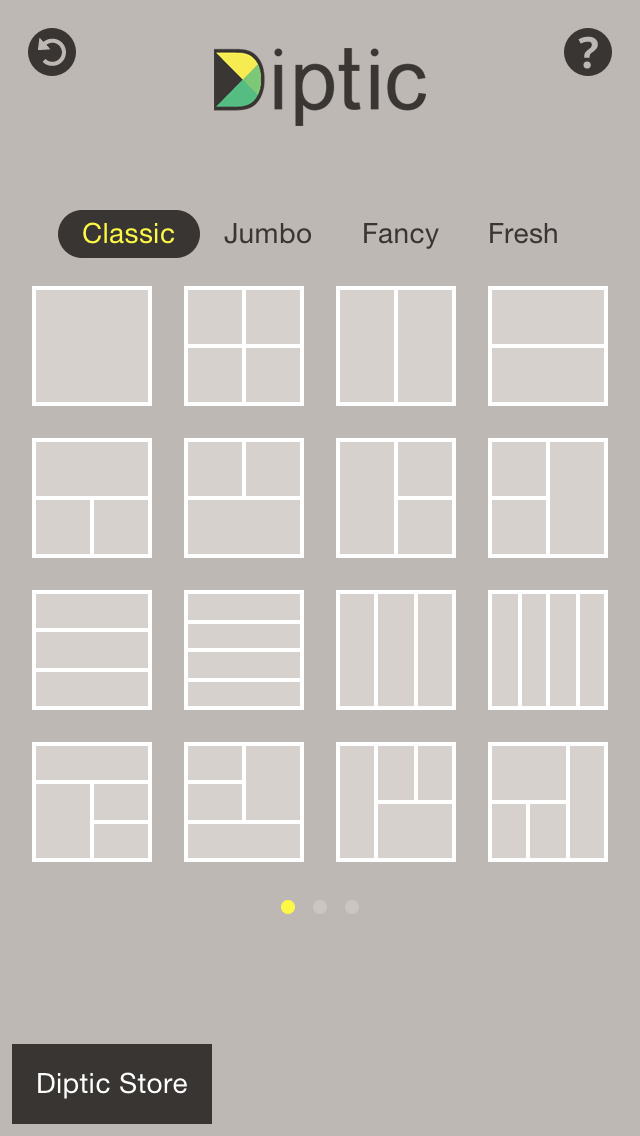
• Choose from 194+ layouts (additional layouts are available as in-app purchases)
• Combine up to nine photos and/or videos in each layout
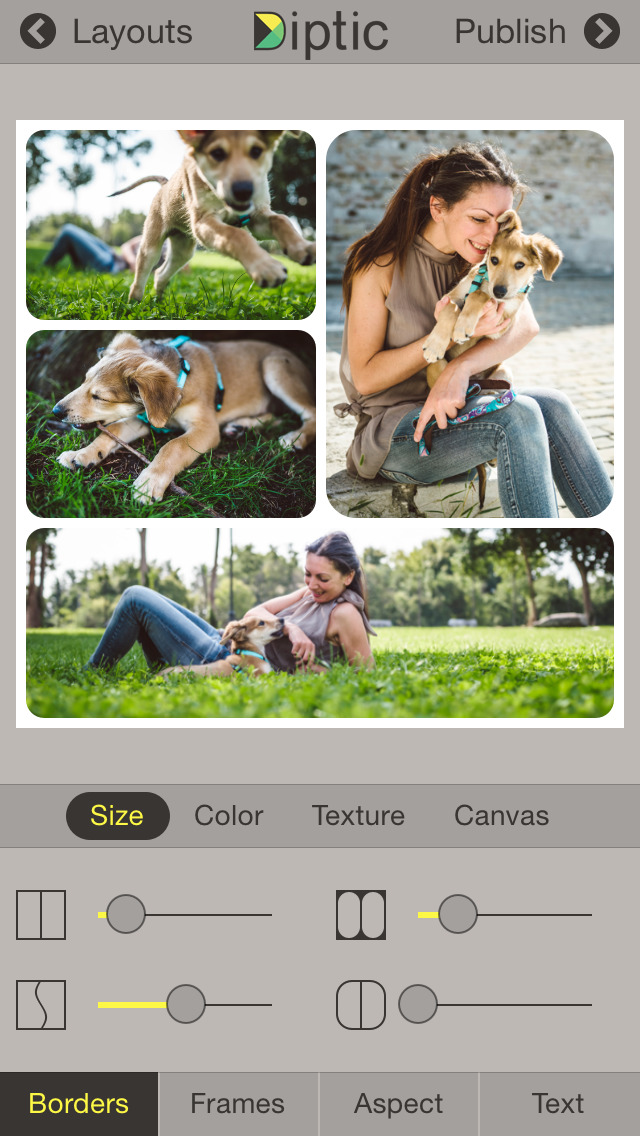
• Customize your layouts to better fit your video or images by sliding interior frame lines or moving joints along the line
• Create rectangular Diptics (great for printing) with Expandable Layouts (in-app purchase)
• Round the inner and outer borders, as well as modify thickness and color, and apply textures to videos and images
IMAGE ADJUSTMENTS
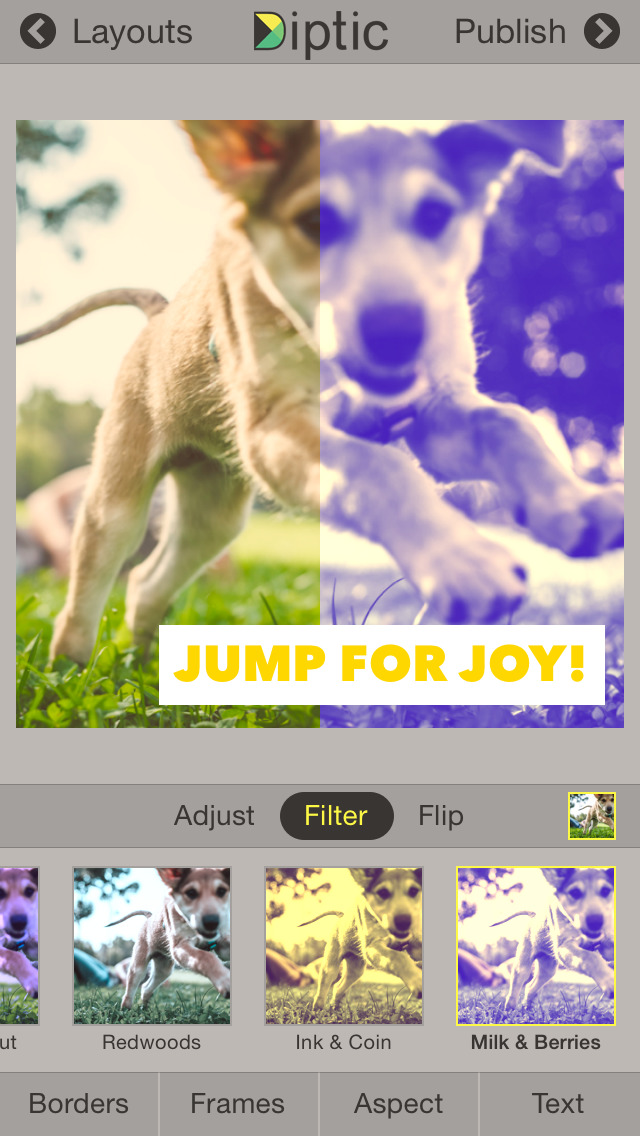
• Choose from 14 filters, as well as adjust brightness, contrast, hue and color saturation
• Pan, rotate, mirror, flip, and zoom individual photos
TEXT CAPTIONS
• Personalize your Diptic photo and video creations with a text caption
• Adjust the font, style, color and size of the text
VIDEO ADJUSTMENTS
• Add music to any video collage and adjust audio start and stop time
• Pick any song from your Music library
• Customize video start and stop time
IMPORT/EXPORT OPTIONS
• Create Diptics with photos or videos from your library, Instagram, Dropbox, Facebook or Flickr, or take a photo on the spot with the camera
• Save Diptics for safe keeping or share them with friends. You can send via email, or share by uploading directly to Instagram, Facebook, Twitter, Tumblr or any app that accepts JPGs and/or video files
• High-resolution export for pixel-perfect images
• Import multiple photos and videos at once and swap media between frames
• Add music from your music library to any of your videos
Let’s connect!
Twitter: @dipticapp
Instagram: @dipticapp
Facebook: facebook.com/dipticapp
Flickr: flickr.com/groups/diptic
Please reach out to us at [email protected] if you have any suggestions for the new video features or anything else you’d like to see... we’d love to hear from you!
iPhone Screenshots
(click to enlarge)


iPad Screenshots
(click to enlarge)


App Changes
- March 08, 2011 New version 3.0
- December 17, 2010 New version 2.0
- October 06, 2010 Price increase: FREE! -> $1.99
- October 02, 2010 Price decrease: $3.99 -> FREE!
- September 27, 2010 Price increase: $1.99 -> $3.99
- July 28, 2010 New version 1.1
- September 01, 2011 New version 4.1
- September 27, 2011 Price decrease: $1.99 -> $0.99
- November 10, 2011 New version 4.5
- November 10, 2011 New version 4.1
- January 31, 2012 New version 5.0
- January 31, 2012 New version 4.5
- June 01, 2012 New version 5.5
- July 12, 2012 Price decrease: $0.99 -> FREE!
- July 20, 2012 Price increase: FREE! -> $0.99
- September 20, 2012 New version 5.5.1
- December 19, 2012 New version 6
- January 21, 2013 New version 6.1
- March 05, 2013 New version 6.2
- May 07, 2013 New version 6.3
- September 07, 2013 New version 6.4
- June 12, 2014 New version 7.0
- June 22, 2014 New version 7.0.1
- September 26, 2014 New version 7.2
- October 08, 2014 New version 7.2.1
- October 15, 2014 New version 7.2.2
- January 04, 2015 New version 7.3
- March 07, 2015 New version 7.4
- September 16, 2015 New version 8.0
- September 29, 2015 New version 8.0.1
- October 10, 2015 New version 8.0.2
- November 05, 2015 New version 8.0.3
- March 23, 2016 New version 9.0
- July 18, 2016 New version 9.1
- November 07, 2016 New version 9.2.1
- June 14, 2019 New version 10
- June 14, 2019 Price increase: $0.99 -> $2.99
- June 16, 2019 Price increase: $0.99 -> $2.99
- July 14, 2020 New version 10.10
- August 06, 2021 New version 10.1.1
Other Apps From Peak Systems