
What's New
- New Hyper Scrollbar. It's more convenient and powerful.
> TAP Up/Down buttons to Fly Page by Page
> To HIDE the SCROLL BAR. Tap Settings Icon > (scroll down) HIDE Scrollbar.
> HOLD Up/Down buttons to scroll at a Reading speed. Can be changed to scroll faster in 'Interface and Fullscreen' Settings
- Updated AdBlock filters. To take effect: AdBlock Settings > Manage > Reset
- Prevents Auto-Playing of Videos. Can be disabled under Browsing settings
- De-AMP. Instantly navigate to the original site from Google AMP Pages. Prompt can be disabled in Settings.
- ‘Share, PDF & More' added to '+' menu
- Enhanced Control with Hardware Keyboards
> Select URLs from address bar, and search suggestions or search engines with Up/Down and Enter keys
> Scroll by page with Space or Shift + Space. Up/Down keys to scroll precisely
> Hold down Command key for 3 seconds to see the list of shortcuts
- Speedier and more responsive interface. Everything's faster!
- While using Search, Tap the Top Edge of the Screen to Scroll To Top of the Search Suggestions
- In AdBlock Recently Blocked screen, tap on an item to go the corresponding filter in the Manage Filters screen
- Added support for opening 'webloc' files
- Import Bookmarks allows import file selection from folders
- Updated Google Mobilizer (Web compression) URL
- Updated Desktop Browsing Mode selections
- New 'Coherence' design. Integrated Progress, Tabs and Stop/Refresh
- Fresh New App Icon. It Rules!
- Bugs zapped!
App Description
Perfect browser makes browsing much faster and super convenient. It lets you access the web without the clutter from Ads, Autoplay Videos and bloatware. Pages load in an instant without the unnecessary resources. With the powerful integrated web search, search from multiple sources and get to your sites with one tap from the suggestions - no waiting for the search results page to load.
DESKTOP-CLASS BROWSING: Browse full desktop web pages with Desktop Browsing Mode - pick any browser like Firefox, Chrome, Opera, Safari or Internet Explorer to display webpages as such. No more mobile sites! Download files from the web and upload to the cloud (Dropbox, Google Drive). Scrolling is faster and easier using the Scroll Bar with the Page Buttons.
WORKSTATION DOCK MODE: Connect a bluetooth keyboard and switch on AirPlay mirroring to use your TV as a Fullscreen Web Browsing Workstation. Browse, navigate web pages and control virtually anything using just the keyboard!
PARAMOUNT PRIVACY: Perfect browser provides three levels of private browsing for unsurpassed privacy control. There's an option to have the Tabs & Session-data Auto-Erased on pressing Home, Power or on receiving a call or on-screen interruption. In addition, there's an optional alphanumeric or numeric arbitrary length passcode lock.
Features:
- AD BLOCK
Perfect browser can block most ad banners in webpages. Enable in Settings > AdBlock.
- DOWNLOADS
- DROPBOX & GOOGLE DRIVE Uploads
- TABS
- BLUETOOTH KEYBOARD CONTROLS
Scroll with cursor keys, zoom, adjust font, bookmark, navigate, search, input url.. Every action is just a key press away. 25+ shortcuts are supported.
- AUTO REFRESH (off by default)
Long press a tab and choose 'Auto Refresh...' to configure page refresh duration.
- SCROLLING ENHANCEMENTS
Scroll using the Precision Scroll Bar, Touch or Page-By-Page using the Up/Down buttons.
- FULL SCREEN MODE
- DESKTOP BROWSING MODE (User Agent)
- SAVE FULL WEBPAGES OFFLINE
- FULL SCREEN TV OUT via VGA/HDMI/AirPlay-Mirroring.
Full screen display in landscape mode.
- PRESENTATION MODE FOR TV OUT
Choose a specific tab to be mirrored to a TV or projector. Switch to different tab(s) and browse the web as usual, and it remains on iPhone's SCREEN only.
- FULL FLEDGED FILE MANAGER
- Extract ZIP files
- Transfer/Add/Copy files using iTunes File Sharing
- SEND & RECEIVE FILES TO/FROM APPS via Open In
- PASSCODE LOCK
- GESTURES
- PRIVATE BROWSING - THREE LEVELS (off by default)
- SEARCH THE WEB SUPER QUICK
Go directly to a site from search suggestions by tapping 'i' next to the top result.
- AUTO ZOOM IN BY A PRESET PERCENTAGE
- AUTO FILL
- IMPORT & EXPORT BOOKMARKS
- ADJUST FONT SIZE (25% to 500%)
Perfect Browser can also save custom font preferences for each site.
- NIGHT MODE - SCREEN DIMMER
- Rotation Lock
- Address auto-completion
- Background Audio
- View Source
- Save Images
- In-Page Search
- Block Images Option
- AirPrint
- Web Compression Option
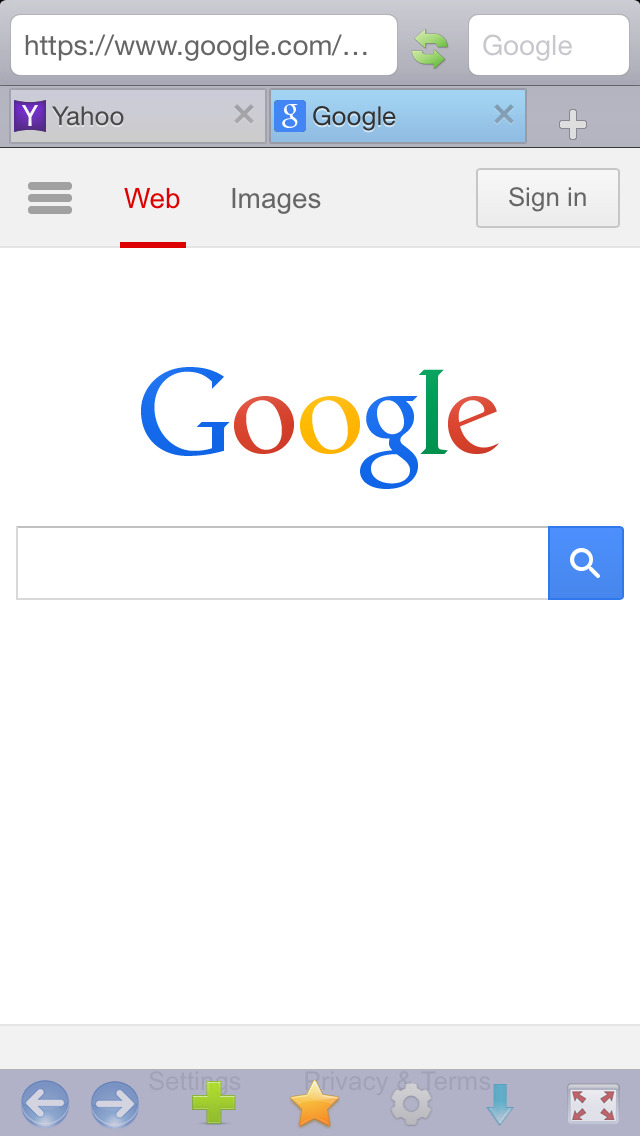
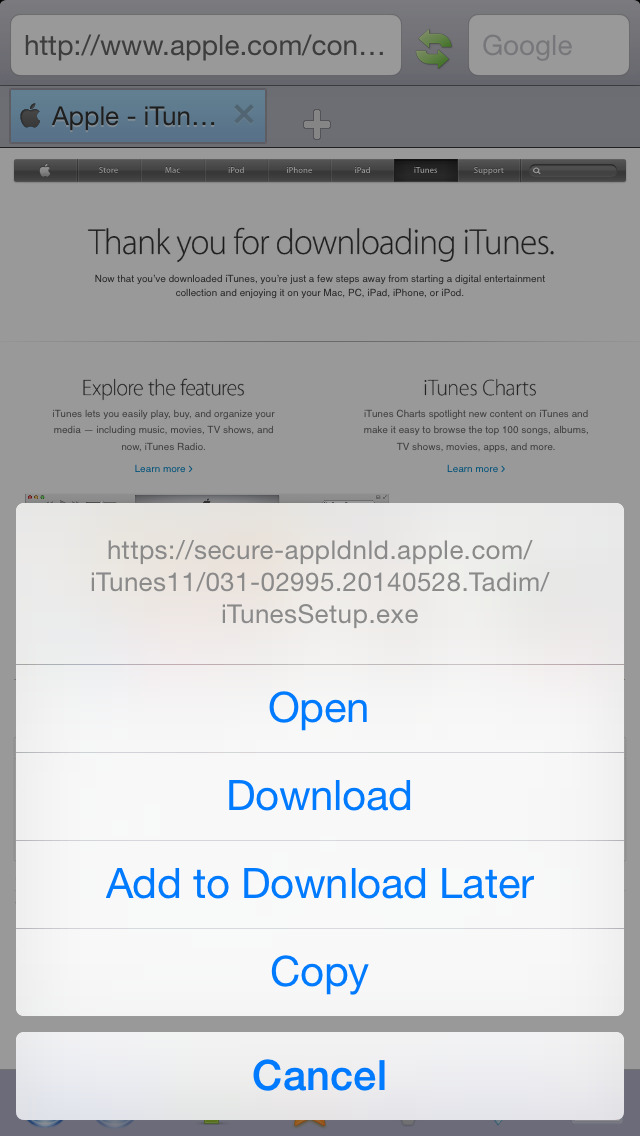
iPhone Screenshots
(click to enlarge)



App Changes
- July 02, 2011 New version 5.96
- November 10, 2011 New version 6.0
- November 13, 2011 Price increase: $0.99 -> $1.99
- November 16, 2011 Price decrease: $1.99 -> $0.99
- November 18, 2011 New version 6.1
- December 01, 2011 New version 6.2
- December 14, 2011 New version 6.3
- March 17, 2012 New version 7.0
- March 29, 2012 New version 7.0.1
- April 14, 2012 New version 7.1
- May 15, 2012 New version 7.2
- June 01, 2012 Price increase: $0.99 -> $1.99
- June 08, 2012 Price decrease: $1.99 -> $0.99
- June 11, 2012 Price increase: $0.99 -> $1.99
- June 20, 2012 Price decrease: $1.99 -> $0.99
- July 19, 2012 Price increase: $0.99 -> $1.99
- July 23, 2012 Price decrease: $1.99 -> $0.99
- September 29, 2012 New version 8.0
- October 03, 2012 Price increase: $0.99 -> $1.99
- October 12, 2012 Price decrease: $1.99 -> $0.99
- January 20, 2013 Price increase: $0.99 -> $1.99
- January 26, 2013 Price decrease: $1.99 -> $0.99
- March 17, 2013 New version 9.0
- March 19, 2013 Price increase: $0.99 -> $1.99
- March 22, 2013 Price decrease: $1.99 -> $0.99
- March 28, 2013 Price increase: $0.99 -> $1.99
- April 04, 2013 Price decrease: $1.99 -> $0.99
- August 04, 2013 New version 9.1
- August 16, 2013 Price increase: $0.99 -> $1.99
- September 20, 2013 Price decrease: $1.99 -> $0.99
- October 28, 2013 Price increase: $0.99 -> $2.99
- November 20, 2013 Price decrease: $2.99 -> $0.99
- February 21, 2014 New version 10
- February 26, 2014 Price increase: $0.99 -> $1.99
- March 04, 2014 Price decrease: $1.99 -> $0.99
- June 19, 2014 New version 10.5
- June 22, 2014 Price increase: $0.99 -> $1.99
- July 18, 2014 Price decrease: $1.99 -> $0.99
- August 04, 2014 Price increase: $0.99 -> $4.99
- August 06, 2014 Price decrease: $4.99 -> $2.99
- August 20, 2014 Price decrease: $2.99 -> $0.99
- September 14, 2014 Price increase: $0.99 -> $2.99
- September 16, 2014 Price decrease: $2.99 -> $0.99
- September 19, 2014 Price increase: $0.99 -> $2.99
- November 07, 2014 New version 11.0
- November 17, 2014 Price increase: $2.99 -> $4.99
- December 01, 2014 Price decrease: $4.99 -> $2.99
- December 07, 2014 Price decrease: $2.99 -> $0.99
- December 12, 2014 Price increase: $0.99 -> $1.99
- January 02, 2015 Price increase: $1.99 -> $2.99
- March 01, 2015 Price increase: $2.99 -> $3.99
- March 09, 2015 Price decrease: $3.99 -> $1.99
- March 11, 2015 Price increase: $1.99 -> $4.99
- July 17, 2015 New version 12
- July 22, 2015 New version 12.0.1
- November 26, 2015 Price decrease: $4.99 -> $0.99
- November 29, 2015 Price increase: $0.99 -> $4.99
- July 05, 2016 Price decrease: $4.99 -> $0.99
- July 06, 2016 Price increase: $0.99 -> $4.99
- December 14, 2016 New version 13
- December 15, 2016 Price decrease: $4.99 -> $0.99
- December 17, 2016 Price increase: $0.99 -> $4.99
- December 19, 2016 New version 13.0.1
- December 26, 2016 Price decrease: $4.99 -> $2.99
- December 27, 2016 Price increase: $2.99 -> $4.99
- December 30, 2016 Price increase: $4.99 -> $9.99
- January 02, 2017 Price decrease: $9.99 -> $5.99
Other Apps From AppSimply, LLC