

What's New
- iPhone OS 3.1 compatibility
- Bug fixes
App Description
** Chimera is on sale for only $0.99 for a limited time (regularly: $2.99)! See a movie of Chimera in action at: http://chimera.helixinteractive.com
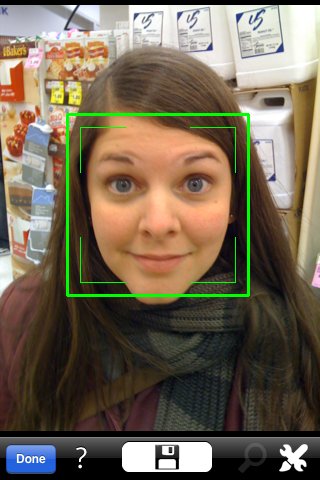
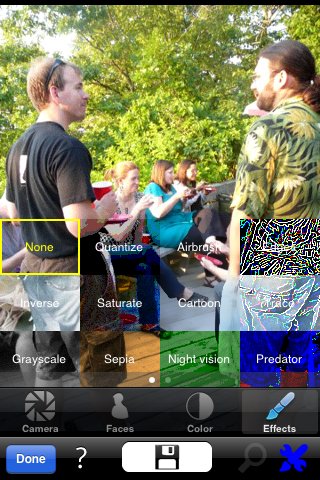
Chimera brings face detection and instant photographic effects to your iPhone. Enhance photos from either your camera or Photo Library with face-optimized color adjustment and over 20 filters.
Use Chimera instead of the default Camera application to quickly preview a scene, including face detection and filters, before you even take a shot. Chimera can instantly save photos to your library in single or continuous shot mode, or you can review and adjust each photo before saving.
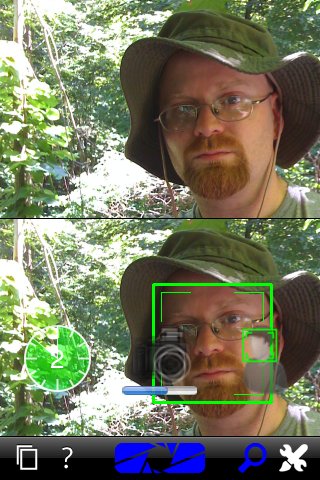
In addition to timed, motion stabilizing, and full-screen shutter modes Chimera can shoot when one or more faces appear in the frame -- perfect for self-portraits.
Features:
- Automatic white balance or contrast adjustment optimized for the faces in your scene
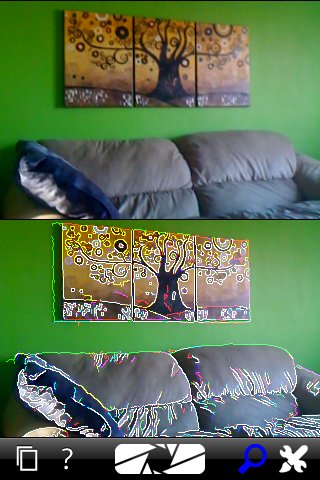
- Over 20 photographic filters including Grayscale, Sepia, Night vision, and Edge tracing
- Simple but powerful camera operation including timed photos, motion stabilization, a full-screen shutter button, and the unique option to shoot when faces are visible. Enable motion stabilization and face detection for great self-portraits
- Quickly preview your scene, filters, and face detection in split-screen mode
- Optionally review each photo and try different filters before saving, or load and adjust photos from your library
- View the results of face detection in preview or, optionally, on your saved photos
- Background saving lets you get right back to taking or adjusting photos
- All images are saved at their full native resolution
iPhone Screenshots
(click to enlarge)

App Changes
Other Apps From Helix Interactive