
What's New
Fixed a minor bug and added a Restore button to the subscription card for previous subscribers.
App Description
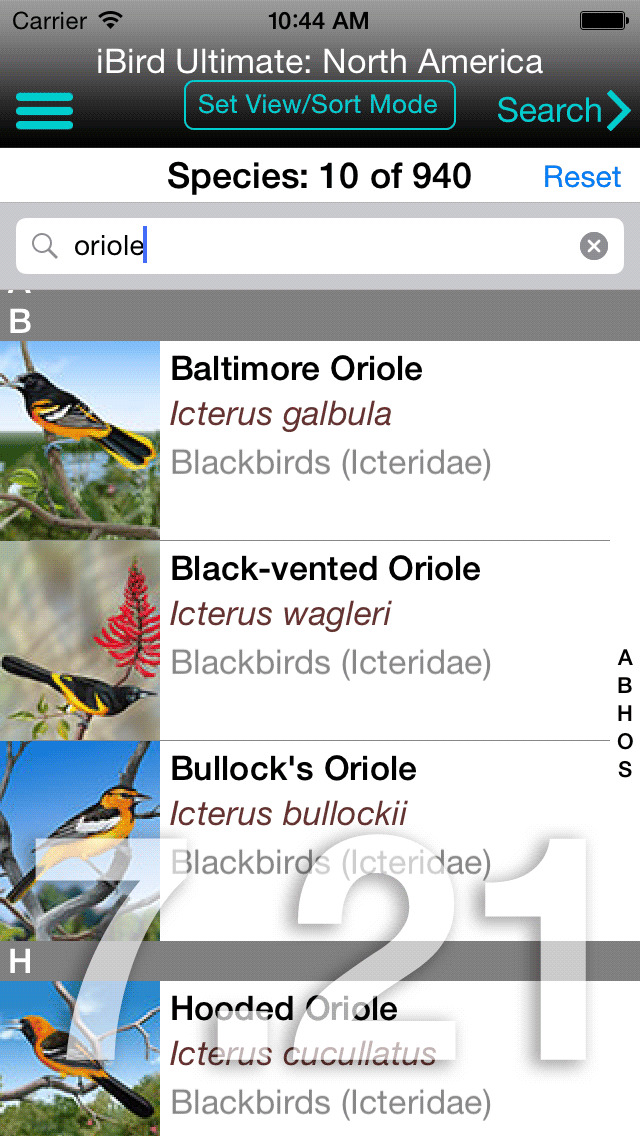
iBird Pro is a self-contained, take-anywhere-no-Internet-required app that turns your iPhone into a field guide to birds of North America, the United Kingdom, and Hawaii. iBird is superior to other birding apps because of the following features:
NO INTERNET REQUIRED: Unlike many birding apps today, iBird Pro has a built-in database so that you can use the app anywhere, even with no Internet access.
Get ready for a thrilling avian adventure with iBird Pro, the ultimate birdwatching companion that transforms your iPhone into a dazzling field guide! Unleash the power of iBird Pro, the birding aficionado's dream come true, and explore the magnificent world of birds across North America, the United Kingdom, the enchanting island nation of Palau, and the tropical paradise of Hawaii.
Experience the iBird advantage, packed with extraordinary features that make birding an exhilarating experience:
Offline Access: Wander off the beaten path, and iBird Pro's built-in database will accompany you, empowering you to explore bird species, even in the most remote corners of the world, without needing an internet connection.
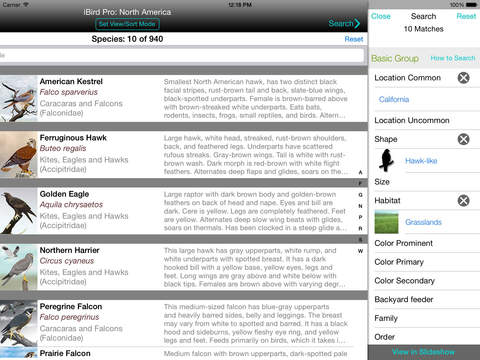
Advanced Search: Unleash your inner Sherlock Holmes with our patented parametric search engine that helps you identify birds like a pro. Utilize 35 attributes such as GPS location, color, habitat, bill shape, and song type to quickly and accurately pinpoint the bird you've spotted.
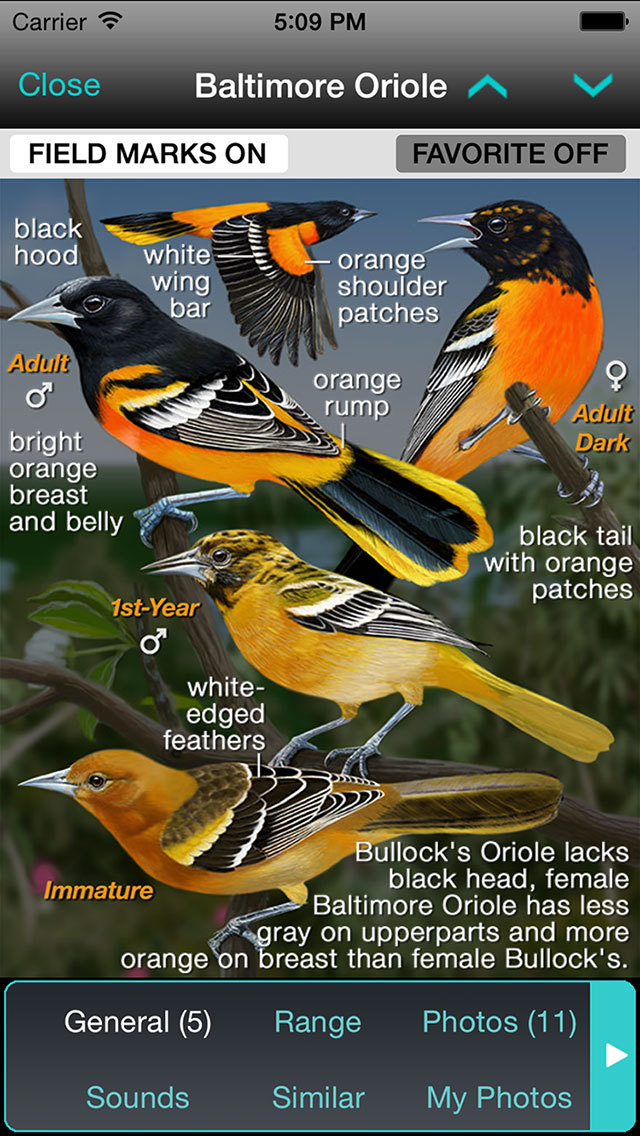
Stunning Illustrations: iBird Pro, the only app boasting high-resolution, hand-drawn illustrations for every species, captures the essence of birds in all their glory. Revel in detailed images of males, females, juveniles, birds in flight, and plumage variations, making identification a breeze.
Vivid Photos: Immerse yourself in our ever-growing collection of over 4,000 mesmerizing photographs, capturing species in a myriad of settings and environments. iBird Pro uniquely fuses illustrations and photographs for a comprehensive birding experience.
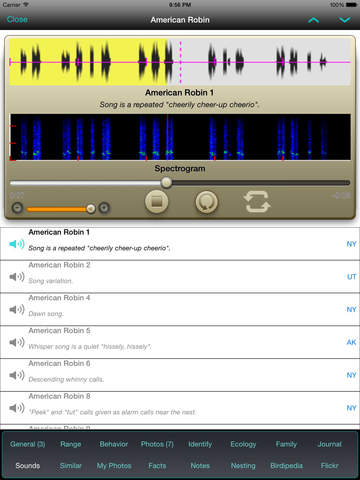
Songs and Calls: Sharpen your birding skills with over 4,000 birdsong and bird-call recordings, ideal for confirming IDs or when a bird remains elusive but vocal.
Photo Recognition: Unveil the magic of iBird's innovative Photo Sleuth app, harnessing cutting-edge AI technology to identify bird species from any photograph, even those that are low-quality or unclear. Note: Photo Sleuth is a separate app called from iBird. Discover how Photo Sleuth works: bit.ly/ibirdphoto.
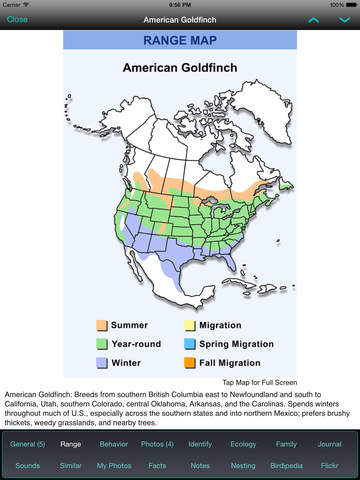
Detailed Range Maps: Uncover the secrets of each species with iBird Pro's intricate range maps, showcasing year-round habitats, migration patterns, and more.
Embark on a captivating journey through the world of birding with iBird Pro and experience unrivaled features that will skyrocket your birdwatching escapades to new heights!
PREVIOUS USERS. If you previously purchased iBird Pro, the subscription app is free for one year. Tap the Previous Owner button to access the free subscription while in the iBird app’s “7-day trial” offer. iBird will check and unlock your previous ownership receipt for a free year. If iBird can’t find your receipt, it will present a screen so you can email us, and we’ll forward the offer code.
EULA: https://www.apple.com/legal/internet-services/itunes/dev/stdeula/ (https://www.apple.com/legal/internet-services/itunes/dev/stdeula/)
Privacy Policy: https://www.ibird.com/privacy-policy/
iPhone Screenshots
(click to enlarge)


iPad Screenshots
(click to enlarge)


App Changes
- June 25, 2011 Price decrease: $29.99 -> $14.99
- June 25, 2011 New version 4.0
- July 02, 2011 Price increase: $14.99 -> $19.99
- September 01, 2011 Price increase: $19.99 -> $29.99
- September 10, 2011 Price decrease: $29.99 -> $19.99
- October 19, 2011 Price decrease: $19.99 -> $14.99
- October 20, 2011 Price increase: $14.99 -> $19.99
- October 25, 2011 Price decrease: $19.99 -> $14.99
- October 25, 2011 New version 5.0
- December 23, 2011 New version 5.1
- May 07, 2012 Price decrease: $14.99 -> $0.99
- May 17, 2012 Price increase: $0.99 -> $2.99
- July 15, 2012 New version 6.0
- July 15, 2012 Price increase: $2.99 -> $14.99
- November 27, 2012 Price decrease: $14.99 -> $4.99
- December 01, 2012 Price increase: $4.99 -> $14.99
- January 04, 2013 Price increase: $14.99 -> $19.99
- February 08, 2013 New version 6.1
- February 09, 2013 Price decrease: $19.99 -> $14.99
- March 02, 2013 Price increase: $14.99 -> $19.99
- November 30, 2013 Price decrease: $19.99 -> $7.99
- December 01, 2013 New version 6.11
- December 29, 2013 Price increase: $7.99 -> $19.99
- May 31, 2014 New version 7.0
- June 19, 2014 New version 7.01
- October 21, 2014 New version 7.2
- October 21, 2014 Price decrease: $19.99 -> $14.99
- November 05, 2014 Price increase: $14.99 -> $19.99
- March 17, 2015 New version 7.22
- March 17, 2015 Price decrease: $19.99 -> $14.99
- November 16, 2015 New version 9.0
- December 14, 2015 New version 9.1
- July 13, 2016 New version 9.21
- June 14, 2019 New version 12.01
- July 15, 2020 New version 12.5
- August 06, 2021 New version 12.6.2
- September 15, 2023 New version 13.3
- September 15, 2023 Price decrease: $14.99 -> FREE!
- October 03, 2023 New version 13.4
Other Apps From Mitch Waite Group