
What's New
- Fixed a bug where the app freezes when entering all-day event.
- Fixed a bug where Twitter could not be accessed.
- Other minor bug fixes.
App Description
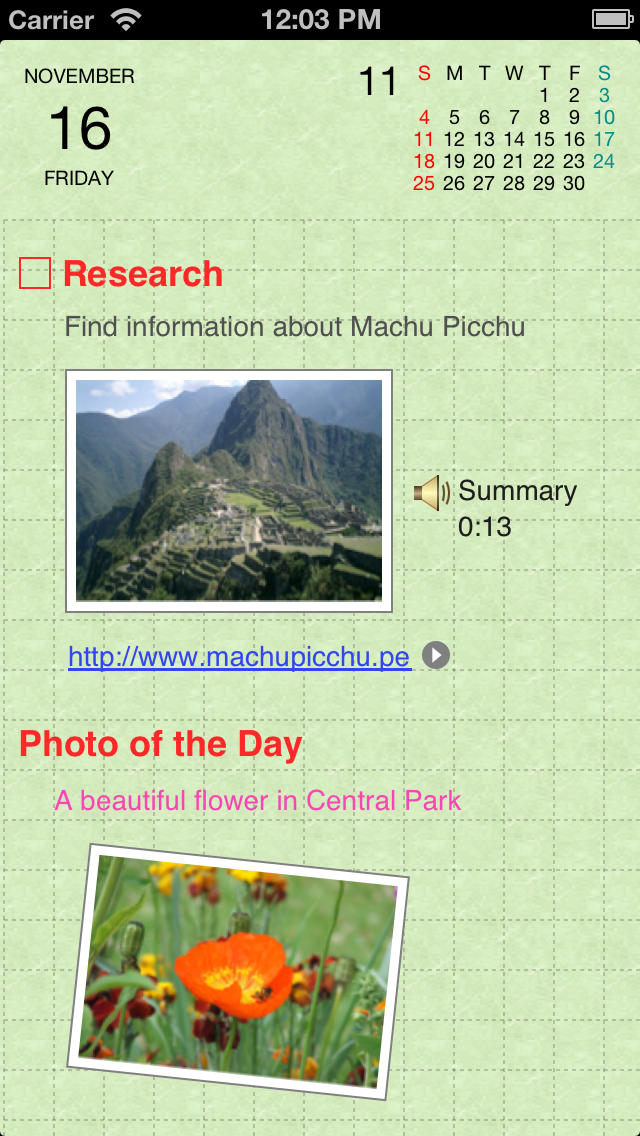
Organizer is an iPhone application that works just like a real organizer. You can enter text or events, create diagrams, use emoji, insert pictures or maps, or enter contacts just as you would write them down in your organizer. You can also record and play voice memos on the iPhone. It is the perfect tool to manage your daily schedule, to-do list, notes or diary.
Organizer was designed to act like a sheet of paper, allowing the software to accept the individual manner of its user. Anything you can write down on a sheet of paper, you can write down in Organizer. Organizer suits the needs and preferences of any user.
Other features include the followings:
- Cloud sync support. Data can be synced between multiple devices running Organizer and Organizer HD.
- Sync with "Calendar" app
http://www.aesthology.com/organizer/calendar.htm
- Sync with "Reminders" app
http://www.aesthology.com/organizer/reminder.htm
- Sync with Google Calendar™
http://www.aesthology.com/organizer/gcalendar.htm
- Task management (can optionally sync with Google Tasks)
http://www.aesthology.com/organizer/task.htm
- Enter text (bold, italic, underline, strikethrough) with checkbox and bullets.
- Enter events (including recurring events)
- Insert tweets from Twitter™.
http://www.aesthology.com/organizer/tweets.htm
- Enter handwritten notes and freehand drawings.
- Insert emoticons (182 emoticons are supplied)
- Insert photos by taking a picture from within Organizer, or by importing it from the photo library.
- Insert contacts from the address book.
- Insert voice memo.
- Insert shapes (line, freehand, rectangle, round rectangle and ellipse)
- Monthly and weekly calendars.
- Search functionality.
- Backup and restore via "Organizer Sync" on Mac or PC.
http://www.aesthology.com/organizer/sync.htm
- Optional passcode protection.
- Various options and options (go to “Settings” on home screen).
- Shows holidays in 21 countries.
- And many more!
Visit our support page for the complete list of features and comprehensive user manual:
http://www.aesthology.com/organizer/
iPhone Screenshots
(click to enlarge)




App Changes
- August 06, 2011 New version 4.3
- September 07, 2011 New version 4.4
- November 26, 2011 New version 4.5
- May 09, 2012 New version 4.6
- May 26, 2012 New version 4.6.1
- August 23, 2012 New version 5.0
- September 02, 2012 New version 5.0.1
- September 21, 2012 Price decrease: $7.99 -> $3.99
- September 26, 2012 Price increase: $3.99 -> $7.99
- September 28, 2012 New version 5.1
- September 28, 2012 Price decrease: $7.99 -> $3.99
- October 03, 2012 Price increase: $3.99 -> $7.99
- October 10, 2012 New version 5.1.1
- November 08, 2012 New version 5.1.2
- November 30, 2012 New version 5.1.3
- December 30, 2012 Price decrease: $7.99 -> $3.99
- January 14, 2013 Price increase: $3.99 -> $7.99
- March 07, 2013 New version 5.2
- January 23, 2014 New version 5.2.1
Other Apps From Aesthology Inc.