
What's New
This app has been updated by Apple to display the Apple Watch app icon.
- Bug Fixes
App Description
One of the top rated word games for the iPhone!
148Apps.com gives it a 5 out of 5 - "WordJong offers just enough of an addiction level that you will certainly feel the need to visit it day after day as it suggests"
Fingergaming.com gives a 5 out of 5 - “The App Store may be flooded with word-based puzzlers, but this one is definitely worth your time.”
Appcraver.com gives it an 8 out of 10 – “Put this one on your iPhone or iPod touch and leave it there. You’re going to be using it — a lot.”
******************
Find out for yourself what Nintendo Wii, DS, and PC users have been raving about!
WordJong Daily Challenge features simple, yet engrossing game play. Use a set of lettered tiles to create words and complete Mahjong solitaire puzzles. Shoot for high-scoring words, earn gold coins and bomb power-ups, and attempt to clear the board with no leftover letters.
Key Features:
- Unlimited Play: Each day brings the fresh challenge of a new, unique puzzle! Completed today’s puzzle? Pick a previous day on the calendar to play or replay any of the hundreds of other puzzles available!
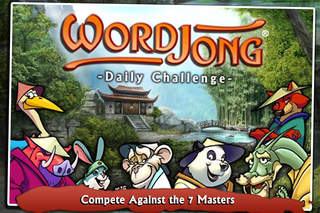
- Zodiac Characters: Try to beat the scores of the WordJong Masters! Each of the seven characters has his or her own personality and play style, representing a different difficulty level ranging from easy (the Rabbit) to hard (the Dragon).
- High Score Tracking: Compare your daily high scores with friends and family!
- Awards: Complete 9 challenges to earn a beautiful butterfly collection!
iPhone Screenshots
(click to enlarge)



App Changes
- July 02, 2011 Price decrease: $1.99 -> $0.99
- July 08, 2011 Price increase: $0.99 -> $1.99
- September 24, 2011 Price decrease: $1.99 -> $0.99
- November 09, 2011 Price increase: $0.99 -> $1.99
- May 02, 2012 Price decrease: $1.99 -> $0.99
- May 31, 2012 Price increase: $0.99 -> $1.99
- December 08, 2012 New version 1.6
- December 11, 2012 Price decrease: $1.99 -> $0.99
- March 20, 2015 Price increase: $0.99 -> $1.99
- June 15, 2019 New version 1.8
Other Apps From Gameblend Studios, LLC