

What's New
+ Introduced Portuguese, Czech, and Hungarian language support
+ Enhanced information and data for celestial objects
+ Upgraded astronomical calendar for better accuracy
+ Streamlined local notifications system
+ Implemented minor bug fixes and performance optimizations
We welcome your feedback at [email protected] for any issues, inquiries, or suggestions.
Your reviews and ratings on the App Store mean a lot to us.
Thank you for choosing Star Walk!
App Description
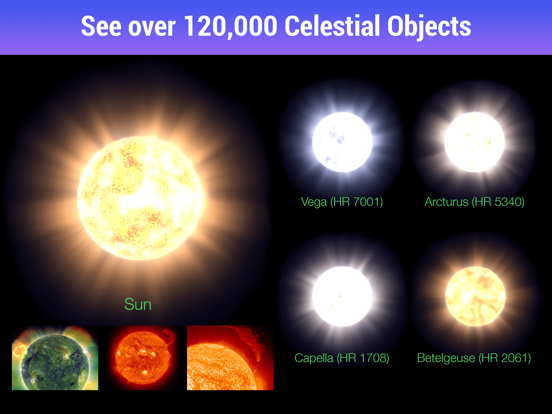
Star Walk is the most beautiful stargazing app you’ve ever seen on a mobile device. It will become your interactive guide to the night sky, following your every movement in real-time and allowing you to explore over 200, 000 celestial bodies with extensive information.
***Over 10 million users! Winner of Apple Design Award 2010***
“Star Walk is a remarkably in-depth and detailed astronomy app. There's so much you can do with this app” - Common sense media
“Star Walk is the best stargazing application I have come across for the iPhone. Many of the features found within the application cannot be found in any others! This is one of the best developed and executed applications I have seen to hit the app store.” - iMore
“This app brings the old paper star chart into the smartphone age, and makes exploring the night sky easily accessible to everyone.” - Soggy Astronomer
Duran Duran's keyboard Nick Rhodes mentions Star Walk as his favourite app:
“It’s brilliant, and if you’re ever somewhere with a clear sky and no light pollution, it’s a revelation. It’s beautifully designed and makes clever use of the available technology. I’m fascinated by astronomy, but even if you’re not, give this a go.”
Key features:
• Night sky map with thousands of stars, constellations and other sky objects.
• Real-time tracking of celestial bodies.
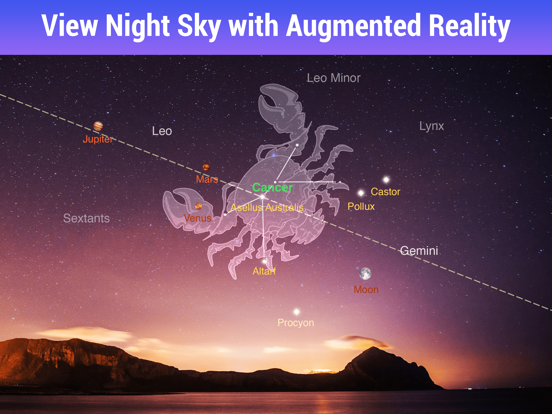
• Augmented reality sky view.
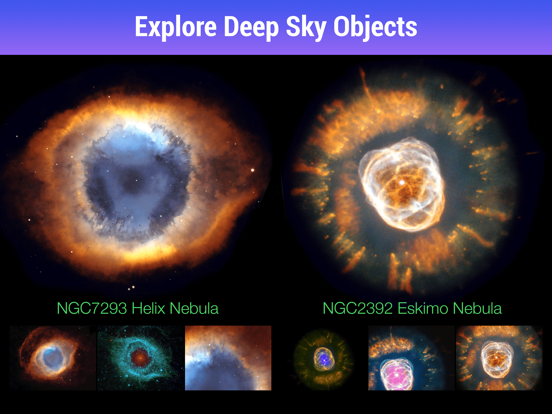
• Deep sky objects to explore in detail.
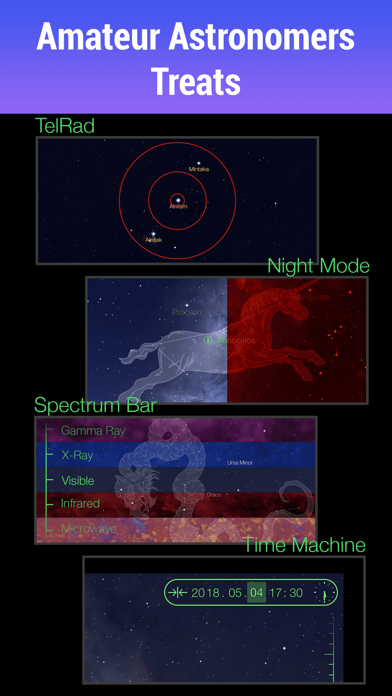
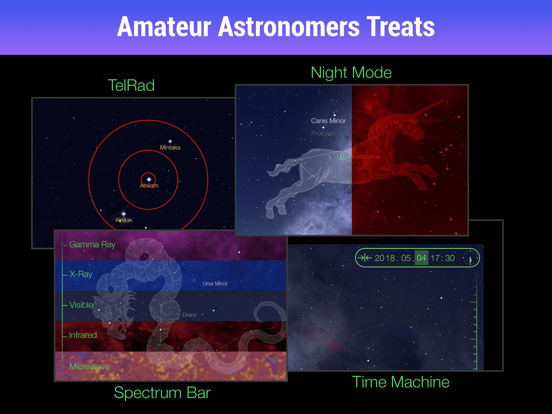
• Night mode.
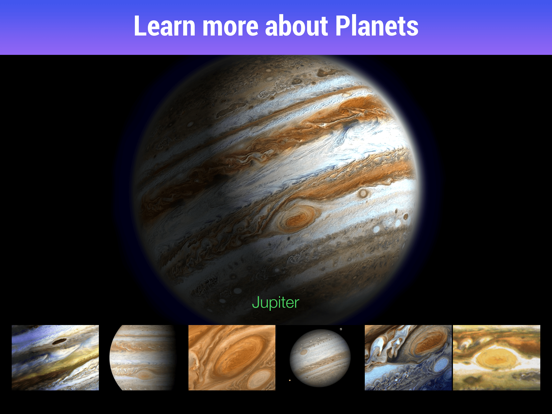
• Extensive information about all sky objects.
• The ability to travel in time with “Time machine”
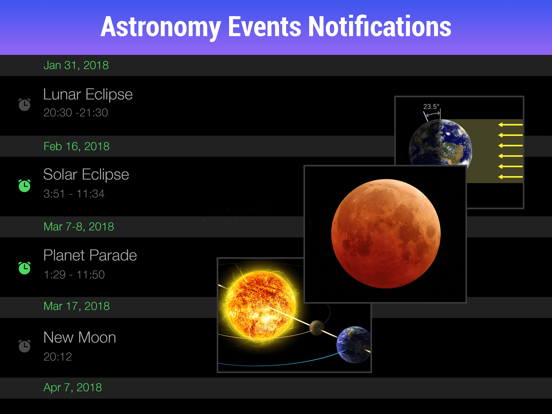
• Astronomical calendar with various celestial events.
• Stunning space pictures in “Picture of the Day”.
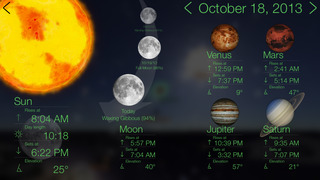
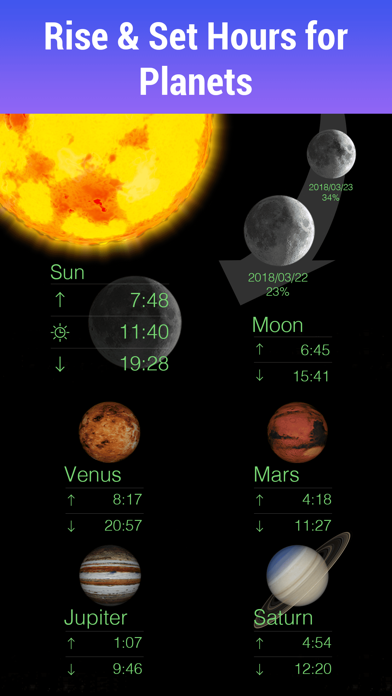
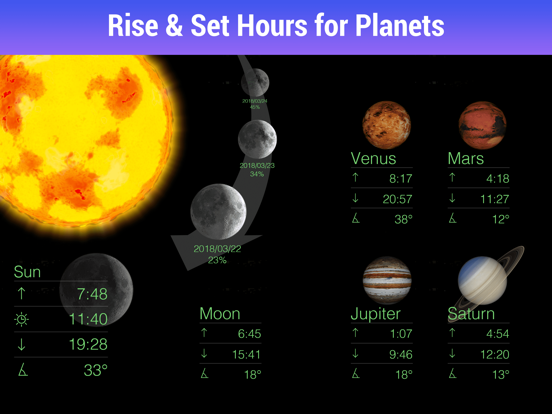
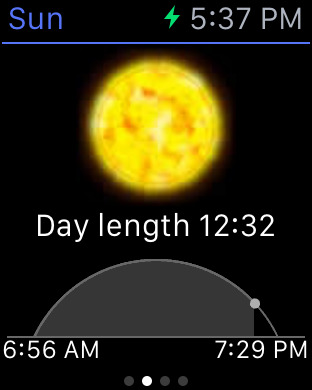
• “Sky Live” section with info about the moon phases, the amount of daylight, the visibility of the planets, etc.
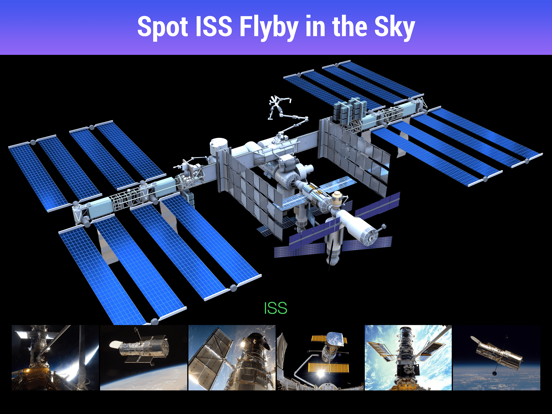
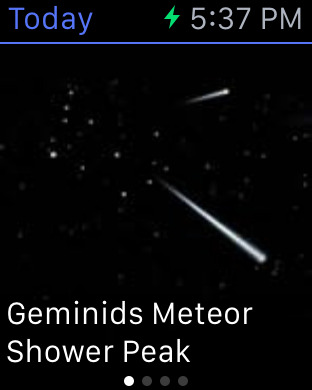
Astronomical calendar, deep space objects, meteor showers, dwarf planets, asteroids, comets, and satellites are available through the STAR WALK PLUS subscription.
‣ Launch the app and point your device at the night sky - you'll see the stars, planets, satellites, and constellations in their proper place from your location. As you move your device, the star map updates in real time.*
‣ Every object you tap has an (i) next to its name, tap it to access some information.
‣ A scale on right is the “Time machine”, slide it to explore the map of the night sky of tomorrow or years ago.
‣ A calendar of celestial events will make sure you never miss anything interesting.
‣ Tap Augmented Reality icon in the upper right corner to add the image from your camera to your sky view.
‣ Use Night Mode to go easy on your eyes and preserve night vision when exploring the Universe.
‣ Star Walk is your personal planetarium. Project to a big screen with no picture quality loss.
*This feature (Star Spotter) is available for devices with digital compass. If your device does not have the digital compass, you can use your fingers to change the view of the sky map.
Links:
http://www.facebook.com/StarWalkApp
http://twitter.com/starwalk
STAR WALK PLUS removes ads from the app and gives you access to the calendar with astronomical events, deep space objects, meteor showers, dwarf planets, asteroids, comets, and satellites. It offers a one-week free trial followed by an auto-renewing subscription.
Payment will be charged to iTunes Account at confirmation of purchase, and your account will be charged for renewal within 24-hours prior to the end of the current period. Subscription automatically renews unless auto-renew is turned off at least 24-hours before the end of the current period. Subscription may be managed by the user and auto-renewal may be turned off by going to the user's Account Settings after purchase. Any unused portion of a free trial period, if offered, will be forfeited when the user purchases a subscription to that publication, where applicable.
Terms of use: http://vitotechnology.com/terms-of-use.html
Start your best stargazing experience right now!
iPhone Screenshots
(click to enlarge)





iPad Screenshots
(click to enlarge)
Apple Watch Screenshots
(click to enlarge)



App Changes
- April 21, 2011 New version 5.2.2
- April 14, 2011 Price increase: $0.99 -> $2.99
- April 08, 2011 New version 5.2.1
- April 08, 2011 Price decrease: $2.99 -> $0.99
- April 06, 2011 New version 5.2
- January 04, 2011 New version 5.1.2
- December 16, 2010 New version 5.1.1
- December 14, 2010 New version 5.1
- November 30, 2010 Price increase: $0.99 -> $2.99
- November 28, 2010 Price decrease: $2.99 -> $0.99
- November 26, 2010 Price increase: $0.99 -> $2.99
- November 25, 2010 Price decrease: $2.99 -> $0.99
- November 19, 2010 New version 5.0.1
- November 11, 2010 New version 5.0
- September 14, 2010 New version 4.5.1
- August 30, 2010 New version 4.5
- August 02, 2010 New version 4.4
- July 17, 2010 New version 4.3.2
- July 08, 2010 New version 4.3.1
- July 01, 2010 New version 4.3
- June 04, 2010 New version 4.2.1
- April 30, 2010 New version 4.2
- April 09, 2010 New version 4.1
- March 25, 2010 New version 4.0
- February 17, 2010 New version 3.6.1
- February 11, 2010 New version 3.6
- January 27, 2010 New version 3.5
- December 15, 2009 Price decrease: $4.99 -> $2.99
- December 15, 2009 New version 3.4
- November 19, 2009 New version 3.3
- November 06, 2009 Price increase: $0.99 -> $4.99
- November 05, 2009 Price decrease: $4.99 -> $0.99
- October 28, 2009 New version 3.2
- October 14, 2009 New version 3.1
- October 10, 2009 Price increase: $2.99 -> $4.99
- October 06, 2009 Price decrease: $4.99 -> $2.99
- September 18, 2009 New version 3.0
- July 24, 2009 New version 2.1
- June 17, 2009 Price increase: $2.99 -> $4.99
- June 01, 2009 Price decrease: $4.99 -> $2.99
- April 22, 2009 New version 1.5
- February 21, 2009 Price increase: $2.99 -> $4.99
- February 09, 2009 Price decrease: $4.99 -> $2.99
- February 02, 2009 New version 1.21
- January 24, 2009 New version 1.2
- December 09, 2008 New version 1.1
- July 13, 2011 New version 5.3
- August 20, 2011 Price decrease: $2.99 -> $1.99
- August 21, 2011 Price increase: $1.99 -> $2.99
- August 25, 2011 New version 5.4
- November 21, 2011 New version 5.5
- November 25, 2011 Price decrease: $2.99 -> $1.99
- November 29, 2011 Price increase: $1.99 -> $2.99
- December 16, 2011 New version 5.6
- December 21, 2011 Price decrease: $2.99 -> $1.99
- December 21, 2011 New version 5.6.1
- December 30, 2011 Price increase: $1.99 -> $2.99
- February 07, 2012 New version 5.6.2
- February 15, 2012 Price increase: $1.99 -> $2.99
- March 23, 2012 New version 5.7
- April 04, 2012 New version 5.7.1
- April 05, 2012 Price decrease: $2.99 -> $1.99
- April 09, 2012 Price increase: $1.99 -> $2.99
- April 20, 2012 New version 5.7.2
- May 05, 2012 Price decrease: $2.99 -> $0.99
- May 14, 2012 Price increase: $0.99 -> $2.99
- May 17, 2012 New version 5.7.4
- May 25, 2012 Price decrease: $2.99 -> $1.99
- May 28, 2012 Price increase: $1.99 -> $2.99
- June 11, 2012 Price decrease: $2.99 -> $1.99
- June 15, 2012 Price increase: $1.99 -> $2.99
- August 24, 2012 Price decrease: $2.99 -> $1.99
- August 27, 2012 Price increase: $1.99 -> $2.99
- August 28, 2012 New version 6.0
- September 14, 2012 Price decrease: $2.99 -> $1.99
- September 21, 2012 Price increase: $1.99 -> $2.99
- September 27, 2012 New version 6.0.1
- November 22, 2012 Price decrease: $2.99 -> $1.99
- November 27, 2012 Price increase: $1.99 -> $2.99
- December 13, 2012 New version 6.1
- December 19, 2012 Price decrease: $2.99 -> $0.99
- December 21, 2012 Price increase: $0.99 -> $2.99
- February 06, 2013 New version 6.1.1
- March 01, 2013 Price decrease: $2.99 -> $0.99
- March 02, 2013 Price increase: $0.99 -> $2.99
- April 06, 2013 Price decrease: $2.99 -> $1.99
- April 06, 2013 Price increase: $1.99 -> $2.99
- April 11, 2013 New version 6.2
- May 16, 2013 New version 6.2.1
- June 14, 2013 Price decrease: $2.99 -> $0.99
- June 15, 2013 Price increase: $0.99 -> $2.99
- August 02, 2013 Price decrease: $2.99 -> $0.99
- August 03, 2013 Price increase: $0.99 -> $2.99
- September 17, 2013 New version 6.3
- September 27, 2013 Price decrease: $2.99 -> $0.99
- September 28, 2013 Price increase: $0.99 -> $2.99
- September 28, 2013 Price decrease: $2.99 -> $0.99
- September 28, 2013 Price increase: $0.99 -> $2.99
- October 31, 2013 New version 7.0
- November 05, 2013 New version 7.0.1
- November 14, 2013 New version 7.0.2
- November 15, 2013 Price decrease: $2.99 -> $0.99
- November 16, 2013 Price increase: $0.99 -> $2.99
- November 28, 2013 Price decrease: $2.99 -> $0.99
- November 29, 2013 Price increase: $0.99 -> $2.99
- December 02, 2013 New version 7.0.3
- December 13, 2013 Price decrease: $2.99 -> $0.99
- December 14, 2013 Price increase: $0.99 -> $2.99
- December 20, 2013 Price decrease: $2.99 -> $0.99
- December 20, 2013 Price increase: $0.99 -> $2.99
- January 11, 2014 Price decrease: $2.99 -> $0.99
- January 12, 2014 Price increase: $0.99 -> $2.99
- January 18, 2014 Price decrease: $2.99 -> $0.99
- January 19, 2014 Price increase: $0.99 -> $2.99
- April 11, 2014 Price decrease: $2.99 -> $0.99
- April 12, 2014 Price increase: $0.99 -> $2.99
- June 22, 2014 Price decrease: $2.99 -> $0.99
- June 24, 2014 Price increase: $0.99 -> $2.99
- August 16, 2014 Price decrease: $2.99 -> $0.99
- August 18, 2014 Price increase: $0.99 -> $2.99
- August 29, 2014 Price decrease: $2.99 -> $0.99
- September 02, 2014 Price increase: $0.99 -> $2.99
- November 06, 2014 New version 7.0.4
- November 27, 2014 Price decrease: $2.99 -> $0.99
- December 01, 2014 Price increase: $0.99 -> $2.99
- April 26, 2015 New version 7.1.0
- September 10, 2015 Price decrease: $2.99 -> $0.99
- September 27, 2015 Price increase: $0.99 -> $2.99
- December 22, 2015 Price decrease: $2.99 -> $0.99
- December 26, 2015 Price increase: $0.99 -> $2.99
- March 12, 2016 New version 7.2.0
- March 12, 2016 Price decrease: $2.99 -> $0.99
- March 13, 2016 Price increase: $0.99 -> $2.99
- July 16, 2016 Price decrease: $2.99 -> $0.99
- July 19, 2016 Price increase: $0.99 -> $2.99
- November 17, 2016 New version 7.2.1
- December 03, 2016 Price increase: $2.99 -> $4.99
- December 22, 2016 Price decrease: $4.99 -> $0.99
- December 26, 2016 Price increase: $0.99 -> $4.99
- June 14, 2019 New version 7.3.5
- June 14, 2019 Price decrease: $4.99 -> FREE!
- June 16, 2019 Price decrease: $4.99 -> FREE!
- July 14, 2020 New version 7.3.6
- November 11, 2020 New version 7.3.7
- October 03, 2023 New version 7.4.0
Other Apps From Vito Technology Inc.